
· By IMRAN HOSSAIN
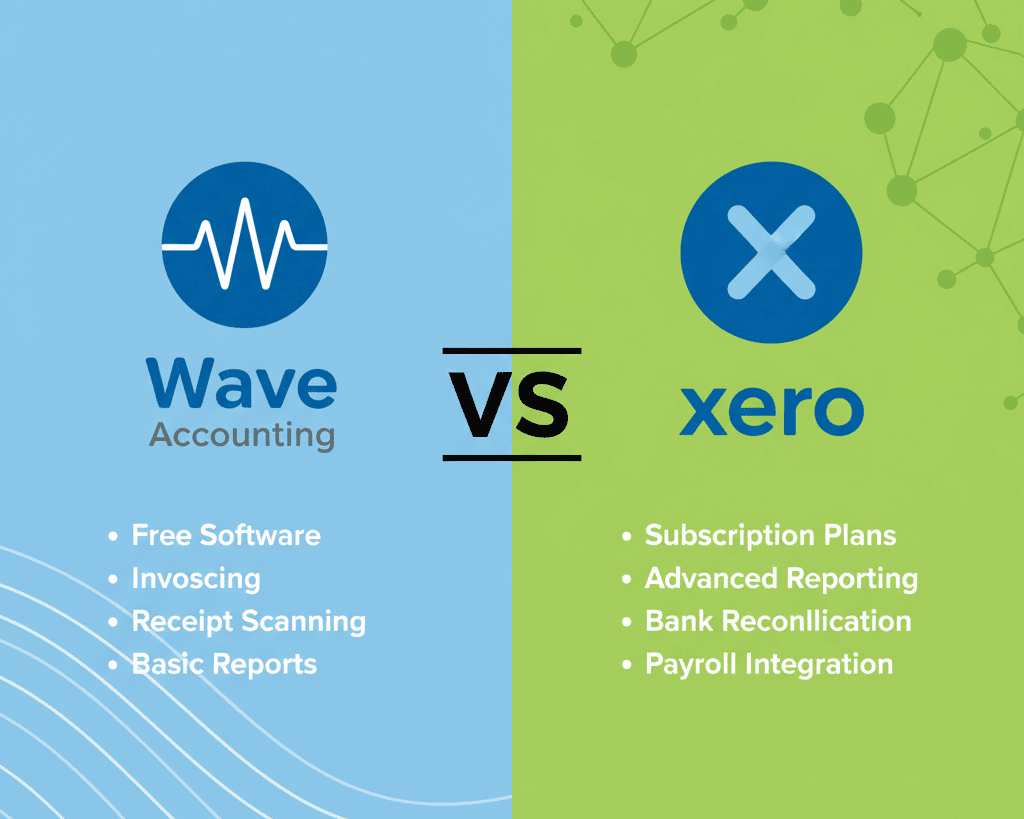
Quick answer: In 2026, Wave Accounting is best suited for freelancers and very small businesses looking for cost-effective solutions, while Xero stands out for small to medium-sized businesses that require scalability and advanced features. Ultimately, your choice should depend on your specific needs.
- Wave Accounting is entirely free for basic features, making it appealing for budget-conscious users.
- Xero is a paid service that excels in integrations and scalability, ideal for growing operations.
- Your specific business needs will greatly influence which accounting software is the best fit.
- Wave is user-friendly, advantageous for freelancers, while Xero offers more robust features for complex financial management.
- Consider future growth potential and necessary integrations when choosing between these platforms.
What Are the Key Features of Wave Accounting?
Wave Accounting is a free, cloud-based platform focused on serving freelancers and micro-businesses. You can use unlimited invoicing, expense tracking, and bank reconciliations, all at no cost. This makes Wave perfect for individuals who want to efficiently manage their finances without incurring subscription fees. The ease of use is a significant advantage; it allows users to quickly adapt to the software and manage their accounts without a steep learning curve.
Wave earns revenue through optional add-ons, such as payroll services and credit card processing. For example, Wave users may find payroll features necessary as their business grows. These add-ons also include invoice financing and the capability to accept online payments, which can help businesses streamline cash flow. The platform’s features are designed to handle the basics effectively, ensuring that you can devote more time to your core business activities, something essential for freelancers managing various projects.
How Does Xero Stand Out in the Accounting Software Market?
Xero is a cloud-based accounting tool designed for small to medium-sized businesses. Priced from $12.50 to $65 per month depending on your chosen plan, it offers a wide range of features, including comprehensive reporting, project management, and multi-currency support. One of Xero’s greatest assets is its ability to integrate with over 1,000 applications, allowing you to customize your workflow and boost efficiency according to your unique business needs.
Unlike Wave, Xero is geared towards scalability, which makes it attractive to businesses planning to grow. You can add users and features as necessary, which means you won’t need to switch platforms as operations expand. Furthermore, Xero also offers excellent customer support and educational resources, making it a reliable partner for your accounting needs. This is particularly valuable for small businesses that may not have a dedicated finance team and require ongoing assistance related to their accounting software.
Which One Fits You? Personalized Recommendations
The Budget-Conscious Freelancer
If you are just starting out or managing a micro-business, Wave is tailored for you. With its free core features, you can manage your finances without worrying about monthly costs or unnecessary functionalities. For instance, freelance graphic designers or writers can utilize the unlimited invoicing feature, generating invoices for different clients easily and efficiently without any cost.
The Growing Small Business Owner
For those managing a growing small business that requires extensive reporting and financial automation, Xero is the better option. Its rich feature set and ability to scale with your needs, such as advanced budgeting and forecasting functionalities, make it an excellent investment for long-term growth. For example, a burgeoning e-commerce business might find Xero’s detailed sales tracking invaluable, allowing easy integration with sales channels like Shopify or Amazon.
The Tech-Savvy Entrepreneur
If you are adept with technology and seek to integrate accounting processes with other business tools, Xero’s vast array of app integrations will significantly enhance your workflow. For instance, a digital marketing agency could integrate Xero with CRM tools or social media advertising platforms to gain insights into return on investment, making informed financial decisions based on real-time data.
The Freelancer Seeking Simplicity
For freelancers preferring to avoid complex bookkeeping, Wave’s intuitive interface offers a straightforward approach. This allows you to concentrate on your craft while maintaining financial organization. Wave’s user-friendly design makes it effortless to track expenses or send invoices, freeing up valuable time that can be directed towards your creative work.
Examples of Usage Scenarios
Example 1: A graphic designer running a freelance business under a tight budget would benefit greatly from Wave’s free invoicing and expense tracking features. You can seamlessly generate and send invoices from your mobile device while on-site with clients, streamlining cash flow visibility.
Example 2: If you operate a growing e-commerce business, using Xero’s advanced inventory management capabilities would enable you to monitor stock levels, set automatic reorder points, and integrate seamlessly with your sales data. This feature allows careful oversight to avoid stockouts and overstocking, ultimately fostering profitability.
Checklist for Choosing the Right Accounting Software
- Define your budget constraints for accounting software. This can involve not only the software’s subscription fees but also potential extra costs for add-ons or integrations.
- Assess your current business size and future growth plans. Understanding your growth trajectory can influence whether to choose a scalable solution like Xero or a budget-friendly option like Wave.
- Identify the need for additional features such as payroll and inventory management. A comprehensive understanding of what features you’ll require can prevent future headaches when scaling.
- Evaluate your comfort level with technology and integrations. If you are less tech-savvy, a more straightforward interface like Wave’s may reduce time spent learning the software.
- Consider how many users will need access to the software. If multiple users, like collaborators or accountants, need access, ensure your chosen platform allows for that easily.
Common Mistakes to Avoid When Choosing Accounting Software
A frequent mistake is selecting software without a clear understanding of your specific business scale and needs. Many users are swayed by advanced features they may never utilize. Additionally, overlooking the importance of customer support can lead to frustrations, particularly for businesses with limited accounting expertise. It’s crucial to explore the software’s ability to scale as your business grows and to verify its customer support responsiveness through reviews or peer feedback.
What Are the Hidden Costs and Trade-offs?
When deciding between Wave Accounting and Xero, understanding potential hidden costs is vital. With Wave, while the basic features are free, the costs for add-ons can accumulate if you opt for additional services like payroll processing, which starts at around $20 per month. Xero, on the other hand, involves ongoing subscription fees that start at $12.50 monthly, depending on the plan. Choose Wave if you have basic needs and a tight budget, but brace for additional costs as your operation scales. Ultimately, understanding these hidden costs helps in formulating your total operating expenses effectively.
Your Questions Answered
- What is the main difference in pricing between Wave and Xero? Wave’s core functionalities are free, while Xero charges a subscription with tiered pricing starting at $12.50 monthly.
- Which one is easier for beginners? Wave is often regarded as more beginner-friendly due to its straightforward setup and intuitive navigation, which can be extremely beneficial for those new to accounting software.
- Does Wave offer payroll services? Yes, Wave provides payroll as a paid add-on feature, which is especially useful as your business expands and requires more structured employee management.
- Is Xero suitable for freelancers? While Xero offers extensive features, Wave can be more budget-friendly and simpler for freelancers who have limited accounting needs.
- How do Wave and Xero handle bank reconciliation? Both platforms allow automatic transaction imports; however, Xero offers a more streamlined process for reconciliation, saving time in managing financial records.
- Which software is better for e-commerce businesses in 2026? Xero is generally better for e-commerce due to its robust inventory management and comprehensive reporting features that cater to dynamic sales environments.
Choosing between Wave Accounting and Xero requires careful assessment of your current needs and future plans. Wave excels in simplicity and cost-effectiveness, making it ideal for freelancers, whereas Xero’s advanced features and scalability cater to growing businesses. For more insights, view our comprehensive comparisons on Wave vs Xero software solutions.
Pricing Breakdown with Worked Examples
Pricing is an important aspect when evaluating accounting software. Here we break down typical costs for Wave and Xero based on various scenarios.
Scenario 1: Freelancer with Basic Needs
A freelancer using Wave for core functionalities will incur no monthly costs. Assuming they require payroll for a small team, adding this would bring the total to approximately $20 per month.
Scenario 2: Growing Small Business
A small e-commerce business that opts for Xero’s starter plan at $12.50 monthly would incur that cost along with an additional $25 monthly for payroll services, totaling $37.50 each month.
Pros and Cons Comparison Table
| Feature | Wave Accounting | Xero |
|---|---|---|
| Cost | Free for basic features | Starts at $12.50 monthly |
| User-Friendly | Highly intuitive for beginners | Steeper learning curve with advanced features |
| Scalability | Limited scalability | Highly scalable with many users and features |
| Reporting Tools | Basic reports available | Comprehensive reporting and analytics |
| Add-ons | Extra fees for payroll and payments | Subscription includes many features |
By weighing these pros and cons based on your business plan, you can make a more informed decision regarding whether Wave or Xero best meets your accounting needs.