
· By IMRAN HOSSAIN
Quick answer: In 2026, QuickBooks is best for businesses needing accounting features like payroll and invoicing, while Quicken serves individuals managing personal finances and budgets. Choose QuickBooks for robust business tools and Quicken for straightforward personal finance management.
- QuickBooks is tailored for small to medium-sized businesses.
- Quicken focuses on personal finance with budgeting and investment tracking.
- QuickBooks offers advanced features at a higher price point than Quicken.
- Both have mobile apps for managing finances on the go.
- Your choice should depend on whether you need personal finance management or business accounting tools.
What is QuickBooks?
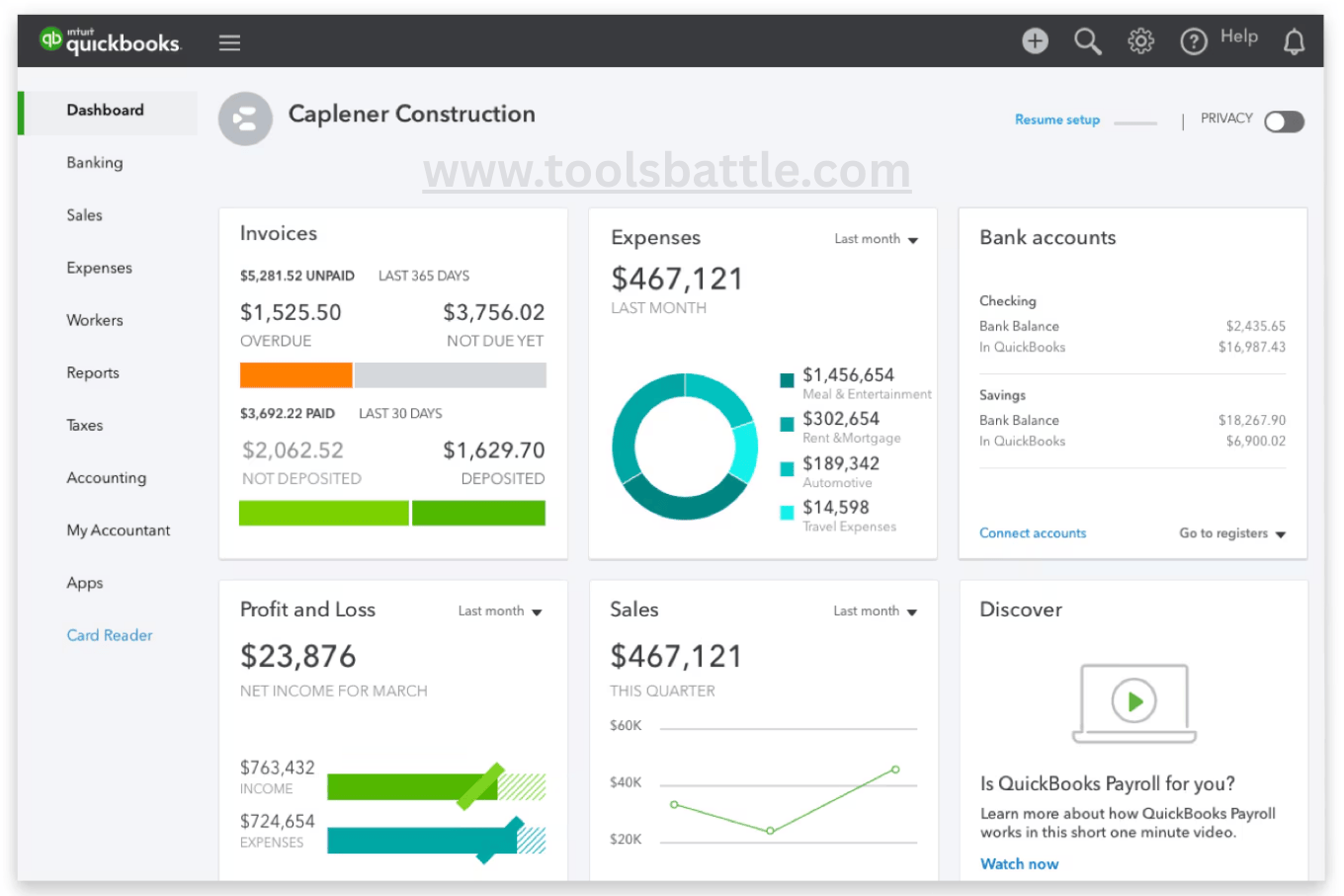
QuickBooks is an all-encompassing accounting software from Intuit, designed specifically to meet the needs of small and medium-sized businesses. It automates a variety of financial management tasks, including invoicing, payroll processing, inventory control, and expense tracking. QuickBooks provides a cloud-based platform that allows users to access their financial data from anywhere, ensuring flexibility and convenience. This is especially important in today’s evolving work environment, where remote access is highly valued and critical for team collaboration and responsiveness to client needs.

What are the Key Features of QuickBooks?
- Professional Invoicing: Generate and send invoices effortlessly, automate reminders, and accept online payments. This feature streamlines the billing process, helping businesses get paid faster.
- Payroll Services: Manage payroll processing and tax withholdings, ensuring compliance with regulations. This service is invaluable for businesses with employees, as it simplifies what can be a very complex process without requiring dedicated payroll staff.
- Inventory Management: Keep track of product stock levels and monitor sales trends to avoid shortages. This is especially useful for retail businesses that depend on maintaining optimal inventory levels, ultimately supporting their profit margins.
- Financial Reporting: Create detailed financial statements to analyze your business’s performance. Comprehensive reporting tools help businesses understand profitability, cash flow, and overall financial health, crucial for strategic decision-making.
- Mobile Access: Manage your business finances from anywhere using the QuickBooks mobile app. This feature allows users to manage invoices, track expenses, and run reports on the go, enhancing productivity for businesses on the move.
What are the Pros and Cons of QuickBooks?
- Pros: Offers a highly user-friendly interface, strong automation, and robust reporting capabilities. Users can automate many financial tasks, greatly improving efficiency and accuracy in managing business finances.
- Cons: More expensive than basic accounting tools, has a notable learning curve for new users. The extensive features may be overwhelming initially, leading to longer setup times and requiring additional time for training staff.
Who Is QuickBooks Best For?
- Small businesses that require comprehensive accounting features. These businesses often need to manage multiple financial aspects, making QuickBooks a valuable asset for professional grade bookkeeping and strategic financial planning.
- Freelancers needing efficient invoicing and expense tracking. QuickBooks allows freelancers to present a professional image to clients through well-designed invoices and detailed insights about their expenses.
- Mid-sized companies looking for advanced financial reporting and payroll options. As businesses grow, so do their financial tracking needs, which QuickBooks can support efficiently by providing scalable solutions.
What is the Pricing Overview for QuickBooks?
QuickBooks provides several pricing plans that cater to varying business sizes and needs. In 2026, plans can start at approximately $38 per month for the Simple Start, offering fundamental invoicing and expense tracking tools. More comprehensive options, like the Plus plan at around $70 per month, include project tracking and inventory management, while the Advanced plan can cost up to $275 per month for larger teams with extensive needs. Each tier provides additional capabilities such as more detailed reporting and additional user access options. Businesses should carefully consider their current and projected needs when selecting a plan to ensure they choose the best fit without incurring unnecessary costs.
What is Quicken?
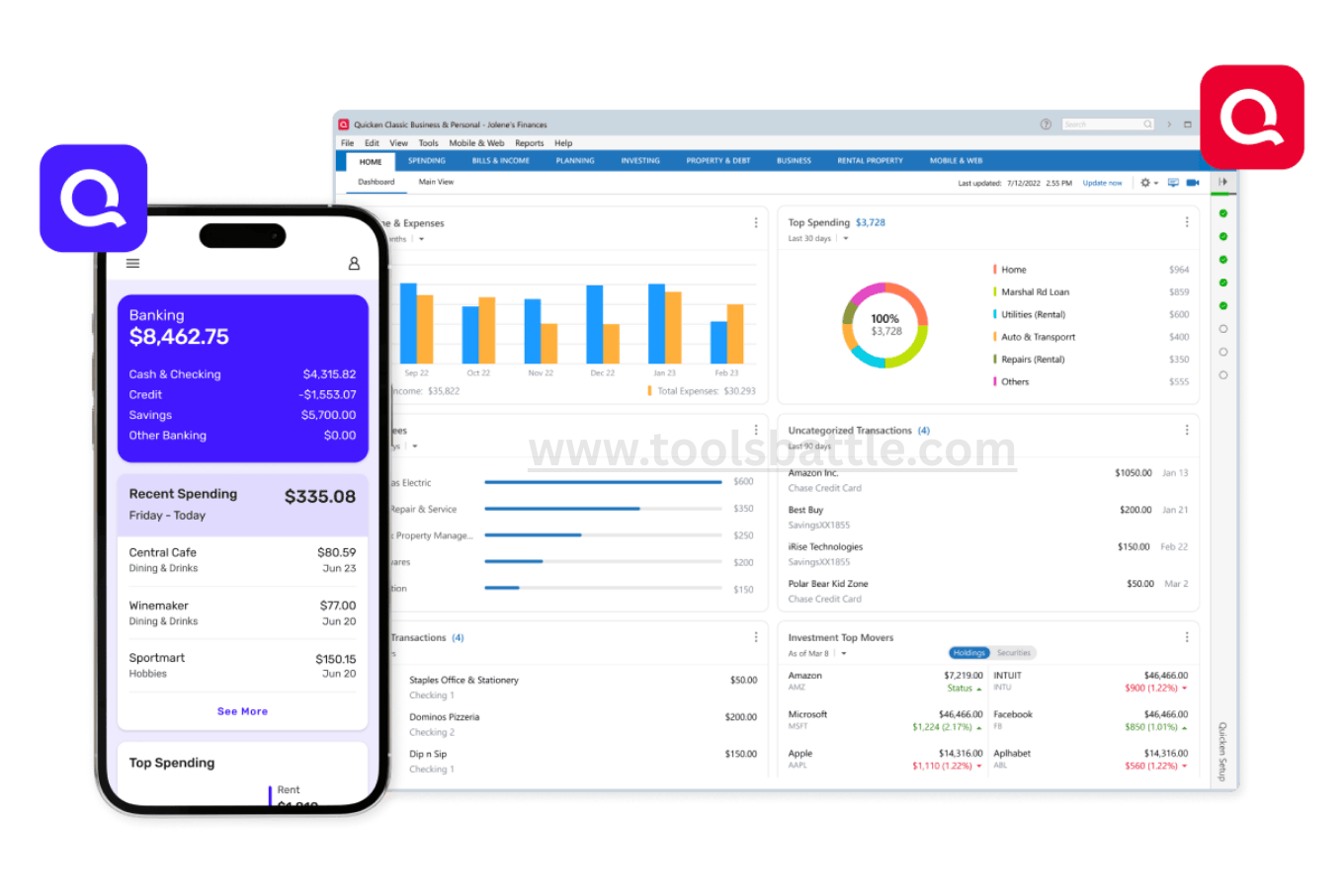
Quicken, also developed by Intuit, is designed primarily for personal finance management. It helps individuals and families track their spending, budgeting, and investments in a user-friendly format. In an era where personal financial awareness is becoming more critical, Quicken helps users understand their financial health by consolidating various financial accounts into a single view, simplifying the task of money management and facilitating better financial decisions.
What are the Key Features of Quicken?
- Budget Tracking: Create and manage a budget effectively with visual tracking tools. Users can categorize expenses and see where their money is going, enabling better financial decisions and planning for future needs.
- Account Aggregation: Sync and manage various financial accounts such as bank accounts, credit cards, and investments. Quicken allows users to see a complete view of their finances in one place, which simplifies management and fosters a holistic view of personal finance.
- Bill Payment Reminders: Schedule payments to avoid late fees and manage cash flows more effectively. This feature is particularly beneficial for managing recurring bills, saving users significant money and stress.
- Investment Tracking: Analyze your portfolio’s performance and growth. Quicken provides tools that help users assess the value of their investments and implement financial strategies directed towards their goals.
- Mobile Features: Access your personal finances via the Quicken mobile app for convenience, offering users real-time financial insights regardless of location and keeping them informed of their financial status.
What are the Pros and Cons of Quicken?
- Pros: Simple to use, excellent for budgeting and personal finance insights. Users appreciate the straightforward design that facilitates financial planning and management without confusion.
- Cons: Limited business accounting features and requires a subscription for full functionality. Individuals seeking advanced features for investment or retirement planning may find Quicken lacking compared to QuickBooks, particularly when managing complex financial scenarios.
Who Is Quicken Best For?
- Individuals managing personal finances and budgets. Quicken provides tools specifically for personal financial management, making it a go-to choice for many individuals focused on budgeting.
- Families aiming to keep track of monthly expenses and savings. With Quicken’s budgeting features, families can set realistic financial goals and monitor their progress effectively.
- Users looking to monitor investments and retirement goals. Quicken’s investment tracking feature is very appealing to those seeking to assess their financial growth over time and prepare for long-term financial stability.
What is the Pricing Overview for Quicken?
As of 2026, Quicken offers various subscription-based plans ranging from approximately $5.99 to $11.99 per month, depending on the features included. The pricing adjustments make it accessible for those focused on personal finance management while providing sufficient tools for those needing more in-depth investment analysis. Users can choose a plan that aligns with their financial management needs, ensuring they do not overpay for features they do not use, which can lead to long-term savings.
QuickBooks vs. Quicken: Key Differences
Understanding the essential differences between QuickBooks and Quicken can help you make an informed choice. QuickBooks is primarily for businesses needing advanced accounting functionalities, while Quicken is for personal finance management. The primary distinction lies in their intended use: the former is geared toward business profitability, while the latter focuses on personal savings, budgeting, and overall financial health. To explore another business accounting tool option, check our Comprehensive Knowify Reviews 2026: Features, Pricing, and Insights.
| Feature | QuickBooks | Quicken |
|---|---|---|
| Target Users | Businesses | Individuals |
| Accounting Level | Advanced | Basic |
| Invoicing | Yes | Limited |
| Payroll Services | Yes | No |
| Budgeting Tools | Basic | Strong |
| Pricing | Higher | Lower |
| Learning Curve | Moderate | Easy |
Which One Fits You? Reader Profiles
Deciding between QuickBooks and Quicken depends on your specific needs. Here are different reader profiles to illustrate the best fit:
- Small Business Owner: Choose QuickBooks because it provides comprehensive tools for invoicing, payroll, and financial tracking. As a business owner, you need reliable reporting and insights to manage growth effectively, which QuickBooks offers.
- Freelancer: Opt for QuickBooks for its invoicing capabilities or Quicken if your focus is more on budgeting. Freelancers often have fluctuating income, making budget tracking essential to ensuring that you manage your finances wisely and avoid cash-flow issues.
- Budget-Conscious User: Select Quicken, as it offers a more affordable solution for managing personal finances. Access to budgeting tools and expenditure insights should help you save more efficiently and achieve personal financial goals.
- Investment Tracker: Go with Quicken if you require in-depth investment tracking tools. Users needing features like portfolio analysis and real-time financial insights will find Quicken’s offerings beneficial for managing investments.
- Start-Up Entrepreneur: Entrepreneurs in the initial stages might prefer QuickBooks due to its scalability and powerful reporting features that provide insights into early financial growth, essential for attracting investors.
Realistic Example Scenarios
Understanding your financial management needs can be clearer through real-life applications. Here are a few scenarios that showcase how QuickBooks and Quicken can be utilized:
Scenario 1: Freelance Graphic Designer
A freelance graphic designer manages multiple clients and needs to send out monthly invoices. They prefer QuickBooks due to automatic invoice generation and the ability to track expenses easily, allowing them to focus on their creative projects without getting bogged down with paperwork. The result is a more streamlined workflow and quicker payment cycles.
Scenario 2: Family Planning for College Expenses
A family planning to save for their child’s college education decides to use Quicken. They utilize Quicken’s budgeting tools to allocate savings monthly and track progress toward their goal, ensuring they stay on track financially while managing everyday expenses. They appreciate the visibility into their spending habits, which helps reduce unnecessary expenditures.
Scenario 3: Small Retail Business Owner
A small retail business owner requires a comprehensive solution for managing sales, employees, and inventory. QuickBooks fits perfectly as it provides advanced reporting, payroll management, and inventory tracking. This allows the owner to efficiently manage operations and make informed decisions based on sales trends.
Hidden Trade-offs and Costs
While QuickBooks is highly acclaimed for its business features, one hidden trade-off includes the cost associated with upgrading plans to unlock additional capabilities, which some users may find burdensome as their business demands grow. It’s crucial to assess your current financial management needs versus projected future growth to avoid unexpected costs. Conversely, while Quicken’s lower base price might seem attractive, users seeking extensive investment management tools may find that they need to subscribe to a more expensive plan than anticipated, highlighting the importance of evaluating software against expected requirements.
Common Mistakes to Avoid
- Assuming Quicken can handle complex business tasks without realizing its limitations. Quicken is not intended for businesses requiring comprehensive accounting features, and users might find essential functions missing.
- Choosing QuickBooks for personal finance without understanding its advanced features, potentially leading to overpayment for functionalities that are unnecessary for individual needs.
- Overlooking the costs associated with premium features in QuickBooks. Users should always read the fine print, ensuring they understand subscription models and potential hidden fees related to feature expansion.
- Neglecting to take full advantage of available resources for training and setup. Many users might miss out on efficiency gains by not exploring tutorials or customer support offered by these platforms.
FAQs
Is QuickBooks the same as Quicken?
No, QuickBooks is a dedicated business accounting tool, while Quicken focuses on personal finance management. Each serves distinctly different markets, tailored to specific user needs.
Can a small business owner use Quicken?
Yes, Quicken offers a limited “Home & Business” version for basic expense tracking but is not as comprehensive as QuickBooks. Small business owners may find it lacks necessary features for growth and scalability.
Which software is better for tax preparation?
QuickBooks is the better choice for business tax preparation due to its advanced reporting capabilities and ability to track deductible expenses over the year, making tax season less daunting.
Can I manage investments with QuickBooks?
No, QuickBooks is not intended for investment management; for this purpose, Quicken is superior with its specialized investment tracking functionalities that cater to individual investors.
Which one is more affordable?
Quicken is generally more affordable than QuickBooks, making it easier for individuals focused on managing personal expenses without overspending on features that they do not need.
Do both applications have a mobile app?
Yes, both QuickBooks and Quicken have mobile applications that allow for managing finances on the go. This facilitates real-time updates to help users stay aware of their financial status effectively, enhancing financial management flexibility.
Conclusion: QuickBooks vs Quicken
Choosing between QuickBooks and Quicken in 2026 comes down to your specific financial needs. QuickBooks is ideal for small businesses requiring robust accounting features, while Quicken is perfect for individuals looking for a straightforward personal finance management tool. Assess your goals and unique financial circumstances carefully to select the right software for your needs. Additionally, consider future financial requirements, the importance of automated features, usability, and associated costs as you make your choice.