
StreamYard is popular, but the watermark, pricing pressure, and limited production tools push many creators to explore better options. If you are searching for the best StreamYard alternatives in 2026, you are not alone and this guide will help you find the right fit.
We compared 8 top StreamYard alternatives on features, pricing, ease of use, and real user feedback. Whether you need a multistreaming powerhouse, free open-source software, or a professional podcast studio, there is a platform here built for exactly what you do.
What Is StreamYard? 
StreamYard is a browser-based live streaming studio that lets you broadcast to YouTube, Facebook, LinkedIn, and Twitch simultaneously with no software install needed. You invite guests via link, add branding overlays, and go live from your browser. That simplicity made it a go-to tool for creators, marketers, and educators.
It handles the basics well: multistreaming, screen sharing, live comments, and guest management. But the free plan watermark, limited streaming hours, and steep paid tiers mean most creators feel the upgrade pressure early. For those needing deeper customization or better production tools, it starts to fall short.
Why People Are Searching for StreamYard Alternatives in 2026
StreamYard has not kept pace with what modern creators need. Competitors have been shipping features aggressively while the platform stays largely the same. Most users hit friction early and start looking for StreamYard alternatives that offer more for less.
The watermark on the free plan is a dealbreaker for anyone trying to look professional. Paid tiers get expensive fast, and the value gap grows when rivals bundle multistreaming, analytics, and production tools at lower prices. Add limited recording options and weak webinar features, and the frustration is easy to understand.
There is also a customization ceiling. Streamers want scene control and transitions. Businesses need registration flows and attendee data. Gamers need alert and widget systems. StreamYard does not cover these and in 2026, the alternatives do.
Quick Pricing Overview of StreamYard
Before comparing alternatives, here is exactly what StreamYard costs across its plans:
| Plan | Price | Watermark | Key Features |
| Free | Free | Yes | Basic streaming, limited hours |
| Basic | ~$49/month | No | More hours, limited branding |
| Professional | ~$99/month | No | Full HD, 8 destinations, branding |
| Enterprise | Custom | No | Teams, custom branding, priority support |
Most creators hit the upgrade trigger fast, usually at the watermark or destination limit.
What Makes the Best StreamYard Alternative?
- Multistreaming destination count and reliability
- Guest management and invitation ease
- Live production tools: scenes, overlays, transitions
- Recording quality: local vs cloud, resolution
- Webinar hosting and audience engagement features
- Analytics and reporting depth
- Integrations with social platforms, CRMs, email tools
- Pricing transparency and free plan availability
Best StreamYard Alternatives at a Glance (Comparison Table)
| Tool | Best For | Free Plan | Starting Price | Standout Feature |
| Restream | Multistreaming | Yes | ~$16/mo | Stream to 30+ platforms |
| OBS Studio | Advanced control | Yes | Free | Fully customizable scenes |
| Riverside | Podcast recording | Yes | ~$15/mo | Local high-quality recording |
| Streamlabs | Gaming streams | Yes | ~$19/mo | Built-in overlays & alerts |
| Castr | Multistream + hosting | No | ~$12/mo | RTMP streaming support |
| Crowdcast | Virtual events | No | ~$49/mo | Audience engagement tools |
| OneStream Live | Scheduled streaming | Yes | ~$10/mo | Pre-recorded streaming |
| Ecamm Live | Mac streaming studio | No | ~$16/mo | Pro Mac broadcast tools |
Top 8 Best StreamYard Alternatives & Competitors
StreamYard is a popular browser-based live streaming tool, but many powerful alternatives offer better features, flexible pricing, and advanced customization for content creators and businesses alike.
Whether you’re a beginner or a professional streamer, these top 8 alternatives — compared by key features, pricing, and streaming capabilities — will help you choose the best platform for your live broadcasting and content creation needs.
1. Restream — Best for Multistreaming to Multiple Platforms
Restream lets you broadcast to 30+ destinations at once YouTube, Facebook, LinkedIn, Twitch, and more from a single dashboard. It is the most direct StreamYard alternative for creators who prioritise reach.
Key Features
- Multistream to 30+ platforms simultaneously
- Browser-based streaming studio with guest invites
- Unified chat aggregated from all platforms
- Scheduled and pre-recorded streaming
- RTMP input support for external encoders
- Cross-platform analytics dashboard
Integrations
YouTube, Facebook, LinkedIn, Twitch, Twitter/X, Zapier, and custom RTMP destinations.
1. Restream vs StreamYard
Restream beats StreamYard on destination count and analytics. StreamYard’s studio is slightly more polished, but Restream’s pricing and flexibility win for multi-platform publishers.
Pricing
Free plan available. Paid plans from ~$16/month — cheaper than StreamYard’s Basic tier.
Best For
Creators and media teams who need reliable multistreaming with cross-platform analytics.
User Reviews
Users praise the platform reach and unified chat. The studio interface draws occasional criticism for being less polished than StreamYard’s, and support response times get mixed reviews on G2.
| ✅ Pros | ❌ Cons |
| Streams to 30+ platforms simultaneously | Live studio less refined than StreamYard |
| Unified chat from all platforms | Mixed support response times |
| Strong cross-platform analytics | Free plan has destination limits |
| RTMP support for external encoders |
2. OBS Studio — Best Free Option for Advanced Streaming Control
OBS Studio is the free, open-source option that professional broadcasters trust. No subscription, no watermark, just full production control running locally on your machine.
Key Features
- Multiple customizable scene setups
- Advanced audio mixer with filters and noise gates
- Plugin ecosystem for extended functionality
- Direct RTMP output to any streaming platform
- Local recording in high-quality formats
- Virtual camera support for video calls
Integrations
YouTube, Twitch, Facebook Live, any RTMP destination, and hundreds of community-built plugins.
2. OBS Studio vs StreamYard
OBS offers far more production control than StreamYard scenes, audio filters, plugins at zero cost. StreamYard wins on ease of use; OBS wins on power.
Pricing
Completely free. No tiers, no watermarks, no paid upgrades.
Best For
Technical creators and solo streamers who want full production control for free.
User Reviews
OBS earns top marks for customisation depth. The recurring complaint is the setup learning curve but most users say once configured, they would never go back to browser-based tools.
| ✅ Pros | ❌ Cons |
| 100% free with no watermark | Steep learning curve for beginners |
| Full scene and source customization | No built-in guest management |
| Massive plugin ecosystem | No cloud recording by default |
| Works with any platform via RTMP | Requires desktop installation |
3. Riverside — Best for Podcast and Interview Recording Quality
Riverside records each participant locally at full resolution, so a weak internet connection never degrades the final output. It is the go-to StreamYard alternative for podcasters and interviewers who cannot compromise on quality.
Key Features
- Local high-quality recording per participant (up to 4K video)
- Separate audio and video tracks per guest
- Live streaming to YouTube and other platforms
- AI-powered transcription and editing tools
- Magic Clips for short-form content creation
- Custom recording rooms with branding
Integrations
YouTube, Spotify, Zapier, Descript, and major podcast hosting platforms.
3. Riverside vs StreamYard
Riverside wins on recording quality and post-production. StreamYard suits casual social streaming better. For quality-first creators, Riverside is in a different league.
Pricing
Free plan with limited hours. Paid plans from ~$15/month; higher tiers for teams and AI features.
Best For
Podcasters, interviewers, and course creators where audio and video quality directly impacts audience retention.
User Reviews
Riverside consistently earns 4.7–4.8 stars. Users highlight recording quality as a game-changer. The main gripe is that live streaming features are thinner than dedicated platforms.
| ✅ Pros | ❌ Cons |
| Local recording regardless of internet quality | Higher price for team features |
| Separate tracks per participant for clean editing | Live streaming less robust than dedicated tools |
| Strong AI-powered post-production tools | Limited multistreaming destinations |
| Live streaming + recording simultaneously |
4. Streamlabs — Best for Gaming and Entertainment Streamers
Streamlabs was built for gaming creators. Ready-made overlays, live alerts, donation widgets, and a theme marketplace make it easy to build a polished stream without any design skills.
Key Features
- Built-in overlay and alert system
- Donation and tip integration with multiple platforms
- Theme and widget marketplace
- Stream labels and goal widgets
- Multistreaming on paid plan
- Cloud recording and backup
Integrations
Twitch, YouTube, Facebook Live, TikTok Live, and major donation platforms.
- Streamlabs vs StreamYard
Streamlabs dominates for gaming alerts, overlays, and engagement tools that StreamYard lacks. StreamYard is better for interview-style business streaming; Streamlabs wins for entertainment creators.
Pricing
Free plan covers core features. Streamlabs Ultra is ~$19/month, adding multistreaming and cloud backup.
Best For
Gaming streamers and entertainment creators who want production-ready overlays without design work.
User Reviews
Streamlabs rates well among gaming creators — especially for its alert and widget system. Non-gaming creators sometimes find the interface noisy, and lower-spec machines can struggle with the desktop app.
| ✅ Pros | ❌ Cons |
| Excellent overlay and alert system | UI geared toward gamers — can feel noisy for others |
| Large marketplace of free themes | Multistreaming locked behind paid plan |
| Tight Twitch and YouTube integration | Desktop app required |
| Free plan covers core streaming needs | Occasional stability issues on lower-end hardware |
5. Castr — Best for RTMP Streaming and Professional Video Hosting
Castr is an infrastructure-level streaming platform for businesses and developers. Reliable RTMP delivery, multi-destination streaming, and built-in video hosting make it a strong fit for professional deployments.
Key Features
- Multistreaming via RTMP to custom destinations
- Video hosting with embedded player
- DVR and stream recording
- Low-latency streaming support
- API access for custom workflow integration
- Team collaboration features
Integrations
YouTube, Facebook Live, custom RTMP endpoints, and Castr API.
5. Castr vs StreamYard
Castr outperforms StreamYard on RTMP control, video hosting, and API access. StreamYard wins on browser simplicity. Castr suits professional and business deployments.
Pricing
No free plan. Starts ~$12/month, scaling for higher bitrates and more destinations.
Best For
Media companies and technical teams that need streaming as part of a larger production workflow.
User Reviews
Technical users rate Castr highly for reliability and RTMP flexibility. Uptime and stream stability get consistent praise. The main criticism is the steeper learning curve versus consumer-focused platforms.
| ✅ Pros | ❌ Cons |
| Reliable RTMP infrastructure | No free plan |
| Video hosting bundled in | Less beginner-friendly interface |
| API access for custom integration | Limited built-in live studio |
| Good for high-volume professional use | Overkill for casual streamers |
6. Crowdcast — Best for Webinars and Virtual Events
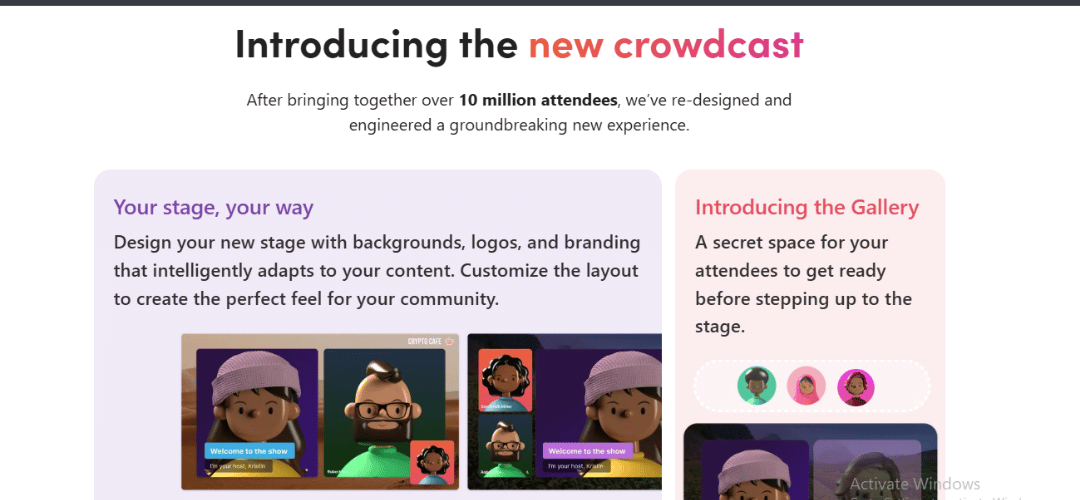
Crowdcast is purpose-built for interactive online events. Registration pages, Q&A, polls, attendee analytics, and session replays all come standard — making it the specialist StreamYard alternative for webinars and virtual summits.
Key Features
- Event registration and landing pages
- Live Q&A and audience polling
- Session recording and on-demand replay
- Attendee analytics and engagement tracking
- Email integrations for follow-up automation
- Multi-session event support
Integrations
YouTube, Zapier, ConvertKit, Mailchimp, and major email marketing platforms.
6. Crowdcast vs StreamYard
Crowdcast handles registration, engagement, and follow-up in ways StreamYard does not. Use StreamYard for casual social streaming; use Crowdcast for structured business events.
Pricing
No free plan. Starts ~$49/month, scaling with attendee limits.
Best For
Coaches, B2B marketers, and businesses running webinars, product demos, or online summits.
User Reviews
Users highlight the attendee experience and Q&A tools. Marketers praise the email integration workflow. The price is the main objection — it is one of the higher-cost options and a tough sell for early-stage creators.
| ✅ Pros | ❌ Cons |
| Full webinar lifecycle management | No free plan |
| Built-in Q&A, polls, and engagement tools | Higher price than most alternatives |
| Strong email marketing integrations | Limited social streaming destinations |
| Clean attendee registration experience | Overkill for simple live streaming needs |
7. OneStream Live — Best for Scheduled and Pre-Recorded Streaming
OneStream Live lets you upload pre-recorded video and stream it live on a schedule — no need to be present. It also supports real-time live streaming, making it a flexible and affordable all-in-one option.
Key Features
- Pre-recorded video streaming to live channels
- Scheduled streaming and content calendar
- Multistreaming to 40+ platforms
- Team collaboration and user roles
- Cloud storage for uploaded videos
- Browser-based live streaming studio
Integrations
YouTube, Facebook, LinkedIn, Twitch, and 40+ platforms via RTMP.
7. OneStream Live vs StreamYard
OneStream’s pre-recorded streaming is something StreamYard does not offer. For batch-produced or scheduled content, OneStream wins. StreamYard remains better for real-time interactive broadcasts.
Pricing
Free plan available. Paid from ~$10/month — one of the most affordable options here.
Best For
Solo creators and marketers who want a consistent streaming presence without live broadcasts every week.
User Reviews
Users appreciate the scheduled streaming feature and the low price. Guest management is limited, and the live studio is less polished than StreamYard’s — but for automated and scheduled broadcasting, it delivers reliably.
| ✅ Pros | ❌ Cons |
| Pre-recorded streaming to multiple platforms | Live studio less polished than StreamYard |
| Budget-friendly pricing | Limited guest management tools |
| Multistreaming to 40+ platforms | Live streaming features not as deep |
| Team collaboration included | Interface can feel dated |
8. Ecamm Live — Best Professional Streaming Studio for Mac Users
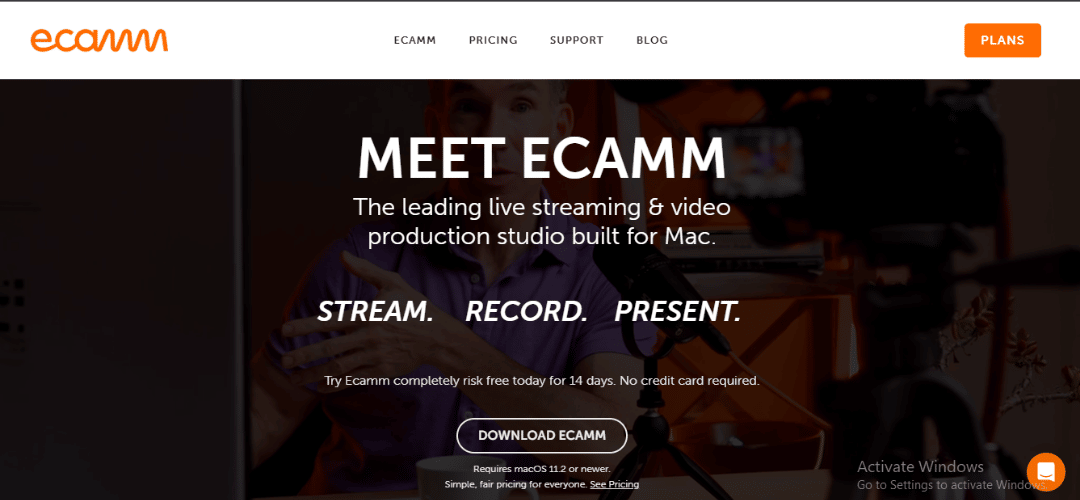
Ecamm Live is a Mac-native streaming app built for creators who want their streams to look produced. Scene switching, interview mode, teleprompter, and camera control all run natively — no browser lag, no compromise.
Key Features
- Professional scene switching and transitions
- Interview mode for multi-guest productions
- Built-in teleprompter
- Screen sharing and camera control tools
- Zoom and video call integration for hybrid streams
- Customizable overlays and graphics
Integrations
YouTube, Facebook Live, Zoom, Twitch, and RTMP destinations.
8. Ecamm Live vs StreamYard
Ecamm gives Mac users a production-level experience StreamYard cannot match. The trade-off: Mac-only and requires a download. StreamYard wins on accessibility; Ecamm wins on quality.
Pricing
No free plan. Starts ~$16/month; annual billing reduces the cost.
Best For
Mac-based creators and educators who want professional-looking streams without a production team.
User Reviews
Ecamm consistently earns 4.8+ stars from Mac creators. Users praise interview mode, scene quality, and stability. The only real complaint: it is Mac-only, so Windows users need to look elsewhere.
| ✅ Pros | ❌ Cons |
| Professional Mac-native streaming tools | Mac only — no Windows support |
| Interview mode and teleprompter built in | No free plan |
| Polished, intuitive interface | Requires software installation |
| Zoom integration for hybrid productions | Higher learning curve than browser tools |
How to Choose the Best StreamYard Alternative
- Solo creators and YouTubers: Restream or OBS Studio
- Podcasters: Riverside for recording quality
- Content marketers: Restream or OneStream Live for scheduled multi-platform presence
- Businesses and webinar hosts: Crowdcast for full event infrastructure
- Budget users: OBS Studio (free) or OneStream Live
- Mac-based professionals: Ecamm Live
- Gaming streamers: Streamlabs for overlays and community features
Pros and Cons of Switching From StreamYard
| ✅ Pros of Switching | ❌ Cons of Switching |
| More customisation and production control | Learning curve with new tools |
| Lower-cost alternatives available | Some tools require software installation |
| Better webinar hosting options | New streaming workflows to learn |
| Stronger free plans with no watermarks | Short-term disruption during switch |
How to Switch From StreamYard (Step-by-Step)
- Audit your current streaming workflow and core requirements
- Export recordings and branding assets from StreamYard
- List your non-negotiable features
- Sign up for free trials of your top candidates
- Configure destinations and verify platform connections
- Set up branding: logos, overlays, and scene layouts
- Brief co-hosts on the new workflow
- Run a test stream before going live
Conclusion
Restream is the best overall StreamYard alternative in 2026. It multistreams to 30+ platforms, delivers stronger analytics, and costs less than StreamYard at comparable tiers. For creators who want maximum reach without complex software, it is the most practical switch.
Use case matters too. OBS Studio is the best free StreamYard alternative with no watermarks, no limits. Riverside wins for podcast recording quality. Crowdcast is the right call for webinars. Ecamm Live is the top pick for Mac-based professional streamers.
None of these platforms are perfect for everyone but each one outperforms StreamYard in a specific area. Match the tool to your workflow, run one test stream, and the difference will be immediately clear.
FAQs About StreamYard Alternatives
Is StreamYard still worth it in 2026?
For total beginners, yes. For creators past the initial stage, most find better value with a StreamYard alternative.
Which alternative is best for multistreaming?
Restream. It supports 30+ destinations with cross-platform analytics StreamYard does not offer.
What is the best free StreamYard alternative?
OBS Studio — completely free, no watermarks, more production control than StreamYard’s paid plans.
Which platform is best for podcast streaming?
Riverside. Local recording and separate track output make a clear difference in final audio and video quality.
How difficult is it to switch from StreamYard?
Easier than most expect. Export assets, set up destinations, run one test stream most creators switch in a few hours.