
QuickBooks vs Quicken are two of the most recognized names in financial software, but they are designed for very different purposes. While they might sound similar, one is for personal use and the other is for business accounting.
This article will break down the core differences between QuickBooks and Quicken, from their feature sets to their pricing and target users. By the end, you’ll have a clear understanding of which software is the best choice to manage your finances in 2026.
QuickBooks vs Quicken – Quick Comparison Summary
When comparing QuickBooks vs Quicken, the main difference comes down to business vs personal use. QuickBooks is designed for small businesses, freelancers, and accountants who need professional accounting tools like invoicing, payroll, tax reports, expense tracking, and multi-user access. It offers advanced financial management features and cloud-based access, making it ideal for handling daily business operations, but it comes with a higher price and a slight learning curve. On the other hand, Quicken focuses on personal finance and home budgeting, helping individuals track expenses, bills, savings, and investments in a simple and user-friendly way. It is more affordable and easier to use but lacks the advanced accounting and payroll features needed for running a business. In short, if you need full business accounting, QuickBooks is the better choice, while Quicken is perfect for managing personal money and household budgets.
| Feature | QuickBooks | Quicken |
|---|---|---|
| Target Users | Businesses | Individuals |
| Accounting Level | Advanced | Basic |
| Invoicing | ✅ Yes | ⚠️ Limited |
| Payroll | ✅ Yes | ❌ No |
| Tax Reports | ✅ Yes | ⚠️ Basic |
| Budgeting | ⚠️ Basic | ✅ Strong |
| Price | Higher | Lower |
| Learning Curve | Medium | Easy |
What is QuickBooks?
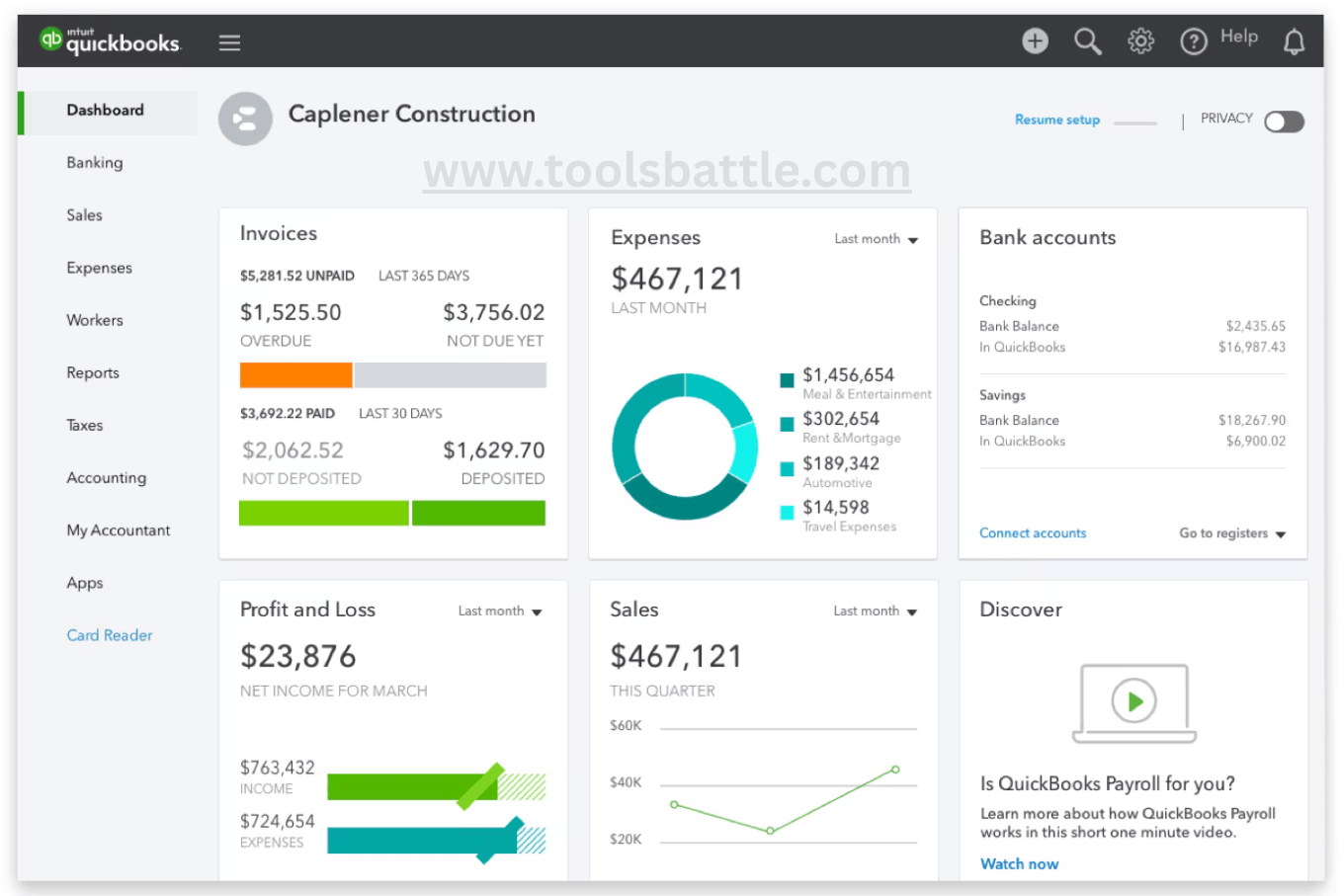
QuickBooks is a comprehensive accounting software tailored for small to mid-sized businesses. It is a robust platform that provides an all-in-one solution for managing business finances.
This tool is designed to automate and simplify business accounting tasks, including invoicing, inventory management, payroll, and expense tracking. It is a favorite among business owners and their accountants for its ability to provide detailed financial reports and help with tax preparation.
Key Features
- Invoicing and Billing Automation – Create professional invoices, send automated payment reminders, and accept online payments to get paid faster.
- Inventory Management – Track stock levels in real time, monitor product movement, and prevent overstocking or shortages.
- Payroll Processing – Automate salary calculations, tax deductions, and employee payments while staying compliant with tax regulations.
- Expense Tracking – Categorize expenses, connect bank accounts, and monitor cash flow with automatic transaction imports.
- Financial Reporting and Analytics – Generate profit & loss statements, balance sheets, and cash flow reports for better business decisions.
- Tax Preparation Support – Organize records, calculate taxes accurately, and simplify filing during tax season.
Pros
- User-friendly interface that is easy to navigate, even for non-accountants
- Time-saving automation reduces manual bookkeeping work
- Accurate financial insights through detailed reports and dashboards
- Cloud accessibility allows you to manage finances from anywhere
- All-in-one solution combining invoicing, payroll, expenses, and reporting in one platform
- Trusted by millions of businesses worldwide, making it reliable and widely supported
Cons
- Higher cost for small startups compared to some basic accounting tools
- Learning curve for beginners unfamiliar with accounting software
- Advanced features locked behind premium plans
- Occasional add-on fees for payroll or extra users
Best For
QuickBooks is ideal for:
- Small businesses looking for an all-in-one accounting system
- Mid-sized companies needing advanced reporting and automation
- Startups that want scalable financial management tools
- Freelancers and service-based businesses managing invoices and expenses
- Business owners and accountants who need simple yet powerful bookkeeping
Pricing Overview
QuickBooks offers flexible pricing plans designed to fit different business sizes and needs. Plans typically vary based on the number of users, features, and add-ons such as payroll or advanced reporting tools.
Businesses can start with basic packages for simple bookkeeping and upgrade as they grow. This scalability ensures you only pay for the tools you need while still having the option to expand later.
QuickBooks Online
QuickBooks Online offers flexible monthly pricing plans to fit different business sizes. The Simple Start plan is ideal for freelancers and solo users who need basic invoicing and expense tracking. Essentials adds bill management and multi-user access for small teams. The Plus plan includes inventory and project tracking, making it perfect for growing businesses, while the Advanced plan provides powerful reporting, automation, and up to 25 users for larger companies. You can upgrade anytime as your business expands.
- $38 per month for the Simple Start plan.
- $75 per month for the Essentials plan.
- $115 per month for the Plus plan.
- $275 per month for the Advanced plan.
What is Quicken?
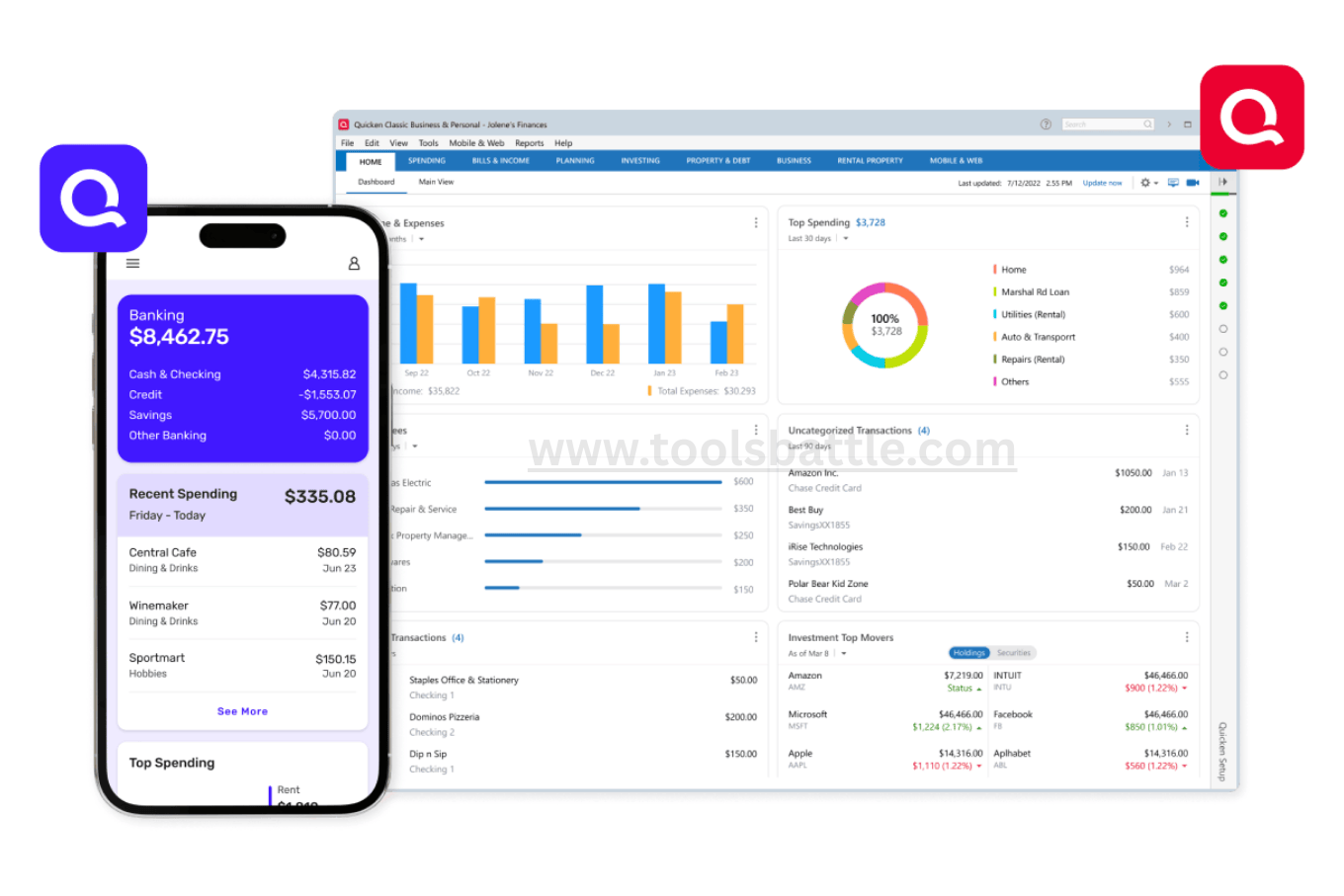
Quicken is a personal finance management software designed for individuals and families. Its primary purpose is to help people track their household budget, manage investments, and plan for long-term financial goals.
The platform allows users to view all their accounts, checking, savings, credit cards, and investments, in one centralized place. It’s a great tool for anyone who wants to get a clear picture of their net worth, manage debt, or simply keep a close eye on their daily spending.
Key Features
- Budget tracking and planning to monitor income and expenses
- Account aggregation to view checking, savings, credit cards, and investments in one place
- Investment management tools to track portfolio performance and growth
- Bill reminders and payment scheduling to avoid late fees
- Spending categorization for better financial insights
- Net worth tracking and reports to measure overall financial health
Pros
- Easy-to-use interface for individuals and families
- Helps build better budgeting and saving habits
- Provides a complete overview of personal finances in one dashboard
- Detailed reports and charts for smarter money decisions
- Suitable for both beginners and advanced users
Cons
- Not designed for business accounting or bookkeeping
- Some features may feel complex for first-time users
- Requires a paid subscription for full functionality
- Limited collaboration compared to cloud-based tools
Best For
- Individuals managing personal finances
- Families creating household budgets
- Users tracking investments and retirement goals
- People wanting better control over spending and debt
- Anyone looking for an all-in-one personal money management solution
Pricing Overview
Quicken offers multiple pricing plans depending on features and user needs, such as basic budgeting, advanced investment tracking, or full financial planning tools. Plans are typically subscription-based, allowing users to choose the level of functionality that matches their financial goals and upgrade as needed.
Quicken
- $5.99 per month for the Quicken Simplifi plan for personal finances (available on mobile and via app).
- $6.49-$8.49 per month for the Classic plan for personal finances (available on Windows and Mac).
- $7.99 per month for the Quicken Business and Personal plan (available on mobile and via app).
- $11.99 per month for the Classic Business and Personal plan (available on Windows and Mac).
QuickBooks vs Quicken: Key Differences, Features & Which One Is Better?
When choosing between QuickBooks vs Quicken, it’s important to understand that each tool serves a different purpose. QuickBooks is designed for small to mid-sized businesses that need full accounting features like invoicing, payroll, expense tracking, and detailed financial reporting. In contrast, Quicken focuses on personal finance management, helping individuals and families track budgets, investments, bills, and daily spending. If you run a business and need advanced bookkeeping, QuickBooks is the better choice. For personal budgeting and household money management, Quicken offers a simpler and more affordable solution.
Features
- QuickBooks: Built for comprehensive business needs including invoicing, payroll, tax tracking, payments, expense tracking, and inventory. Great for tracking business performance and financial health.
- Quicken: Primarily for personal finance management — budgets, spending, investments, and bills. It includes some basic small business tools in certain plans but lacks advanced business accounting features.
Ease of Use
- QuickBooks: Designed for business accounting; more complex with a steeper learning curve, but intuitive for financial professionals.
- Quicken: Easier to set up and use for personal finance. Focuses on simplicity for budgeting, spending, and investment tracking.
Pricing
- QuickBooks: Uses monthly subscription plans that vary by business size and required features, generally higher priced due to business-grade capabilities.
- Quicken: More affordable with annual subscriptions, especially appealing for individuals or solo entrepreneurs.
Reporting
- QuickBooks: Offers detailed and customizable financial reporting – profit & loss, balance sheets, cash flow, tax reports, etc.
- Quicken: Provides personal financial reports, cash flow overviews, budgeting charts, and simple profit/loss for basic business tracking.
Scalability
- QuickBooks: Highly scalable; supports multiple users and advanced features for growing businesses. Plans exist for solopreneurs up to large enterprises.
- Quicken: Limited scalability; best for individuals or very small businesses with basic requirements.
Support
- QuickBooks: Strong support options including extensive documentation, online help, community forums, and business-centric assistance.
- Quicken: Basic support focused mainly on personal finance features, with fewer business-oriented service options.
Integrations
- QuickBooks: Extensive ecosystem with many third-party apps — payroll, CRM, inventory, payment processors, and more.
- Quicken: Limited integrations primarily focused on personal banking and financial accounts.
Pros and Cons
If you want a fast and clear comparison between QuickBooks and Quicken, this table highlights their pros and cons across all major areas. You can quickly scan and decide which software fits your needs best.
| Criteria | QuickBooks | Quicken |
| Primary Use | Business accounting | Personal finance management |
| Target Users | Small–mid businesses | Individuals & families |
| Invoicing | Full professional invoicing | Limited/basic invoicing |
| Payroll | Built-in payroll support | Not available |
| Expense Tracking | Advanced with automation | Basic personal tracking |
| Budgeting | Business budgets | Personal/household budgets |
| Inventory Management | Yes | No |
| Financial Reports | Advanced & customizable | Basic reports |
| Tax Support | Business tax tools | Personal tax prep help |
| Bank Sync | Yes | Yes |
| Investment Tracking | Basic | Advanced |
| Ease of Use | Moderate learning curve | Very beginner friendly |
| Cloud Access | Strong cloud platform | Available but limited |
| Integrations | Many third-party apps | Few integrations |
| Multi-User Access | Yes | Mostly single user |
| Scalability | Highly scalable | Limited growth support |
| Automation | High (invoices, payroll, expenses) | Medium |
| Pricing | Higher | More affordable |
| Best For | Growing companies | Home budgeting |
| Overall Strength | Full accounting solution | Simple money management |
Alternatives You Might Consider
If QuickBooks or Quicken doesn’t fully match your needs, there are several other accounting and finance tools worth exploring. These alternatives offer different pricing, features, and flexibility depending on whether you run a business or manage personal finances.
Xero
Best for: Small businesses & startups that want cloud-based accounting
Xero is a powerful cloud accounting platform known for its simple interface and strong automation features. It offers invoicing, bank reconciliation, payroll, inventory tracking, and real-time financial reporting. With unlimited users and many third-party integrations, it’s a great choice for growing teams that need collaboration and scalability.
Highlights:
- Unlimited users
- Strong integrations
- Real-time bank sync
- Easy collaboration with accountants
FreshBooks
Best for: Freelancers & service-based businesses
FreshBooks focuses on simplicity and invoicing. It’s ideal for freelancers, consultants, and small service providers who need time tracking, client billing, and expense management without complex accounting tools. The interface is very beginner-friendly and quick to set up.
Highlights:
- Professional invoicing
- Time tracking for projects
- Easy expense logging
- Very user-friendly
Wave
Best for: Budget-conscious small businesses
Wave is popular because it offers free accounting software. You get invoicing, accounting, and receipt tracking at no cost, which makes it perfect for startups or very small businesses. Paid add-ons like payroll and payment processing are available if needed.
Highlights:
- Free core accounting tools
- Unlimited invoices
- Easy setup
- Great for beginners and startups
Conclusion: QuickBooks vs Quicken
For your financial needs in 2026, the choice between QuickBooks and Quicken is straightforward. QuickBooks is the clear winner for small businesses that require a dedicated accounting tool for invoicing, payroll, and professional reporting. Quicken is the best choice for individuals and families who need to manage personal budgets, track investments, and get a complete view of their household finances.
FAQs
-
Is QuickBooks the same as Quicken?
No, they are not the same. QuickBooks is a business accounting tool, and Quicken is a personal finance management tool. Although they both handle financial data, they are built for different purposes and have different features.
-
Can a small business owner use Quicken?
Quicken does offer a “Home & Business” version, but its business features are very limited. It’s best suited for a freelancer or sole proprietor who needs to track personal and basic business expenses in one place, but it’s not a full accounting solution.
-
Which software is better for tax preparation?
QuickBooks is the better option for business tax preparation. It can generate detailed reports like profit and loss statements and a balance sheet, which are essential for filing business taxes.
-
Can I manage investments with QuickBooks?
QuickBooks is not designed for detailed investment tracking. Its focus is on business finances. Quicken is the superior tool for managing investment portfolios and tracking a personal net worth.
-
Which one is more affordable?
Quicken is generally more affordable with a lower annual subscription fee. QuickBooks, with its more extensive business features and add-ons, is significantly more expensive.
-
Do both applications have a mobile app?
Yes, both QuickBooks and Quicken have mobile apps that allow you to manage your finances on the go. You can track expenses, view balances, and create invoices from your smartphone.
-
Is it easy to move my data from Quicken to QuickBooks?
Moving data from Quicken to QuickBooks can be difficult, as their file formats are not directly compatible. You will likely need to manually export and import data, which can be a time-consuming process.
-
Can I send invoices and manage accounts receivable with both?
QuickBooks is built for invoicing and accounts receivable. While some versions of Quicken allow for limited invoicing, it is not a core feature. QuickBooks is the clear winner for any business that needs to bill customers.
-
Which one is better for budgeting?
Quicken is the superior tool for personal budgeting. It makes it easy to set up a budget, track spending by category, and see where your money is going on a day-to-day basis.
-
Do accountants prefer one over the other?
Accountants overwhelmingly prefer QuickBooks for business clients because it uses a double-entry bookkeeping system and generates industry-standard reports. This makes it much easier for them to review, reconcile, and audit the books.
11. What is the primary difference between QuickBooks and Quicken?
The primary difference is their purpose. QuickBooks is built for small and mid-sized businesses that need full accounting features like invoicing, payroll, expense tracking, and financial reporting. Quicken, on the other hand, focuses on personal finance management such as budgeting, bill tracking, and investments. Simply put, QuickBooks is for businesses, while Quicken is for individuals and households.
12. Can I use Quicken for business accounting?
Quicken offers a Home & Business plan that allows basic business expense and income tracking, making it suitable for freelancers or sole proprietors. However, it lacks advanced accounting tools like payroll, inventory management, and double-entry bookkeeping. For full business accounting and professional reporting, QuickBooks is generally a more reliable and scalable solution.
13. Can I track business expenses and income in Quicken?
Yes, you can track basic business income and expenses in Quicken by categorizing transactions and creating separate accounts. This works well for small side businesses or freelancers. However, it doesn’t provide advanced features like invoicing automation, tax reports, or accounts receivable management, which are available in QuickBooks.
14. Which software is better for managing inventory?
QuickBooks is clearly the better choice for inventory management. It allows businesses to track stock levels, monitor product movement, manage purchase orders, and generate inventory reports. Quicken does not include built-in inventory tools, making it unsuitable for retail or product-based businesses that need accurate stock control.
15. Which software is better for tax preparation?
QuickBooks is better for tax preparation because it generates detailed financial reports like profit and loss statements, balance sheets, and expense summaries. These reports help business owners and accountants file taxes accurately. Quicken helps with personal tax organization, but it doesn’t offer the same level of business tax support.
16. Can you convert Quicken to QuickBooks?
Direct conversion between Quicken and QuickBooks isn’t always simple because their file formats are different. While some data can be exported and imported, you may need to manually adjust records or use third-party tools. The process can take time, so careful planning and data cleanup are recommended before switching.
17. Can I import data from Quicken to QuickBooks?
Yes, you can import certain financial data from Quicken to QuickBooks, usually through exported files like CSV or QIF formats. However, not all information transfers perfectly, and some details may require manual entry. Reviewing your data after import is important to ensure accuracy and completeness.
18. Does QuickBooks offer features for creating invoices and managing customers?
Yes, QuickBooks includes powerful invoicing and customer management tools. You can create professional invoices, send automatic reminders, accept online payments, and track outstanding balances. It also stores customer details and transaction history, making it easier to manage accounts receivable and maintain strong client relationships.
19. Can these tools be used together?
Yes, some users choose to use both tools for different purposes. For example, QuickBooks can handle business accounting while Quicken manages personal budgeting and investments. Although they don’t directly sync, using them separately can help keep personal and business finances organized and clearly separated.
20. How do I decide which software is suitable for personal and business finances?
Your choice depends on your needs. If you run a business that requires invoicing, payroll, inventory, and detailed financial reports, QuickBooks is the better option. If you only want to manage personal budgets, bills, and investments, Quicken is simpler and more affordable. Consider your financial goals before deciding.