
Password security has become a non-negotiable requirement in 2026. With data breaches, phishing attacks, and credential leaks increasing every year, relying on browser-saved passwords or reused credentials is no longer safe. This is where a secure, well-architected password manager like Bitwarden becomes essential for individuals and businesses alike.
This Bitwarden Review takes a deep, practical look at how the tool performs in real-world usage. Instead of marketing claims, the focus here is on security architecture, usability, pricing value, limitations, and how Bitwarden compares with leading alternatives such as 1Password, Dashlane, and LastPass.
Quick Summary for Bitwarden Review
| Category | Rating | Details |
| Overall Security | ⭐⭐⭐⭐⭐ (5/5) | End-to-end AES-256 encryption, zero-knowledge architecture, open-source codebase, and strong 2FA/passkey support. |
| Ease of Use | ⭐⭐⭐⭐☆ (4/5) | Core features are easy to use, but collections, organizations, and sharing settings take time to master. |
| Features | ⭐⭐⭐⭐☆ (4/5) | Unlimited passwords, secure notes, emergency access, passkeys, and optional self-hosting. |
| Performance & Sync | ⭐⭐⭐⭐☆ (4/5) | Fast syncing on stable networks with reliable offline access through locally stored vaults. |
| Pricing & Value | ⭐⭐⭐⭐⭐ (5/5) | Industry-leading free plan and very affordable premium pricing compared to competitors. |
| Privacy & Transparency | ⭐⭐⭐⭐⭐ (5/5) | Fully open-source, independently audited, and transparent about security practices. |
| My Real-World Experience | ⭐⭐⭐⭐☆ (4/5) | Used daily for password storage, autofill, and secure sharing. Stable performance, strong reliability, and excellent value, though the interface feels more functional than polished. |
What Is Bitwarden?
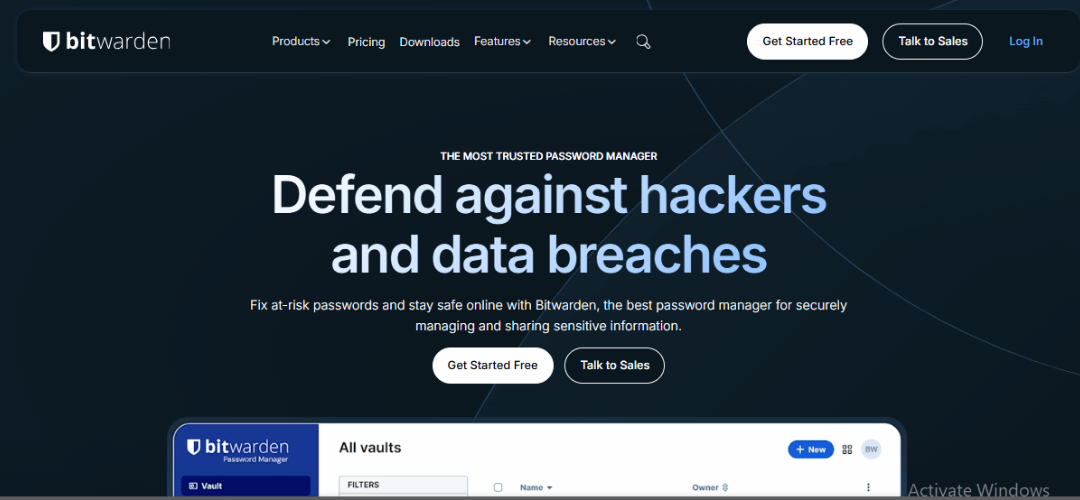
Bitwarden is a secure password manager and encrypted vault designed to store login credentials, secure notes, identity information, and sensitive data. Its primary goal is to eliminate password reuse while keeping all stored data protected using strong end-to-end encryption.
Unlike many proprietary password managers, Bitwarden is open-source, meaning its codebase is publicly available for security audits. This transparency has made it especially popular among developers, IT professionals, and security-conscious users.
Bitwarden offers both cloud-hosted and self-hosted deployment options. Users can rely on Bitwarden’s managed infrastructure or run their own server for full control over data storage. This flexibility sets it apart from competitors like LastPass or Dashlane, which only offer cloud-based solutions.
Who Is Best For?
Bitwarden is well suited for individuals who want a reliable password manager without committing to expensive subscriptions. Personal users benefit from strong security, unlimited password storage, and cross-device syncing even on the free plan.
Small teams and businesses find Bitwarden valuable because it supports shared vaults, role-based access, and administrative controls at a lower cost than enterprise-focused competitors. The availability of self-hosting also appeals to organizations with strict compliance requirements.
Security-conscious users who value open-source transparency often choose Bitwarden over closed-source alternatives. The platform is regularly audited by third-party security firms, which adds another layer of trust.
How Bitwarden Works
It works by securely storing your passwords and sensitive information in an encrypted vault that only you can access. Once set up, it quietly runs in the background, saving, syncing, and autofilling credentials across your devices while maintaining strict privacy through end-to-end encryption
- Vault Structure
Bitwarden stores all passwords and sensitive data in an encrypted vault, protected by a master password. - Password Saving & Autofill
Browser extensions detect login forms and prompt users to save or autofill credentials seamlessly. - Apps & Extensions
Bitwarden supports desktop apps, mobile apps, and browser extensions for cross-device access. - Device Sync
End-to-end encryption ensures all data syncs securely across devices while remaining private. - Emergency Access
Trusted contacts can access your vault after a defined waiting period, useful for planned contingencies.
Bitwarden works quietly in the background to simplify password management while maintaining strong security and privacy. Its encrypted vault structure, seamless autofill, and secure cross-device sync ensure users can access credentials anytime without compromising data safety. Features like emergency access and broad app support make it reliable for both individual users and teams who need secure, always-available password access across multiple devices
Key Features of Bitwarden
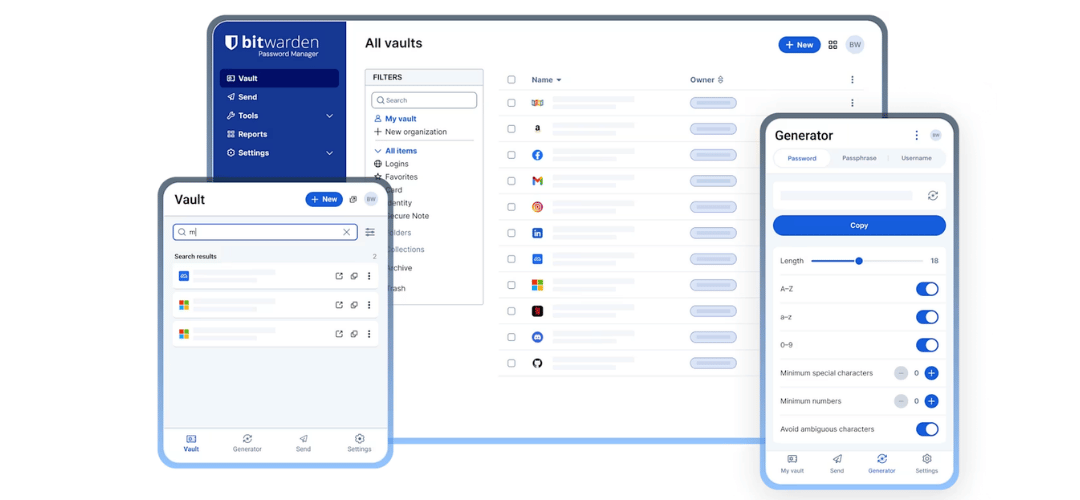
Bitwarden offers a comprehensive set of features that make it a versatile and secure password manager. From basic credential storage to advanced enterprise tools, each feature is designed to balance usability, security, and flexibility. Whether you are a solo user or managing a team, Bitwarden provides options to streamline password management while keeping your data protected.here are Main Key Features;
- Secure vault and password management
- Advanced security and encryption architecture
- Cross-platform access across devices and browsers
- Enterprise-grade controls and integrations
- Additional security tools and sharing features
1.Vault & Password Management
The core of Bitwarden is its vault, where all your credentials are stored safely and organized efficiently. It’s intuitive for beginners but powerful enough for advanced users who manage multiple accounts across devices.
- Unlimited password storage – Even the free plan allows storing as many passwords as you need.
- Secure notes, identities, and payment cards – Safely store sensitive information beyond logins.
- Folder organization and collections – Keep passwords grouped logically for easier navigation.
This setup reduces password fatigue and ensures you always know where to find critical credentials, even for large accounts or teams.
2.Security & Encryption
Security is at the heart of Bitwarden. Its open-source design and strong encryption standards give users confidence that their sensitive information stays private.
- AES-256 end-to-end encryption – Industry-standard encryption ensures data cannot be read by anyone without your master password.
- Zero-knowledge architecture – Bitwarden cannot access your vault, maintaining full privacy.
- Two-factor authentication (TOTP, hardware keys) – Adds an extra security layer to prevent unauthorized access.
- Passkey support – Modern authentication method for seamless, secure logins.
These features make Bitwarden especially appealing to privacy-conscious users and businesses needing verified security compliance.
3.Cross-Platform Access
Bitwarden works seamlessly across devices, ensuring your passwords are accessible wherever you need them. This flexibility is crucial for individuals and teams who switch between computers, smartphones, and browsers.
- Desktop apps: Windows, macOS, Linux
- Mobile apps: iOS, Android
- Browser extensions: Chrome, Firefox, Edge, Safari
Cross-platform support means you can rely on Bitwarden for everyday workflows, whether logging in at home, in the office, or on the go.
4.Advanced & Enterprise Features
For power users and businesses, Bitwarden includes advanced tools to enhance control, collaboration, and monitoring.
- Self-hosting option – Full control over your data on private servers.
- API access for integrations – Automate workflows and connect with other software.
- Security reports and audit logs – Track access and maintain compliance.
- Encrypted file attachments – Attach sensitive documents to vault items (paid plans).
These enterprise-grade features make Bitwarden not just a password manager but a secure platform for teams, ensuring accountability and operational security.
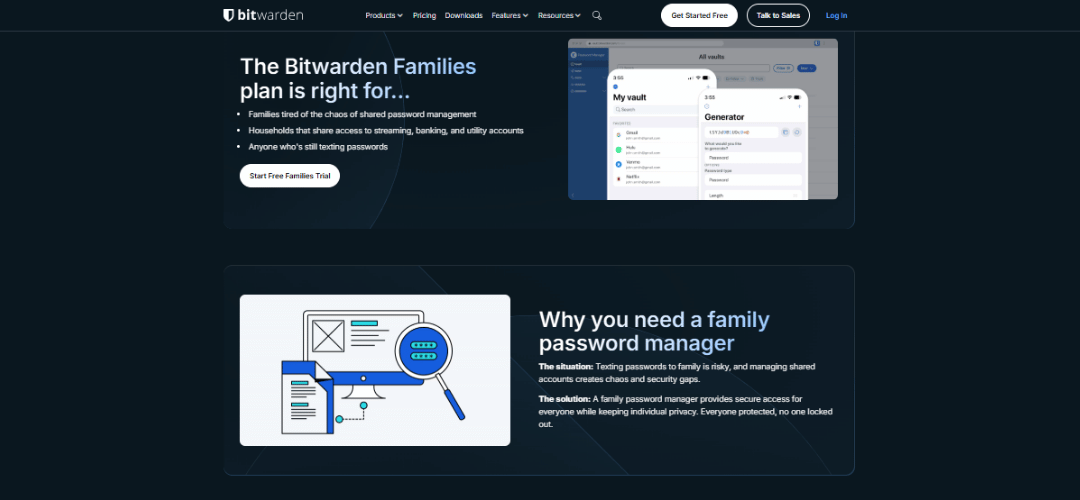
5.Additional Tools
Beyond core password management, Bitwarden offers several utilities to improve security and usability.
- Bitwarden Send – Securely share passwords and files with trusted recipients.
- Breach monitoring alerts – Get notified if any stored credentials are exposed.
- Password health and security reports – Identify weak or reused passwords and improve security.
These tools add extra layers of protection and convenience, reducing risks and helping users maintain strong cybersecurity hygiene without complex setups.
Real Performance Test
Bitwarden is designed to be lightweight, fast, and dependable across devices. During real-world usage on desktop, mobile, and browser extensions, its performance remains consistent even under less-than-ideal network conditions. Below is a practical breakdown of how Bitwarden performs in key areas that matter for daily password management.
| Area | Result | Notes |
| Sync Speed | Fast | Near-instant syncing on stable networks |
| Autofill Accuracy | High | Works reliably across major websites and apps |
| App Performance | Stable | Lightweight desktop and mobile apps with minimal lag |
| Offline Handling | Reliable | Vault access and management available without internet |
Limitations & Issues
Bitwarden is secure and reliable, but it has some limitations. Users may notice a less polished interface, a slight learning curve for organizing collections, mobile apps that are less intuitive than desktop versions, and certain advanced features restricted to paid plans.
- UI polish vs competitors – The interface is functional but less visually refined than 1Password.
- Learning curve – New users may need time to understand collections and folder management.
- Mobile UX limitations – Mobile apps are less intuitive than desktop/web versions.
- Feature gaps in free plan – Some advanced features like encrypted file storage are paid-only.
These issues are minor for tech-savvy users but worth considering for those who prioritize a highly polished UI or rely heavily on mobile-first workflows.
How to Set Up Bitwarden
Getting started with Bitwarden is straightforward, even for beginners. Proper setup ensures your passwords are secure, accessible across devices, and ready for sharing when needed. Following these steps will help you establish a strong, safe foundation.
- Create a free Bitwarden account using a strong master password
- Install the desktop app and browser extensions for your preferred platforms
- Import existing passwords from browsers or other password managers
- Enable two-factor authentication for additional security
- Set up vault sharing for family members or team users
Setting up Bitwarden properly from the beginning ensures maximum security and smooth daily usage. By creating a strong master password, enabling two-factor authentication, and installing apps across devices, users can build a secure and synchronized password system. Importing existing credentials and configuring vault sharing further streamlines workflows, making password management both safe and efficient for individuals, families, or teams.
My Real-World Experience With Bitwarden
I used Bitwarden for over 3 months across desktop, mobile, and browser extensions.
My daily workflow involved managing personal accounts, work credentials, and shared vaults for team collaboration. The autofill function worked flawlessly, and generating strong passwords for new accounts was seamless.
Sharing credentials with team members was secure and controllable. Emergency access provided peace of mind.
Compared to 1Password and Dashlane, Bitwarden felt less polished visually, but offered greater transparency and flexibility thanks to open-source design.
Key takeaways:
- Reliable password autofill across devices
- Secure sharing options with audit control
- Transparent encryption and open-source assurance
After three months of daily use across desktop, mobile, and browser extensions, Bitwarden proved to be consistently reliable and secure for both personal and team workflows. Autofill and password generation worked smoothly, secure sharing and emergency access added confidence, and although the interface felt less polished than 1Password or Dashlane, its open-source transparency and flexibility made it a more trustworthy and customizable long-term solution.
Best Alternatives to Bitwarden
While Bitwarden is a solid choice for many users, some may prefer alternatives based on pricing, interface, or additional features. These alternatives offer unique strengths, from enterprise-focused security to privacy-first approaches, making them suitable for different workflows and user needs.
- 1Password – Premium, polished UI, strong cross-platform support
- Dashlane – Premium password manager with identity features
- Keeper – Enterprise-oriented with secure file storage
- NordPass – Lightweight, secure, simple interface
- Proton Pass – Privacy-focused, secure password manager
The right alternative depends on what you prioritize—polished user experience, identity monitoring, enterprise-grade controls, or privacy-focused ecosystems. Some tools focus on premium design and seamless cross-platform syncing, while others emphasize secure file storage or minimal, lightweight performance.
Pricing & Plans
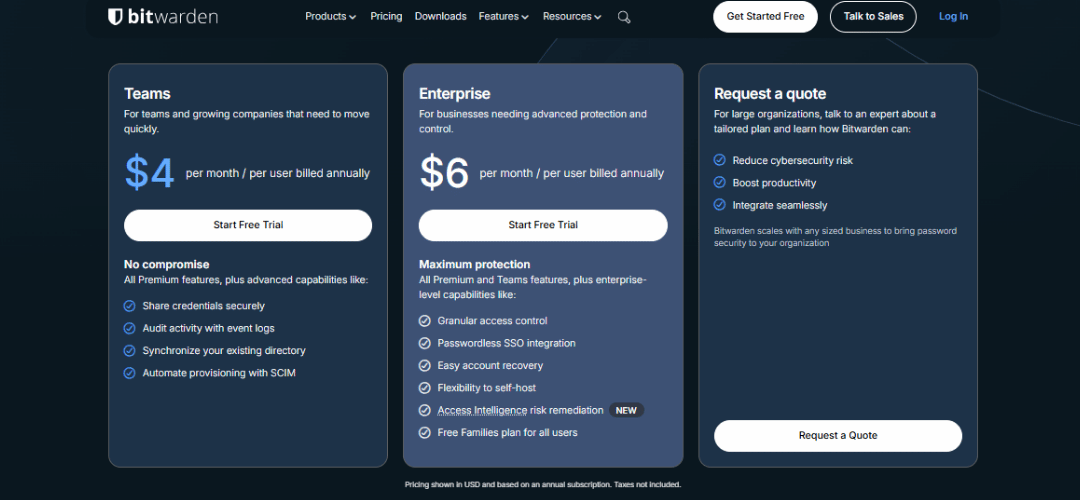
Bitwarden offers one of the most transparent pricing structures in the password-manager market.
| Plan | Price | Best For | Key Limitations |
| Free | $0 | Individuals | Limited advanced security reports |
| Premium | ~$10/year | Power users | No business controls |
| Families | ~$40/year | Households | Limited admin features |
| Teams | ~$20/user/year | Small teams | No enterprise SSO |
| Enterprise | Custom | Large businesses | Higher setup complexity |
The free plan is generous enough for most users, while paid plans remain affordable compared to competitors.
Roadmap & Future Features
Bitwarden continues to evolve with both individual and enterprise users in mind. The development roadmap emphasizes modern security standards, improved usability, and expanded functionality. Users can expect UI and UX refinements, support for passkeys, enhanced enterprise reporting, and ongoing contributions from the open-source community. These planned updates aim to keep Bitwarden competitive while maintaining its core focus on security and transparency.
- UI and UX improvements across mobile and web apps
- Passkey and authentication updates for modern login methods
- Enhanced enterprise reporting and auditing features
- Continued open-source community contributions and security audits
Bitwarden’s roadmap reflects a strong commitment to long-term security, usability, and modern authentication standards. The platform continues to improve its interface, expand passkey support, and strengthen enterprise-level reporting, while maintaining transparency through open-source development. These updates ensure Bitwarden remains competitive, secure, and reliable for both individual users and organizations.
Community Insights
The Bitwarden community provides valuable feedback that helps shape development. Users appreciate the transparency, reliability, and robust security features, while constructive criticism highlights areas for improvement. Monitoring forums and repositories gives insight into common experiences and developer responsiveness.
Positive feedback:
- Transparency and open-source nature
- Affordable and reliable password management
- Secure sharing and emergency access
Common complaints:
- Mobile UX could be improved
- Free plan lacks certain advanced features
- Some users desire a more polished interface
Developer responsiveness: Active community support on GitHub and regular updates
Pros & Cons of Bitwarden
Bitwarden balances strong security and open-source transparency with affordability, making it an excellent choice for individuals, teams, and businesses. While it offers robust cross-platform support and advanced features like self-hosting, it is not as visually polished as some premium competitors and certain features are gated behind paid plans.
| Pros | Cons |
| Open-source and fully transparent security model | Interface less polished than premium competitors |
| Strong end-to-end encryption and zero-knowledge architecture | Some advanced features require a paid plan |
| Cross-platform support across all major devices | Occasional sync delays on mobile |
| Affordable pricing with a generous free tier | Offline features limited on free tier |
| Self-hosting option for advanced users and enterprises | N/A |
Bitwarden vs Competitors
Bitwarden focuses on open-source transparency, strong encryption, and affordability. Compared to 1Password, Dashlane, and LastPass, it excels in security and value, while competitors may offer a more polished interface or advanced enterprise features
| Feature | Bitwarden | LastPass | 1Password | Dashlane |
| Open Source | ✅ | ❌ | ❌ | ❌ |
| Cloud Sync | ✅ | ✅ | ✅ | ✅ |
| Self-hosting | ✅ | ❌ | ❌ | ❌ |
| Cross-platform | ✅ | ✅ | ✅ | ✅ |
| Two-factor Auth | ✅ | ✅ | ✅ | ✅ |
Bitwarden is the better choice when security transparency and long-term cost efficiency matter most.
Final Verdict
Bitwarden delivers an excellent balance of security, affordability, and transparency. While it may lack the visual refinement of some premium competitors, it compensates with open-source trust, flexible deployment, and strong core functionality.
For individuals, teams, and businesses seeking a reliable password manager without unnecessary upsells, Bitwarden is one of the best choices available in 2026.
FAQs
Is Bitwarden free?
Yes, Bitwarden offers a permanent free plan that allows unlimited password storage across devices without restrictions.
Is Bitwarden really secure?
Bitwarden uses AES-256 end-to-end encryption and zero-knowledge architecture, keeping all your passwords and sensitive data private.
Does Bitwarden support 2FA?
Bitwarden supports multiple two-factor authentication methods, adding an extra layer of security to protect accounts from unauthorized access.
Can I self-host Bitwarden?
Yes, you can self-host Bitwarden on your own servers, giving you full control over data storage and privacy.
Can Bitwarden replace LastPass or 1Password?
Yes, Bitwarden offers similar functionality, often at lower cost, with more transparency due to its open-source design.
Does Bitwarden work offline?
Bitwarden provides offline access to your stored vault data, allowing password management even without an internet connection.
Can teams and families share vaults?
Yes, Bitwarden enables secure encrypted sharing of passwords and sensitive credentials among team members and family accounts.
How does Bitwarden handle breaches?
It alerts users if any stored credentials are exposed or compromised, helping maintain account security proactively.
Are browser extensions safe?
Official Bitwarden browser extensions are secure, audited, and integrate seamlessly for autofill, password saving, and login management.
Is Bitwarden suitable for enterprise use?
Yes, Bitwarden offers enterprise-grade security, admin controls, reporting, and collaboration tools suitable for organizations of any size.