
· By IMRAN HOSSAIN
Quick answer: NordVPN is the stronger pick for security and generally faster, more consistent speeds in 2026, while PureVPN can still be useful if you prioritize a large server pool or lower short-term pricing. Choose NordVPN for streaming, gaming, and stronger security extras; choose PureVPN for varied server locations and simple unblocking tasks.
- Key takeaways: NordVPN delivers more advanced security features and steadier NordLynx speeds, useful for streaming and gaming.
- PureVPN has a larger server footprint and useful extras like port forwarding, but speeds can be less consistent on long hops.
- If you need router installation help, see how to set up PureVPN on a router for home networks.
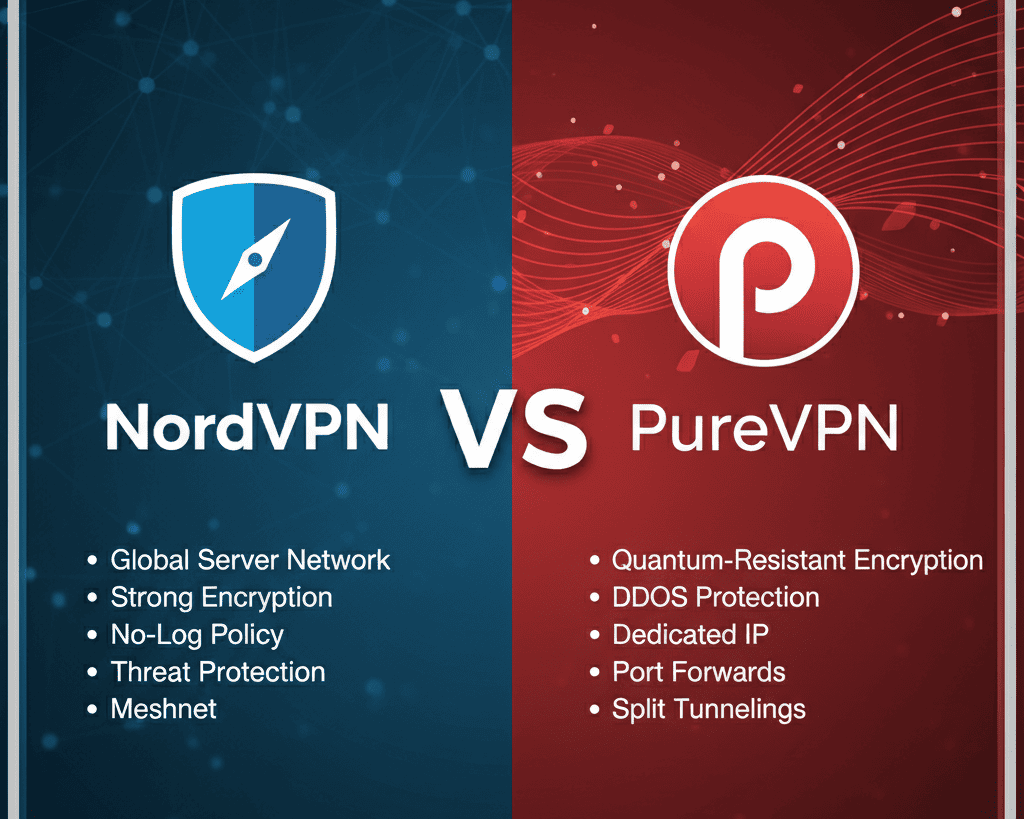
What is NordVPN?
NordVPN is a Panama-based VPN service that focuses on fast connections, audited privacy, and advanced security features.
NordVPN uses the NordLynx implementation of WireGuard, which is designed to reduce overhead and improve throughput compared with older protocols, and it supports OpenVPN and IKEv2 for compatibility. NordVPN offers features such as Threat Protection Pro, a kill switch, split tunneling, Double VPN multi-hop, and the option to buy a dedicated IP address. NordVPN operates RAM-only servers which wipe session data on reboot, and the company publishes transparency reports and independent audits about aspects of its infrastructure. For next-step comparisons you can review the NordVPN vs CyberGhost page if you want a direct alternative analysis.
What is PureVPN?
PureVPN is a global VPN provider that emphasizes a large server network and accessibility across many countries for geo-unblocking.
PureVPN supports WireGuard and OpenVPN, provides a kill switch, split tunneling, and offers port forwarding as an add-on for improved peer to peer and gaming performance. PureVPN has historically advertised thousands of servers across many countries, which helps with regional unblocking and finding less-crowded endpoints. PureVPN has published an independent audit of its no-logs commitments and continues to develop apps for Windows, macOS, Android, iOS, and routers. For a deep feature breakdown, see the PureVPN review.
How do NordVPN and PureVPN differ on security?
NordVPN generally offers a wider set of built-in security tools and layered protections than PureVPN.
NordVPN provides Threat Protection Pro, multi-hop Double VPN, obfuscated servers, and consistently emphasizes RAM-only infrastructure and independent audits, all of which raise the baseline security for users who want more than tunneling. PureVPN covers the essential cryptography with WireGuard and OpenVPN and supports a kill switch and split tunneling, but it does not bundle as many extra protections by default. Both services use AES-256 class encryption and secure handshake protocols; if you need extra antivirus or malware scanning built into the VPN bundle, consider NordVPN’s Threat Protection options. If your primary need is pure tunnel encryption and server choice, PureVPN delivers those core protections reliably.
Which VPN is faster for streaming and gaming?
NordVPN is typically faster and more consistent for streaming and gaming thanks to NordLynx and a highly optimized network.
NordLynx, based on WireGuard, minimizes latency and CPU overhead on modern devices, which helps with 4K streaming and low-latency game sessions. PureVPN also offers WireGuard and acceptable speeds on nearby servers, but users report more variance on long-distance routes and during peak times, which can lead to buffering or lag. If you need predictable performance for regular 4K streaming or competitive gaming, NordVPN is the safer choice. For occasional streaming from multiple countries PureVPN’s larger server list can still be helpful when NordVPN’s nearest optimized servers are crowded. If you run into PureVPN slowness, follow the tool-specific tips in the Fix PureVPN slowdowns guide.
How do their privacy and logging policies compare?
Both providers claim no-logs policies, but NordVPN’s structure and audits create a higher level of verifiable privacy for many users.
NordVPN is headquartered in Panama, outside 14 Eyes jurisdictions, and emphasizes RAM-only servers plus public audits of parts of its infrastructure. PureVPN has published independent audits of its policies and supports anonymous payment options in some cases, but its corporate structure and historic incidents have led some users to prefer vendors with minimal corporate ties and open-source billing. If absolute minimal metadata is your priority, consider a provider that supports anonymous accounts and minimal account metadata. For most users who balance convenience with privacy, NordVPN’s audited no-logs posture is more reassuring.
How much do NordVPN and PureVPN cost in 2026?
Both vendors offer multiple tiers and billing cycles, and pricing changes frequently so always check the official pages for current rates.
NordVPN lists monthly and multi-year plans plus add-ons such as a dedicated IP in its public pricing pages, and NordVPN allows 10 simultaneous device connections according to the NordVPN help center. PureVPN similarly offers monthly and longer-term plans and supports up to 10 simultaneous connections as listed on its features page. Additional costs to watch for include dedicated IP addresses, port forwarding or reseller options, and security bundles. If you want the current numbers, check the official NordVPN pricing page or the PureVPN features page before deciding, because promotional pricing makes a large difference for annual plans relative to month-to-month billing.
Which one fits you?
Pick NordVPN if you need a fast, secure VPN with advanced extras; pick PureVPN if you need broad server coverage and lower upfront cost for short-term use.
Beginner, single device: Choose NordVPN for intuitive apps and better support, because its apps are typically easier to use and NordLynx gives fast performance. Tight budget or short-term travel: Choose PureVPN if an initial low monthly rate or frequent country options matter more than peak performance. Solo creator, regular streaming: Choose NordVPN for stable high-bandwidth connections and unblocking major platforms. Small team or home office: Consider NordVPN for threat protection and centralized management, or PureVPN when you need many regional server endpoints. If you want a direct Cisco-era style privacy comparison with another competitor, read the McAfee vs NordVPN and Avast vs NordVPN pages to see how NordVPN stacks up against security-bundled rivals.
Decision rules
If you stream 4K or play competitively, choose NordVPN because consistent low latency matters. If you need many country endpoints for testing or less common regions, choose PureVPN because of its server spread. If you want vendor audits and RAM-only servers, choose NordVPN.
Who should NOT use these
Do not use PureVPN if you require guaranteed low-latency international links for competitive gaming. Do not use NordVPN if you must pay only via fully anonymous on-chain methods and NordVPN’s account options do not match your billing privacy needs.
How to set up either VPN on routers and smart devices?
Both services support router installation and have guides for OpenWRT, AsusWRT and DD-WRT, though the exact steps differ by model.
PureVPN provides step-by-step router instructions for common home firmware, which helps if you want network-wide protection; see the official set up instructions for your router type and the set up PureVPN on a router guide for specifics. NordVPN has its own router setup documentation and community guides; if you need a combined tutorial for multiple providers on routers, consult the general Set Up VPN Router 2026 resource. For streaming devices and consoles, use the router approach or a smart DNS option if the VPN app is not available on the platform.
Acr-gain: hidden costs, trade-offs and a decision framework you will not find elsewhere
Decide by total recurring cost and operational trade-offs, not headline monthly prices, because add-ons and device counts change the real price you pay.
Framework: list your required monthly features first, then map them to costs. For example, if you need a dedicated IP, count the add-on yearly fee; if you need router coverage, consider whether you must buy an extra router or firmware support. NordVPN allows up to 10 simultaneous connections, so for a household of four that is usually sufficient; check the NordVPN help center for the current device limit. PureVPN lists support for up to 10 simultaneous devices on its features page, which matters when you want one subscription for multiple phones, laptops and smart TVs. Also account for the time cost: if you expect to change servers often for country testing, PureVPN’s broader server list reduces the chance you need to open support tickets, while NordVPN’s optimized nodes lower the time spent troubleshooting speed issues. Use this rule: if operational simplicity and fewer support interactions matter more than raw server count, pick NordVPN; if server diversity across obscure regions matters more, pick PureVPN. For alternatives, read the TorGuard and AirVPN comparisons to see trade-offs with niche providers via the TorGuard vs NordVPN and AirVPN comparison.
What practical checklist should you use before purchasing?
Follow these checks to match a VPN to your actual use case and avoid buyer remorse.
- Confirm simultaneous device limit and whether it covers all your devices, check provider documentation.
- Verify support for required protocols, for example WireGuard or OpenVPN, on each client device.
- Check whether dedicated IP, port forwarding, or router firmware are extra cost items.
- Look for recent independent audits and RAM-only server claims for privacy assurance.
- Test refund and trial policies so you can trial performance on your home network.
- For streaming, confirm the provider unblocks the specific service you use, or use a trial.
Common mistakes people make when choosing between NordVPN and PureVPN
Three frequent errors reduce the value you get from a VPN.
- Choosing purely on price, then discovering add-ons like dedicated IP or router support add unexpected costs.
- Assuming every server labeled by country is in that country, which can cause geolocation and latency surprises; check server lists first.
- Not testing real-world speed on your usual routes, which hides peak-time slowdowns; use trials or refunds to measure in your location.
How do NordVPN and PureVPN stack up at a glance?
Here is a short comparison table that summarizes price ranges, best use, strengths and limits so you can pick quickly.
| Service | Price range | Best for | Key strengths | Main limits |
|---|---|---|---|---|
| NordVPN | Monthly to multiyear plans, add-ons like dedicated IP | Streaming, gaming, privacy-minded users | NordLynx speeds, Threat Protection Pro, audited RAM-only servers | Higher list price on month-to-month plans, some features paid |
| PureVPN | Monthly to multiyear plans, port forwarding add-on | Geo-unblocking, testing many regions, budget short-term use | Large server footprint, port forwarding, flexible region selection | Speed variance on long-distance hops, fewer bundled security extras |
Worked examples with real decision numbers
Examples help you see the math for the typical buyer scenarios and the effect of device needs and add-ons.
Example: a solo creator recording 4 episodes monthly who needs a stable upload for 4K video. If low latency and consistent throughput matter, choose NordVPN for NordLynx performance and Threat Protection to reduce malware risk on shared files. Example: a short-term traveler needing many country endpoints for localization testing, using one month of service in five countries across the year. PureVPN’s large server list can reduce the need for specialized proxies and may be cheaper if you buy month-by-month for only the months you travel. For small teams, compare total concurrent device needs against the 10-device limit common to both vendors and decide if additional subscriptions or dedicated IPs are required; for multi-office setups, also compare router-level support and management tools.
Alternatives and where to read more
If NordVPN or PureVPN do not match your needs, several providers offer different trade-offs in security, speed or price.
For privacy-first options consider Mullvad or Proton VPN, for overall speed and consistent streaming check ExpressVPN, and for bundled antivirus suites review Bitdefender’s offering. See the ExpressVPN vs Mullvad and Bitdefender vs NordVPN comparisons for direct trade-offs. If you want to compare with other NordVPN matchups, look at the AirVPN, TorGuard and Avast comparisons on this site via the AirVPN comparison, TorGuard vs NordVPN, and Avast vs NordVPN pages.
FAQ
Below are six concise, voice-friendly answers to the most common questions users ask about NordVPN and PureVPN in 2026.
- What is the safest VPN in 2026?
There is no single ‘safest’ option for everyone, but NordVPN is widely recommended due to audited no-logs claims, RAM-only servers, and extra features like Threat Protection that reduce risk for most users.
- Is NordVPN a better VPN than PureVPN?
For most people, NordVPN is better because it tends to offer steadier speeds and more bundled security features, while PureVPN is useful when you need a larger raw server footprint or lower short-term cost.
- Why is Amazon Prime blocking NordVPN?
Amazon Prime blocks some VPN IP ranges to enforce regional licensing; NordVPN rotates IPs and uses obfuscated servers, but if Prime blocks you, try a dedicated IP or a different optimized server.
- What is the fastest and most secure VPN?
The fastest and most secure depends on your location; NordVPN with NordLynx is a strong general choice for both speed and security, while specialized privacy-first providers may rival its security with smaller, more predictable networks.
- How much does NordVPN cost in 2026?
Costs vary by plan and promotions; NordVPN lists monthly and longer-term plans plus paid add-ons on its pricing page, and NordVPN supports 10 simultaneous devices per account, so check the official NordVPN pricing page for current numbers.
- Is PureVPN safe in 2026?
PureVPN implements standard strong encryption and has published audits of its no-logs policy, but you should verify current audit reports and test speeds for your routes before committing if privacy or performance is critical.
Summary: NordVPN is the stronger default choice in 2026 for most users who want speed, consistent streaming and layered security features. PureVPN remains a good alternative when you need the broadest server coverage or lower short-term costs, but expect more variance in long-distance speeds. Choose based on your exact device count, required server locations, and whether bundled security extras matter more than raw server numbers.
For more provider comparisons and router setup options see related guides on this site including McAfee vs NordVPN, Avast vs NordVPN and TorGuard vs NordVPN.