
AI has changed how we write, research, and solve problems — and ChatGPT started it all. But in 2026, it is no longer the only option worth your attention. Costs have risen, expectations have grown, and a new generation of purpose-built AI tools has arrived. Whether you need lower costs, better privacy, or deeper workflow integration, this guide covers the ten best ChatGPT alternatives so you can make a confident, informed switch.
ChatGPT took the world by storm when OpenAI launched it in late 2022. Within just a few months, it became the fastest-growing consumer application in history, introducing millions of people to the power of conversational AI. Today, it remains the most recognized name in the AI chatbot space but it is far from the only option.
As the AI landscape has matured, a growing number of users are actively searching for ChatGPT alternatives. Some are frustrated by usage limits on the free tier. Others have concerns about data privacy. Many have discovered that certain tools simply perform better for their specific needs whether that’s writing, coding, research, or business workflows.
This guide covers everything you need to know about the best ChatGPT alternatives available right now. We’ll look at each tool’s strengths, who it’s best for, how it’s priced, and how it compares to ChatGPT. By the end, you’ll have a clear picture of which AI assistant belongs in your workflow.
What Is ChatGPT
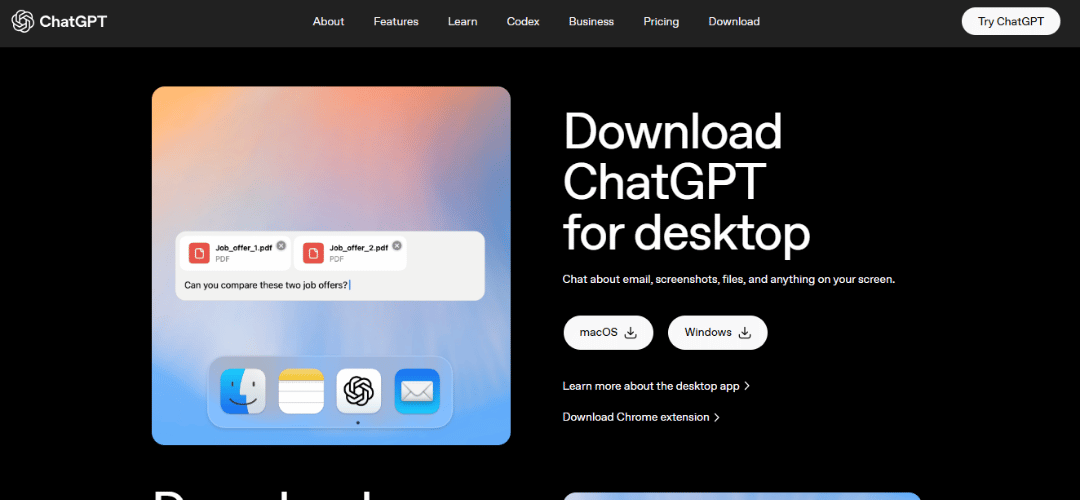
ChatGPT is an AI chatbot by OpenAI that can write, code, summarize, and answer questions on almost any topic. Despite its popularity and rapid rise since late 2022, it carries real pain points: a $20/month subscription, conversations that reset between sessions, occasional hallucinations, and valid data privacy concerns. These gaps have driven millions of users to explore better-suited alternatives.
Why People Are Searching for ChatGPT Alternatives in 2026
- Rising subscription costs: At $20–$30/month per user, AI costs add up fast for individuals and teams.
- Need for domain-specific tools: Marketers, developers, and researchers want AI built around their specific workflows, not a blank-canvas chatbot.
- Better performance: Several competitors now outperform ChatGPT on key benchmarks including MMLU, HumanEval, and MATH.
- Stronger privacy: Businesses in regulated industries need zero-data-retention guarantees or self-hosted solutions.
- App integrations: Teams want AI inside Notion, Slack, or Google Workspace — not a separate tab for every task.
- Open-source AI: LLaMA and similar models let organizations run powerful AI entirely on their own servers at zero ongoing cost.
What Makes the Best ChatGPT Alternative?
The best alternatives score well across eight core areas: ease of use, AI accuracy, response speed, privacy options, multi-platform support, team collaboration features, pricing, and integration ecosystem. Tools that score consistently across most of these dimensions — not just one — are worth your time and money.
Before diving into specific tools, it’s worth establishing what actually makes a good ChatGPT alternative. Not every AI chatbot is built equally, and the “best” option depends almost entirely on what you’re trying to accomplish.
Response Quality and Reasoning Ability is the most fundamental factor. Can the model follow complex instructions? Does it reason through problems logically? Does it hallucinate frequently or stay grounded in facts? These questions matter whether you’re a casual user or a developer building on top of an AI platform.
Pricing and Free Tier Availability is a practical concern for most users. ChatGPT offers a free version with GPT-3.5 and a paid tier (ChatGPT Plus) for access to GPT-4o. Alternatives vary widely here — some offer more generous free tiers, while others are entirely paid or API-first.
Data Privacy and Security Policies are increasingly important, especially for businesses and professionals handling sensitive information. Some tools store your conversations to train their models, while others offer zero-retention options or on-premise deployments.
Integrations and API Access matter significantly if you’re a developer or want to embed AI into your existing tools. Some platforms offer robust APIs, plugins, and third-party integrations; others are more closed ecosystems.
Specialized Capabilities can be a decisive factor. Some tools excel at real-time web search, others at coding assistance, long document analysis, image generation, or voice interaction. Knowing your primary use case helps narrow the field considerably.
Best ChatGPT Alternatives at a Glance
| Tool | Best For | Free Plan | Starting Price | Standout Feature |
|---|---|---|---|---|
| Claude AI | Enterprise conversations | Yes | $20/mo (Pro) | 200K token context window |
| Jasper AI | Content & marketing copy | 7-day trial | $39/mo | 50+ writing templates |
| Perplexity AI | Research & quick answers | Yes | $20/mo (Pro) | Cited real-time answers |
| YouChat | Search-integrated chat | Yes | $15/mo | Live search in answers |
| OpenAssistant | Open-source enthusiasts | Free | Free | Fully open-source model |
| Character AI | Roleplay & fun chats | Yes | $9.99/mo | Custom AI personas |
| ChatSonic | Voice & image AI | Yes | $12/mo | Voice + image generation |
| WriteSonic | AI copywriting | Yes | $16/mo | SEO + tone customization |
| Bing AI (Copilot) | Microsoft users | Yes | Free / $6/mo | Integrated with M365 |
| Meta AI / LLaMA | Open-source research | Yes | Free | Open model weights |
Top 10 Best ChatGPT Alternatives and Competitors
1. Claude AI — Best for Enterprise-Level Conversations
Claude by Anthropic is the most capable all-round ChatGPT alternative in 2026. Its 200,000-token context window lets it process entire books, legal contracts, or codebases in one session, and its accuracy on complex reasoning tasks consistently rivals or beats GPT-4.
Why It’s a Good ChatGPT Alternative
Claude’s context window is six times larger than ChatGPT’s standard limit. Its Projects feature maintains persistent memory and custom instructions across conversations — ideal for ongoing professional work. Anthropic’s safety-focused training also produces noticeably fewer hallucinations on factual and analytical tasks.
Key Features
- 200K token context window for full-document processing
- Projects with persistent memory and per-project instructions
- Artifacts for generating live code, documents, and visual content
- Claude Code for developer and terminal workflows
- Enterprise zero-data-retention option
Integrations
Slack, GitHub, Google Drive, Notion, Zapier, and the full Anthropic API ecosystem.
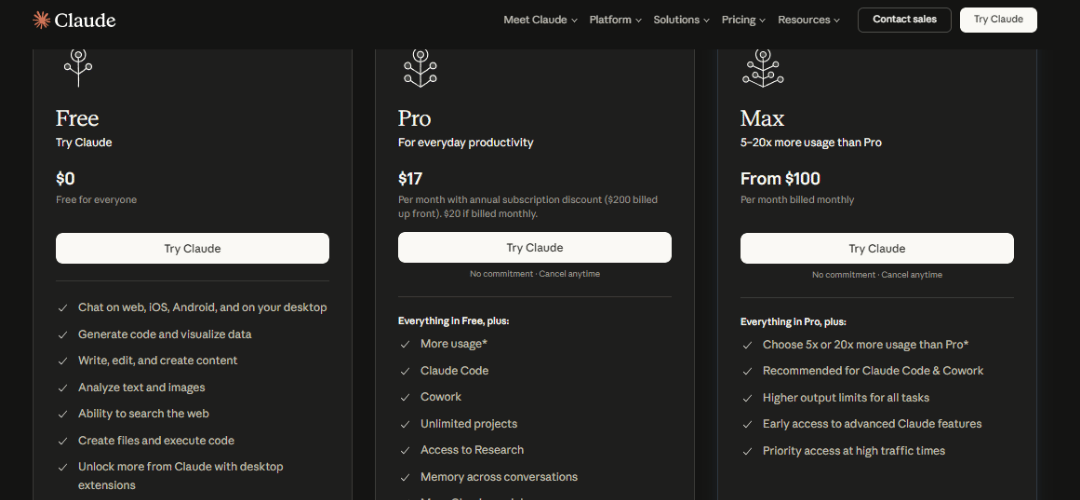
Pricing
- Free: claude.ai with standard limits
- Pro: $20/month — higher limits, Projects, priority access
- Team: $25/user/month — shared Projects, admin controls
- Enterprise: Custom — SSO, audit logs, zero-retention policies
Pros and Cons
- Best-in-class 200K context window
- Highly accurate with reduced hallucinations
- Strong and genuinely useful free tier
- No native real-time web search on the base plan
- No built-in image generation
2. Jasper AI — Best for Content Creation
Jasper was designed for content marketers and brand teams. Its 50-plus templates and Brand Voice system turn AI output into consistent, on-brand content without manual prompt engineering — replacing guesswork with a repeatable production system.
Why It’s a Good ChatGPT Alternative
Where ChatGPT requires crafting every prompt from scratch, Jasper provides a structured workspace with built-in SEO optimization via SurferSEO. Teams needing consistent voice and keyword optimization across dozens of assets each month get more reliable results from Jasper than from a general-purpose chatbot.
Key Features
- 50+ templates for blogs, ads, emails, and social media
- Brand Voice to train the AI on your specific tone and style
- Jasper Art for AI image generation within the platform
- SurferSEO integration for keyword-optimized content
- Chrome extension for writing on any website
Pricing
- Creator: $39/month (1 user, 1 Brand Voice)
- Pro: $59/month (5 users, 3 Brand Voices, Jasper Art)
- Business: Custom — unlimited Brand Voices, API, SSO
Pros and Cons
- Best structured templates for marketing and content teams
- Brand Voice delivers consistent, on-brand output at scale
- More expensive than ChatGPT Plus with no meaningful free tier
- Limited value for coding or deep technical tasks
3. Perplexity AI — Best for Quick Answers and Research
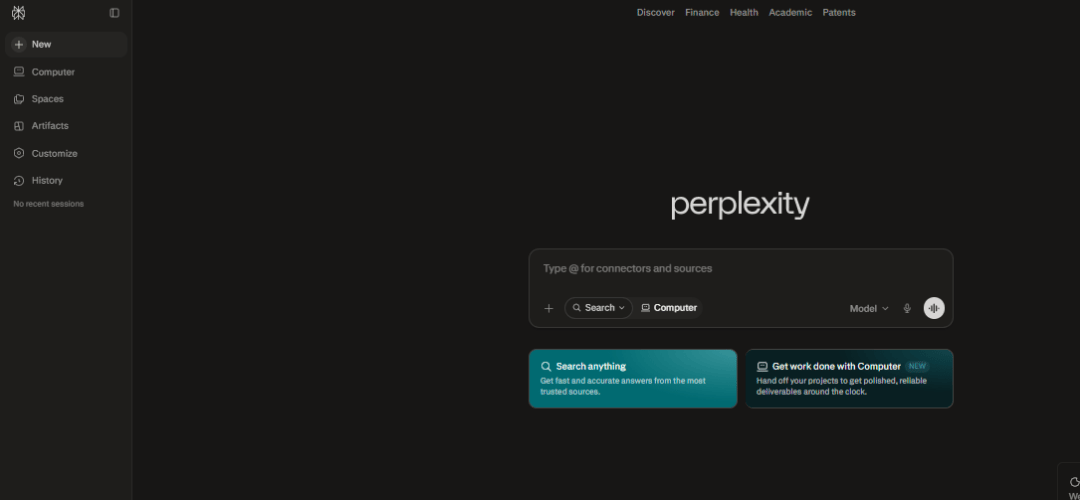
Perplexity AI queries the live web with every response and presents answers with inline citations — directly solving ChatGPT’s knowledge cutoff and hallucination problems. For anyone whose work depends on accurate, current information, it is the most practical daily-use alternative.
Key Features
- Real-time web search on every single response
- Inline citations with direct links to primary sources
- Pro tier unlocks GPT-4o, Claude, and Perplexity’s own Sonar model
- Spaces for shared team research hubs
Pricing
- Free: Unlimited standard searches
- Pro: $20/month — multiple frontier models, file uploads, higher limits
Pros and Cons
- Always-current answers with verifiable cited sources
- Excellent and genuinely capable free tier
- Not designed for creative writing or long-form content generation
- Less conversational depth than Claude or ChatGPT
4. YouChat — Best for Chat with Integrated Search
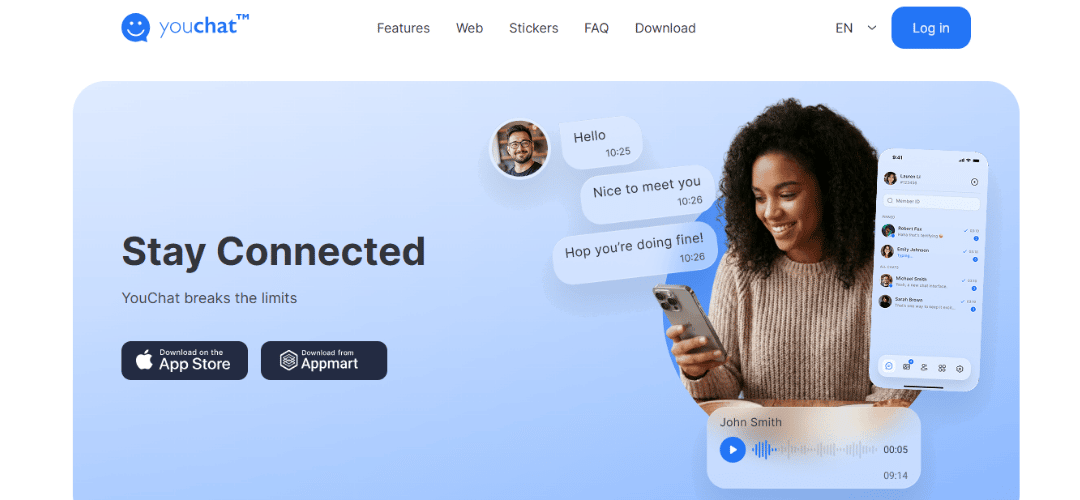
YouChat blends real-time web results with AI conversation inside the You.com search engine. It is a natural fit for users who want the freshness of a search engine combined with the depth of a chatbot — without needing two separate tools open at once.
Key Features
- Live web results delivered inline with AI-generated answers
- YouWrite for content and YouCode for programming tasks
- GPT-4 and Claude available on the Pro plan
- No account required on the free version
- Privacy-focused search with no ad tracking
Pricing
- Free: Full YouChat access with standard model
- YouPro: $15/month — GPT-4, Claude, unlimited image generation
Pros and Cons
- Free and accessible without any signup
- Combines live search and AI conversation in one interface
- Less polished than Claude or ChatGPT
- Smaller developer community and ecosystem
5. OpenAssistant — Best for Open-Source AI Enthusiasts
OpenAssistant is the fully open-source answer to ChatGPT. Model weights, training code, and datasets are entirely public, giving developers and privacy-focused organizations complete control — with no commercial dependency whatsoever.
Key Features
- Fully open-source weights, training pipeline, and datasets
- Self-hosting on your own hardware or private cloud
- Integrations with LangChain, Hugging Face, Ollama, and llama.cpp
- Multiple model sizes for different hardware setups
Pricing
- Completely free — only your own infrastructure costs apply
Pros and Cons
- Zero cost with complete data sovereignty
- Fully customizable and fine-tunable for specific domains
- Requires technical knowledge to set up — not plug-and-play
- Performance lags behind frontier commercial models
6. Character AI — Best for Roleplay and Fun Conversations
Character AI is a platform for immersive, persona-driven conversations — the go-to choice for creative writers, fiction enthusiasts, and users who want entertainment from their AI rather than productivity output.
Key Features
- Millions of community-created AI characters — fictional, historical, original
- Create custom personas with defined personalities and backstories
- Group chats with multiple AI characters at once
- Voice chat and mobile-first design on iOS and Android
Pricing
- Free: Unlimited chats with standard speed
- c.ai+: $9.99/month — faster responses, exclusive features
Pros and Cons
- Unmatched for creative, roleplay, and entertainment use cases
- Large character library with a generous free tier
- Not suitable for professional, research, or productivity tasks
- No document analysis, web search, or code execution
7. ChatSonic — Best for AI with Voice and Image Support
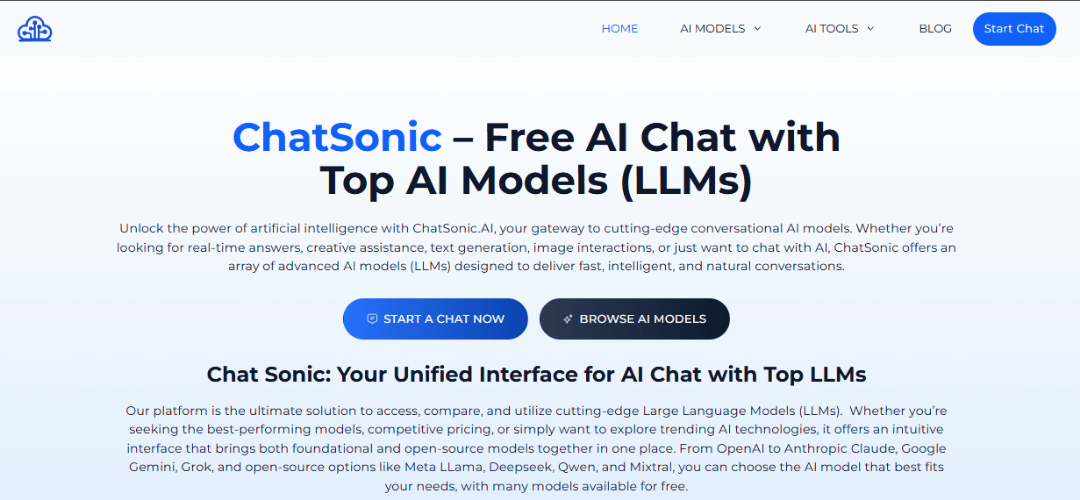
ChatSonic extends the standard chatbot experience with voice input, text-to-speech output, and image generation in one platform — the best option for users who want a multimedia AI experience that goes beyond plain text.
Key Features
- Voice input and text-to-speech output for hands-free use
- Real-time Google Search integration for current information
- AI image generation via DALL-E and Stable Diffusion
- Persona selection and Chrome extension
Pricing
- Free: Limited messages per month
- Individual: $12/month
- Teams: $19/user/month
Pros and Cons
- Voice and image generation in one affordable tool
- Real-time web access via Google Search
- Weaker at deep reasoning compared to Claude or GPT-4
- Interface can feel busy and cluttered
8. WriteSonic — Best for AI Copywriting and Marketing
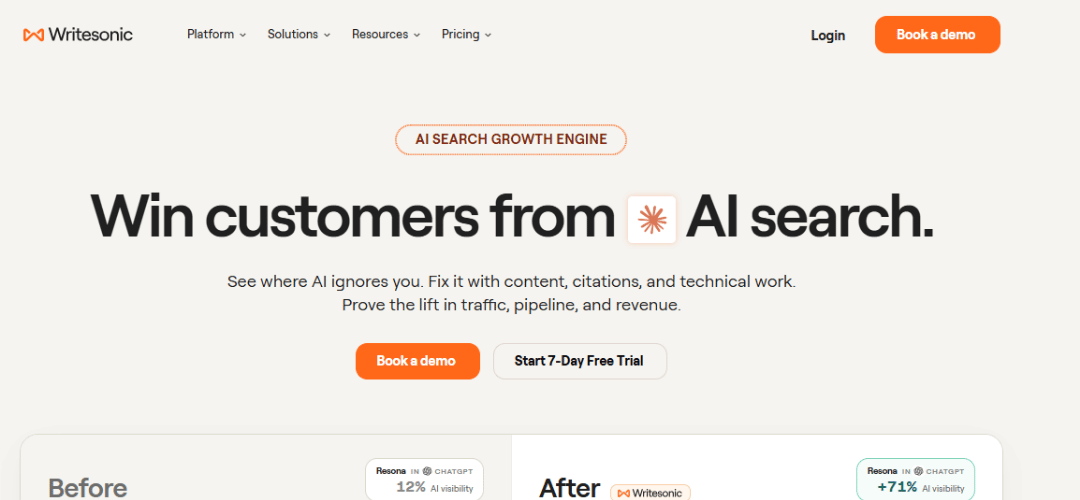
WriteSonic is a content production platform for marketers who need SEO-ready, on-brand output at scale. Its Article Writer 6.0 and built-in SEO checker turn raw AI output into publish-ready content with minimal editing — something general-purpose chatbots simply cannot replicate.
Key Features
- 100+ content types: blogs, product descriptions, ad copy
- AI Article Writer 6.0 for full-length SEO-optimized articles
- Brand Voice for consistent tone across all content
- Bulk generation and built-in SEO Checker
Pricing
- Free: Limited words per month
- Individual: $16/month
- Teams: $45/month (3 seats, SEO features)
Pros and Cons
- Excellent structured workflows for marketing teams
- Strong SEO integration across all content types
- Credit-based pricing can be confusing for new users
- Not suited for coding, analysis, or research tasks
9. Bing AI (Microsoft Copilot) — Best for Microsoft and Search Integration
Microsoft Copilot is powered by GPT-4 and deeply embedded across Windows, Edge, and Microsoft 365. For teams already inside the Microsoft ecosystem, it is the most seamless — and often completely free — AI upgrade available, combining real-time search with native Office integration.
Key Features
- Built into Windows 11, Edge, Bing, and Microsoft Teams
- Copilot in Word, Excel, PowerPoint, and Outlook with M365
- Real-time Bing Search in every response
- Free DALL-E 3 image generation via Bing Image Creator
Pricing
- Free: Full Copilot at copilot.microsoft.com and Bing
- Microsoft 365 Personal: $6.99/month
- Copilot Pro: $20/month — priority GPT-4 access
Pros and Cons
- Completely free with live search and DALL-E 3 images
- Best-in-class integration with the Microsoft 365 suite
- Advanced Office features require a paid M365 subscription
- Less capable than Claude on complex analytical tasks
10. LLaMA / Meta AI — Best for Open-Source Research AI
Meta’s LLaMA 3 model family now rivals GPT-4 on key benchmarks and is freely available to download, fine-tune, and self-host. Meta AI also provides a polished consumer interface through WhatsApp, Instagram, and Facebook — making it the most accessible free AI option for both technical and everyday users in 2026.
Key Features
- Open model weights — freely downloadable and modifiable
- LLaMA 3 70B and 405B models competitive with frontier commercial models
- Runs locally via Ollama or LM Studio for full offline use
- Code Llama for programming tasks
- Free Meta AI app via WhatsApp, Instagram, Facebook, and meta.ai
Pricing
- Free — open weights under Meta’s community license
- Meta AI consumer app: Free via meta.ai
Pros and Cons
- Completely free with zero API costs
- Full data sovereignty — runs entirely on your own hardware
- Benchmark performance rivals GPT-4
- Self-hosting needs technical setup and GPU hardware
- Consumer Meta AI app lacks advanced collaboration features
Free ChatGPT Alternatives
Not everyone needs or wants to pay a monthly subscription for AI access. The good news is that several powerful tools offer genuinely useful free tiers.
Claude offers a free tier through claude.ai that provides access to a capable version of the model with a generous daily usage limit. It’s one of the best free AI writing and reasoning tools available.
Google Gemini is free to use at gemini.google.com with access to a highly capable model tier. For most casual users, the free version is more than sufficient.
Microsoft Copilot is free at copilot.microsoft.com and includes image generation — making it one of the most feature-rich free AI options available.
Perplexity AI offers a solid free tier for research and search-grounded answers, with Pro features reserved for paying subscribers.
Meta AI is completely free and available inside apps you already use, like WhatsApp and Instagram.
When using free tiers, keep in mind that they typically come with usage limits, slower response times during peak hours, and access to less powerful model versions. For light to moderate use, however, most free tiers are surprisingly capable.
How to Choose the Best ChatGPT Alternative for Your Needs
Best for Personal Use
Claude AI and Perplexity AI lead for individuals. Claude handles long documents and complex reasoning with exceptional accuracy. Perplexity delivers cited, real-time research results that are easy to verify. Both offer strong free tiers that deliver genuine value without a paid subscription.
Best for Teams and Collaboration
Claude Team for AI quality and long-context document work. Jasper Pro for structured content production. WriteSonic Teams for marketing-focused content workflows. Microsoft Copilot for M365 for organizations already running on Microsoft tools.
Best for Students and Learning
Perplexity AI for cited research and academic fact-checking. Claude for explaining complex topics and structuring essays. Microsoft Copilot is also excellent — free and equipped with live Bing search for current information on any subject.
Best Free Option
Meta AI, Microsoft Copilot, Perplexity AI, and Claude all offer capable free tiers in 2026 — no credit card required. Copilot and Perplexity lead for current web information. Claude’s free plan leads for document analysis and complex reasoning tasks.
Best for Privacy and Open-Source Use
LLaMA 3 via Ollama or LM Studio for full local data sovereignty. OpenAssistant for a community-driven open-source alternative. Claude Enterprise for teams that need strong privacy guarantees without the overhead of self-hosting.
How to Switch from ChatGPT (Step-by-Step)
- Export your ChatGPT history via Settings > Data Controls > Export Data.
- List your core workflows — writing, research, coding, summarizing — to test in the new tool.
- Recreate custom instructions in the new platform: Claude Projects, Jasper Brand Voice, WriteSonic knowledge base, etc.
- Run a two-week parallel test using identical prompts in both tools.
- Reconnect any Zapier, Slack, or API integrations in your new platform.
- Communicate the change to your team with clear onboarding guidance.
ChatGPT Alternatives for Business and Enterprise
For organizations deploying AI at scale, the evaluation criteria go beyond raw model performance. Security, compliance, administrative controls, and total cost of ownership all become critical factors.
Security and Compliance are paramount for industries like healthcare, finance, and law. Look for tools that offer SOC 2 Type II certification, HIPAA compliance options, data processing agreements, and clear policies on whether your data is used for model training. Claude for Enterprise, Google Gemini for Workspace, and Microsoft Copilot all offer enterprise-grade security controls.
Team Collaboration Features determine how well an AI tool fits into a larger organization. Can you share prompts and templates across your team? Is there role-based access control? Can you connect the AI to your internal knowledge base? Enterprise tiers from most major providers address these needs, though the specific features vary.
Pricing at Scale can differ dramatically. Some tools charge per seat, others per token consumed, and others offer flat-rate enterprise agreements. It’s worth modeling your expected usage carefully before committing, as the cost difference between providers can be substantial at scale.
For organizations building custom AI applications on top of foundation models, the API market is increasingly competitive. Anthropic, Google, and Mistral all offer capable APIs at varying price points, and open-source options allow organizations to avoid API costs entirely if they have the infrastructure to host their own models.
ChatGPT vs. Top Alternatives: Side-by-Side Comparison
| Feature | ChatGPT | Claude | Gemini | Copilot | Perplexity |
|---|---|---|---|---|---|
| Free Tier | Yes (limited) | Yes | Yes | Yes | Yes |
| Paid Plan | $20/mo | $20/mo | $19.99/mo | Included in M365 | $20/mo |
| Real-Time Search | Yes (with tools) | No (base) | Yes | Yes | Yes (core feature) |
| Context Window | 128K tokens | 200K tokens | 1M tokens | 128K tokens | Limited |
| Image Generation | Yes (DALL·E 3) | No | Yes (Imagen) | Yes (DALL·E 3) | No |
| API Available | Yes | Yes | Yes | Limited | Yes |
| Open Source | No | No | No | No | No |
| Best For | General use | Writing & reasoning | Google users | Microsoft users | Research |
Conclusion
The AI chatbot landscape in 2026 is richer and more competitive than ever. ChatGPT remains the most recognized name in the space, but it is no longer the automatic default for every use case. Claude, Gemini, Perplexity, Copilot, Mistral, DeepSeek, and a growing ecosystem of open-source tools have each carved out meaningful niches — and in many cases outperform ChatGPT in specific domains.
The broader takeaway is that we’re in an era of AI abundance. There is no single “best” AI tool — only the best tool for your particular needs, workflow, and budget. The smart approach is to stay curious, try multiple tools, and remain willing to adapt as the landscape continues to evolve at a remarkable pace.
Start with one or two tools from this guide that seem most relevant to your situation. Most offer free tiers that let you explore their capabilities with zero commitment. Once you’ve spent some time with a tool in real-world tasks, you’ll quickly develop a sense of where it shines and where it falls short.
Frequently Asked Questions
What is the best free ChatGPT alternative?
Meta AI, Microsoft Copilot, Perplexity AI, and Claude’s free tier are the strongest free options in 2026. Copilot and Perplexity have the edge for live web information. Claude leads for document analysis and complex reasoning tasks.
Is Claude AI better than ChatGPT?
Claude generally outperforms ChatGPT on long-document analysis, instruction following, and factual accuracy — largely due to its 200K context window and Anthropic’s safety-focused training. ChatGPT retains an edge in its plugin ecosystem and native DALL-E image generation. For most professional work in 2026, Claude is widely regarded as the more reliable model.
Which ChatGPT alternative is best for content creation?
Jasper AI and WriteSonic for structured, template-driven marketing content. Claude for high-quality, nuanced long-form writing. ChatSonic if you also need voice interaction and AI image generation within the same platform.
Can open-source AI replace ChatGPT?
For technically equipped teams, yes. LLaMA 3’s largest models rival GPT-4 and run entirely on local hardware at zero cost. For non-technical users, polished interfaces like Claude, Perplexity, and Copilot remain more accessible and easier to use daily.
Which alternative is best for teams and collaboration?
Claude Team for AI quality and document work. Jasper Pro or WriteSonic Teams for content workflows. Copilot for M365 for Microsoft organizations. Perplexity Spaces for research-focused teams that need cited, shared knowledge management.
Are there AI tools faster than ChatGPT?
Yes. Groq’s custom LPU hardware delivers some of the fastest token generation available today. Running LLaMA or Mixtral via Groq’s API is currently the fastest option for developers. Perplexity is also known for quick turnaround on research queries.