
Our mind is an ocean of ideas. New situations & requirements create an imaginary vision inside our thoughts. It’ll create & vanish if we’re unable to keep it as a writing form. When we are thinking about saving our valuable time then using some Tools make your journey easy & faster. Anytype vs Obsidian both play an amazing role for serving this purpose.
Obsidian vs Anytype. Both promise order, focus, and a smooth knowledge system. But you can’t use them at a time. When you have learned about anytype review & obsidian you will gather knowledge of which one is perfect for you most. With my personal experiences for study notes, planning, writing, and personal projects with both tools give you a clear picture for selecting the perfect piece for your own.
Why This Comparison Matters
Everyone collects information every day. School notes, project ideas, research, links, tasks, goals, and personal thoughts. It grows nonstop. Tools like Anytype and Obsidian help control that flow. You can’t use both of them at a time. Those tools like obsidian vs anytype comparison make your concept clear for perfect selection for handling notes, linking, privacy, mobile experience, speed, and long-term use.
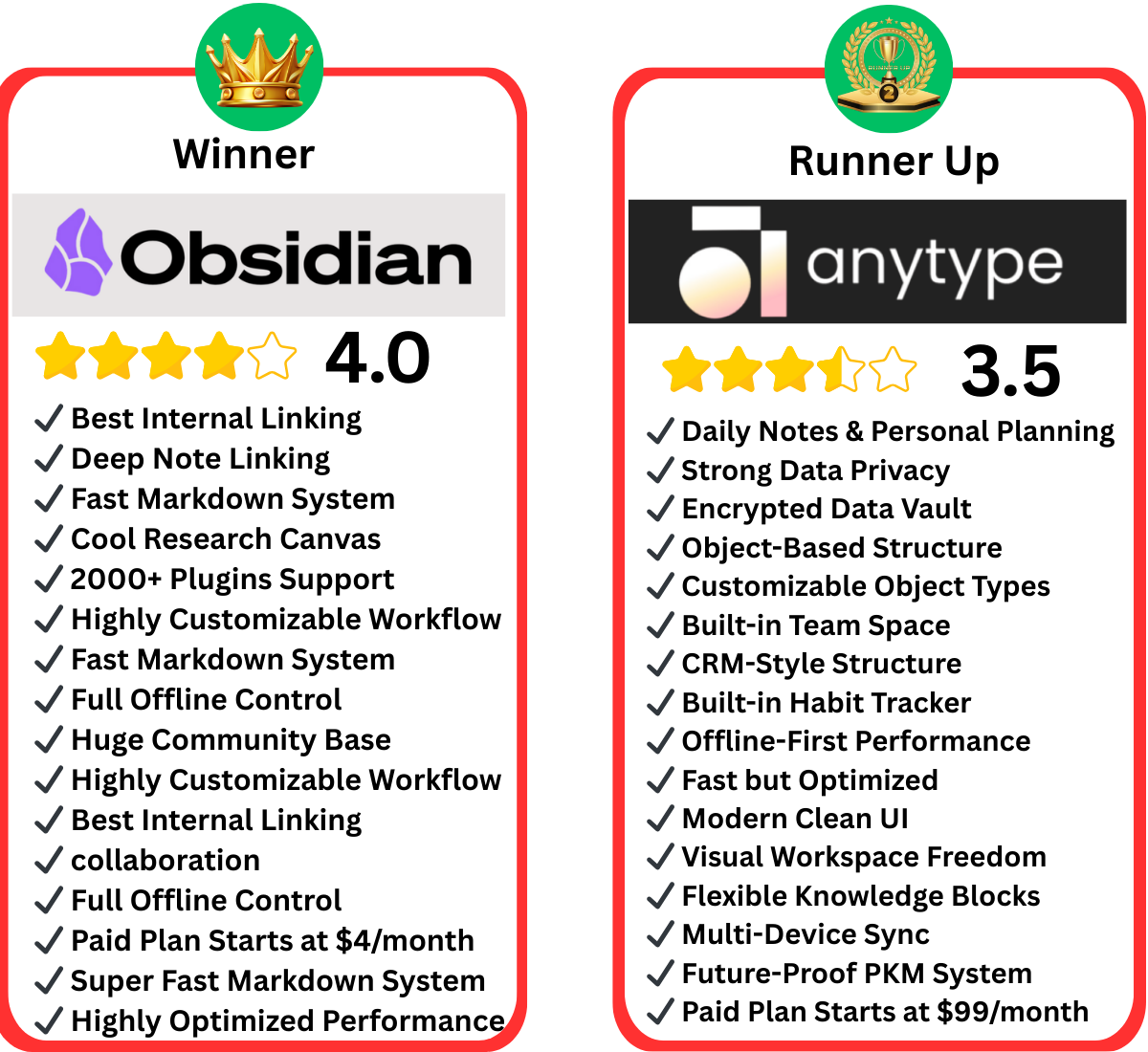
Quick Comparison Summary
| Feature | Anytype |
Obsidian |
| Note Style | Object-based | Markdown-based |
| Privacy | Local-first with encryption | Local files, optional encryption |
| Sync | P2P secure sync | Paid sync or external tools |
| Plugins | Limited | Large plugin library |
| Collaboration | Shared spaces | No native collaboration |
| UI | Clean and modern | Simple and plain |
| Mobile | Strong | Good, but plugin behavior varies |
| Best For | Personal knowledge, privacy | Heavy customization, writers, and researchers |
Pricing Snapshot
| Plan | Anytype |
Obsidian |
| Free Version | Yes | Yes |
| Paid | Starts at $99/month | Sync starts at $4/month |
| Business | Yes | No direct team plan |
Real-World Use Cases
The real-time comparison helps you pick the right tool based on your daily work For Students
Anytype:
For Students Anytype provides the following facilities:
- Clean and organized place for study notes, class summaries, assignments, & personal projects.
- Flexible layouts and linked pages make it simple to move between subjects.
- Track deadlines & keep all study materials in one space.
Obsidian:
Exclusive offer for students from Obsidian..
- Obsidian is comfortable in helping with heavy text-based notes or following detailed study routines.
- It’s Markdown format & powerful search help you build long-term study archives that stay easy to find and Obsidian review.
For Writers and Researchers:
Anytype:
- Writers who like to collect ideas, outline drafts, store references & link related thoughts will find Anytype helpful.
- The object-based structure makes it easy to group notes, connect sources.
Obsidian:
- Obsidian is the stronger pick for long-form writing.
- Its Markdown system supports deep research, long chapters, & detailed notes.
- The linking & plugins help writers build a full research vault that stays with them for years.
For Creators and Entrepreneurs
Anytype:
- Helpful for manage many projects at the same time
- Provide wonderful support for build trackers and dashboards.
- It fits well with planning, journaling, task lists, client notes & goal tracking.
Obsidian:
- Obsidian works well for collecting research, ideas, scripts, or content notes.
- Creators who enjoy a clean writing space and powerful linking will find it useful for planning future work.
For Team Work
Anytype:
- Better for support in shared spaces.
- Great options for building shared pages, store information, and plan projects together without giving up privacy.
Obsidian:
Obsidian has no built-in team features.
Anytype vs Obsidian: Quick Comparison Table
| Feature | Anytype | Obsidian |
| Storage | Local + free encrypted sync | Local + optional paid sync |
| Pricing | Free (sync included) | Free + paid add-ons |
| Data Format | Proprietary objects | Plain Markdown files |
| Plugin Ecosystem | Limited (growing) | 2,000+ community plugins |
| Graph View | ✅ Yes | ✅ Yes |
| Mobile App | Native (iOS & Android) | Available (less native feel) |
| Open Source | Yes (partial) | No (Markdown files are open) |
| Built-in Databases | ✅ Yes (Sets & Collections) | ❌ Requires Dataview plugin |
| Team/Shared Spaces | ✅ Yes (3 shared spaces free) | ❌ Not built-in |
| Learning Curve | Moderate | Moderate to High |
| Best For | All-in-one PKM workspace | Writing, linking & Zettelkasten |
What Is Anytype?
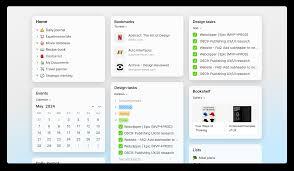
Anytype acts like a secure digital workspace which stays on your device with easy & useful structure. You control your data, your structure, and your connections. The app builds a network around your notes that grows as you work. It blends the freedom of a notebook with the power of a personal database.
Anytype is an open-source, offline-first knowledge management tool that takes a fundamentally different approach to notes. Instead of storing information as flat text files, Anytype organizes everything as objects, pages, tasks, books, people, files all interconnected in a flexible, graph-based system.
It launched out of beta in 2023 and has been steadily growing a loyal community of privacy-conscious users who want the power of Notion without giving up data control. Anytype has a local-first architecture where your data lives on your devices, and when it does leave for backup or sync, it’s encrypted with a key only you have using a decentralized peer-to-peer network.
Key highlights:
- Object-based note structure (pages, tasks, databases are all “objects”)
- End-to-end encrypted sync included for free
- Available on Windows, Mac, Linux, iOS, and Android
- Open-source codebase with an active development community
- Block-based editor with slash commands and drag-and-drop
Anytype is especially popular among users migrating away from Notion who want the same structured, database-like experience but with full data ownership.
| ✅ Pros | ❌ Cons |
| End-to-end encrypted sync — completely free | Limited plugin/extension ecosystem |
| Built-in databases (Sets & Collections) | Proprietary object format — less portable |
| Fully offline-first with P2P device sync | Steeper learning curve than simpler apps |
| Open-source codebase | Still maturing — some features incomplete |
| Native mobile app on iOS & Android | AI features still limited compared to rivals |
| Built-in shared team spaces (free) | Smaller community than Obsidian |
Key Benefits
Both Anytype and Obsidian offer unique benefits depending on your workflow:
Anytype Key Benefits
- Local-first architecture ensures privacy and control over your notes.
- Multiple views (list, grid, gallery, Kanban) provide visual clarity.
- Built-in templates save time and maintain consistency.
- Shared spaces enable secure collaboration with small teams.
- Offline support allows uninterrupted work anywhere.
Obsidian Key Benefits
- Markdown-based notes are fast, flexible, and portable.
- A large plugin ecosystem adds endless customization options.
- Graph view visualizes complex note relationships.
- Local storage keeps your notes private and accessible offline.
- Great for personal knowledge management, research, and long-term note-taking.
Pricing
| Explorer | Free |
| Builder | $99/month |
| Co-Creator | $299/month |
| Business | Custom pricing |
Pros & Cons
You can make proper decisions if you clearly know their strengths and weaknesses.
Anytype Pros
- Strong Data Privacy: Your data stays local and encrypted, giving you full control.
- Built-in Templates: Ready-to-use templates save time and maintain consistency across projects.
- Beautiful & Responsive Mobile App: Works smoothly on mobile devices, making it easy to capture ideas on the go.
- Shared Spaces: Enables teamwork, letting multiple users collaborate securely.
Anytype Cons
- Learning Curve: The object-based system can be overwhelming for beginners.
- Team Collaboration Still Evolving: While shared spaces exist, advanced team features are limited.
- Mobile Apps Are Improving: Functional but not yet as fully featured as the desktop version.
Obsidian Pros
- Markdown Flexibility: Simple, fast, and universal formatting that works across devices.
- Extensive Plugin Ecosystem: Over 2,000 plugins allow deep customization & extra functionality.
- Graph View: Visualizes relationships between notes effectively.
- Community Support: Large, active community with tutorials, themes, and plugins.
Obsidian Cons
- Complex Setup: Beginners may find it difficult to get started with vaults and plugins.
- Limited Team Features: No native collaboration; requires third-party services.
- Plugin Reliance: Many advanced features require installing multiple plugins, which can slow performance.
What Is Obsidian?
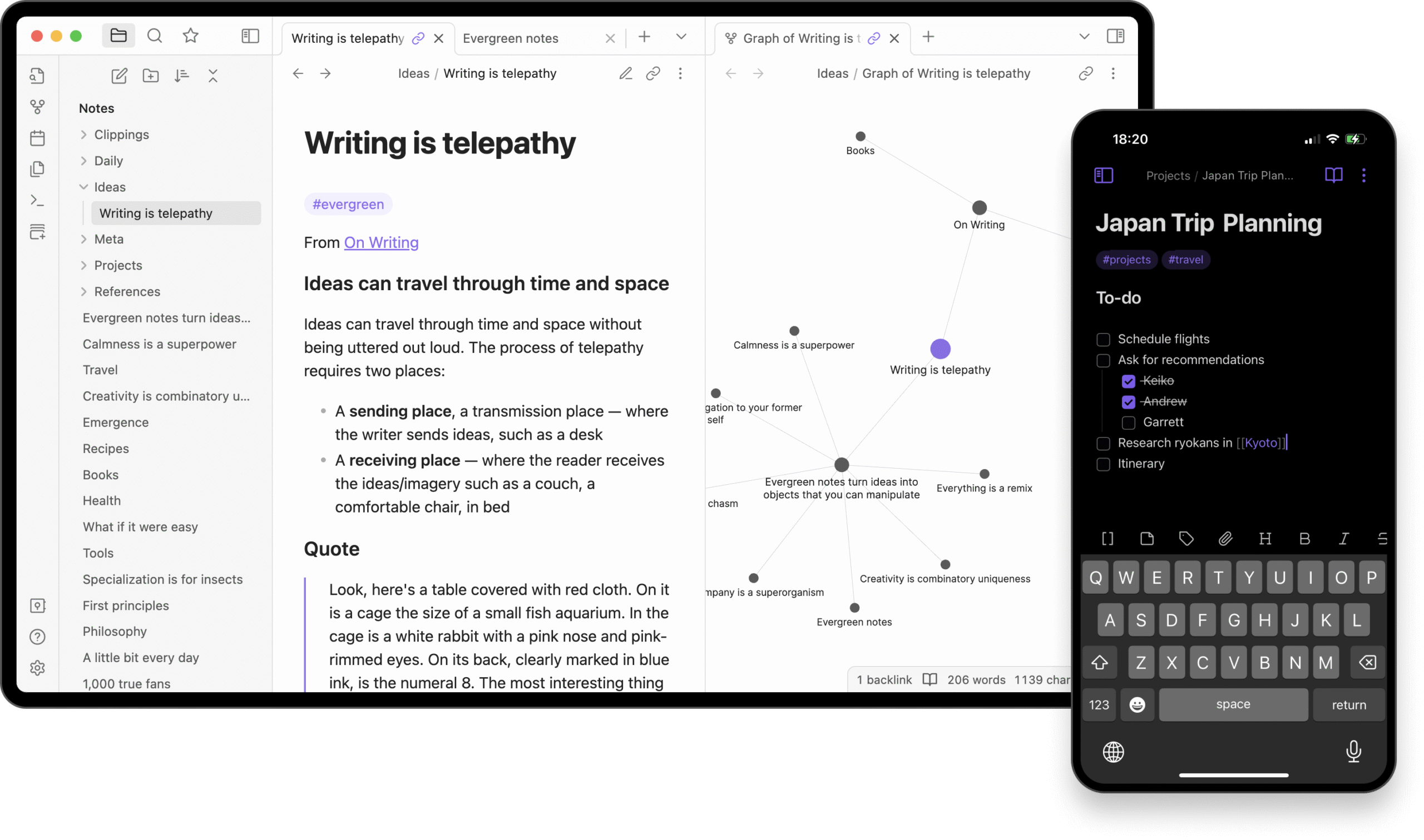
Obsidian gives you a vault filled with Markdown files. Each file is a note. You link them to build a web of ideas. The tool keeps everything local. You control your files & structure with fast writing & total control. Obsidian uses plain text Markdown files. Each note becomes part of a network when you add links. The graph view shows how your ideas connect. Plugins expand features based on your needs.
Key Features of Obsidian
Obsidian offers a variety of features like:
Graph View
- Visualize all your notes and see how they connect in real time.
- The graph view lets you understand relationships between ideas, topics & projects at a glance.
Markdown Notes
- Obsidian uses Markdown for all note-taking.
- It’s simple, fast, and future-proof format ensures that your notes remain portable and accessible.
Large Plugin Library
- Obsidian has over 2,000 community plugins.
- You can add calendar tools, AI-powered features, task managers, dashboards, tabbed layouts, scripts & more,
Themes
- Customize the look and feel of your workspace with numerous themes.
- It allows you to create an environment that suits your style like dark mode, minimal interface, or vibrant design,
Search
- It’ll help to quickly find notes, attachments, & tags across thousands of entries.
- It’s search feature is fast & accurate, making it easy to locate information even in large vaults.
Community Support
- Obsidian has a massive, active user community for finding guides, tutorials, templates, & forums to help you maximize your experience, solve issues.
Pricing
| Free: | Personal use |
| Commercial: | $50/year |
| Sync: | $4/month |
| Publish: | $8/month |
| Catalyst Supporter: | $25+ one-time |
Key Benefits
Both Anytype & Obsidian offer unique advantages depending on your workflow and priorities:
For Anytype:
- Data Ownership and Privacy: All your notes stay local-first, & end-to-end encryption ensures only you have access.
- Structured Organization: Objects, sets, & templates allow for highly organized & flexible workflows.
- Multiple Views: Grid, list, gallery, & Kanban views make tracking projects, tasks & notes visually intuitive.
- Cross-Platform Mobile App: Smooth & responsive mobile experience allows you to manage your ideas on the go.
For Obsidian:
- Graph View: Visualize connections between notes to create a personal knowledge network.
- Extensive Plugin Library: Access thousands of community plugins for added functionality like calendars, dashboards, and task managers.
- Customizable Themes: Tailor your workspace interface for comfort and productivity.
- Active Community: Large user base provides templates, guides, and support
ontrol over their workflow.
| ✅ Pros | ❌ Cons |
| ✔ 2,000+ community plugins for near-infinite customization | ✖ Sync costs extra ($4/month add-on) |
| ✔ Plain Markdown files — future-proof data ownership | ✖ No built-in databases — needs Dataview plugin |
| ✔ Best-in-class graph view & backlinks | ✖ Mobile app feels clunky, not native |
| ✔ Excellent for Zettelkasten methodology | ✖ Steep learning curve for beginners |
| ✔ Free for personal use with all core features | ✖ No built-in team collaboration features |
| ✔ Large, active community with rich documentation | ✖ Plugin management can become overwhelming |
Pros & Cons
Here’s a detailed look at the strengths and weaknesses of both platforms:
Anytype Pros:
- Strong privacy and local-first storage
- Built-in collaboration features for teams
- Clean, modern interface suitable for beginners and pros alike
- Multiple built-in views without extra plugins
Anytype Cons:
- Steeper learning curve for new users
- Mobile apps are still evolving
- Some advanced features are still under development
Obsidian Pros:
- Extensive plugin ecosystem for customization
- Powerful graph view for knowledge visualization
- Fast and efficient search across thousands of notes
- Large, helpful community with resources and templates
Obsidian Cons:
- Initial setup can be tricky for beginners
- Lacks native collaboration & team features
- Visual design is minimal compared to modern apps
- Syncing & some advanced features require additional paid services
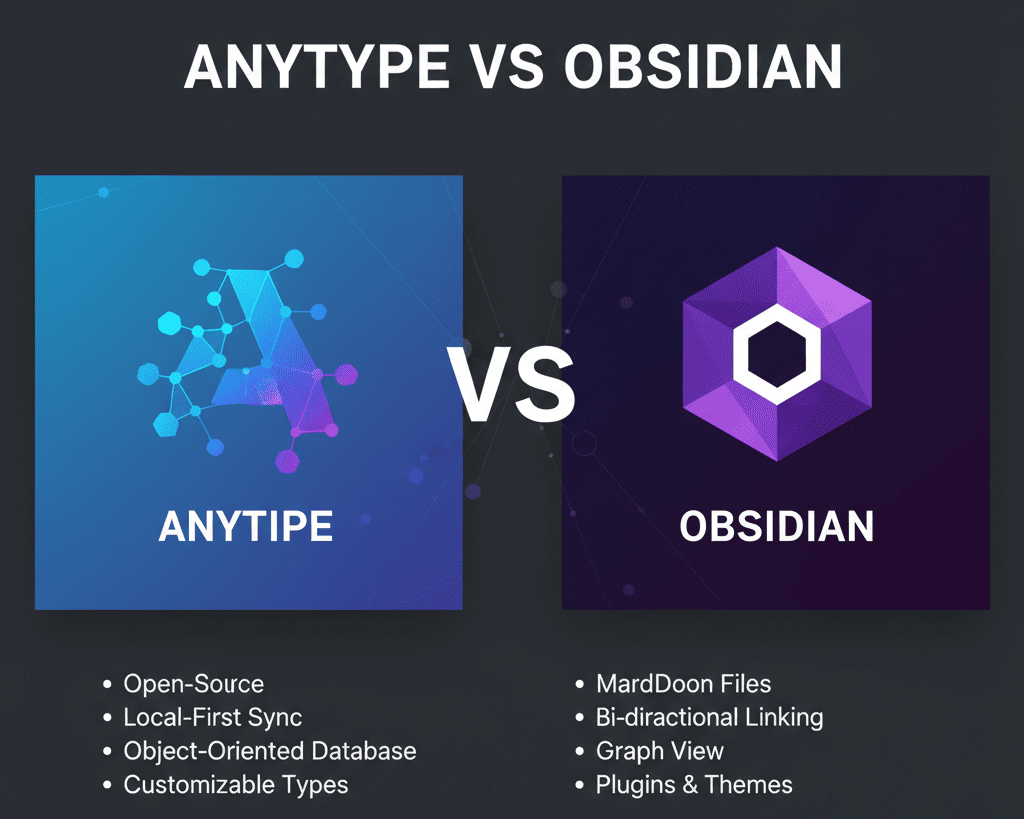
Side-by-Side Comparison
| SN. | Comparison Issues | Anytype | Obsidian |
| 1. | Data Privacy & Security | End-to-end encryption, local-first, peer-to-peer sync. | Local files; encryption depends on sync provider/plugins. |
| 2. | Note Structure | Objects, types, sets, relations; structured like Notion. | Markdown files and folders; flexible but less structured. |
| 3. | Linking & Knowledge Graph | Built-in linking, networked objects. | Graph view and backlinks; better visual linking. |
| 4. | Organization & Knowledge Management | Objects, types, sets. | Folders, tags, links |
| 5. | Collaboration & Shared Workspaces | Shared spaces for small teams. | No native collaboration; requires third-party tools. |
| 6. | Offline Mode | Work offline. Syncs only when you choose. | Offline unless paid sync used. |
| 7. | Learning Curve | New object system can take time. | Markdown + plugins may be tricky initially. |
| 8. | UI/UX Experience | Clean, modern interface. | Minimal markdown UI. |
| 9. | Speed & Performance | Fast, no heavy plugins needed. | Can slow down with many plugins. |
| 10. | Templates & Workflow | Built-in ready-to-use templates. | Depends on community plugins/templates. |
| 11. | Mobile Experience | Smooth, responsive with objects and views | Works, but plugins can affect mobile usability |
Which Tool Should You Choose?
Choose Anytype If You Need:
- High Privacy: Keep all your data local with end-to-end encryption.
- Built-In Collaboration: Share spaces easily with small teams without third-party tools.
- Local-First but Modern Experience: Fast, responsive, and intuitive across desktop & mobile devices.
Choose Obsidian If You Need:
- Highly Customizable Workflows: Tailor your workspace exactly how you like using plugins & themes.
- Plugin Support: Add calendars, task managers, AI tools, dashboards, & more.
- Coding-Friendly Setups: Ideal for those who enjoy tweaking and scripting for advanced workflows.
Final Verdict
Anytype and Obsidian both help you bring order to your thoughts. Both work offline, both protect your data, and both let you build your own system. They shine in different ways. anytype vs obsidian comparison gives you clarity about choosing the right one.
If you want my personal answer, I like Anytype for daily notes & Obsidian for writing long content. Together, they build a strong system. You can use one or both. Either way, your thoughts will stay clear, connected, and easy to find.
More Comparisons for Anytype alternatives
Anytype prioritizes local-first storage and privacy. Notion is cloud-based and focuses on team collaboration and databases.
Anytype uses objects for structured knowledge. Capacities emphasizes visual blocks and object linking in a flexible graph.
Anytype focuses on interconnected objects and privacy. Craft offers beautifully designed documents with strong linking options.
Anytype is built for personal knowledge management. ClickUp is a project management platform with integrated notes & tasks.
Anytype allows flexible, local-first connections between data. Coda blends docs, spreadsheets, & apps for collaborative work.
Both focus on privacy and local-first storage. XTiles has a newer block-based system while Anytype uses object-based organization.
Both are open-source and local-first; Anytype uses objects and types. AFFiNE pro offers block editing & whiteboard functionality.
Anytype vs Notion vs Obsidian
Anytype stands out for its privacy-first, offline-friendly architecture, Notion offering powerful databases, templates, & team workflows. Obsidian excels for Backlinking, & a flexible “second brain” system—perfect for writers, researchers, & long-term thinkers.
More Comparisons for Obsidian
Obsidian gives you local Markdown-based notes with full control, while. Notion is a cloud-based all-in-one workspace built for collaboration and databases.
Obsidian is file-based with plugin power and a graph view. Capacities use a visual object graph with blocks and a more visual layout.
Obsidian offers deep customization through plugins and Markdown. XTiles provides a clean, block-based workspace with a focus on privacy & simplicity.
Obsidian supports complex linking and graph views for knowledge-heavy use. Craft emphasizes beautifully designed documents & page layouts with minimal distraction.
Obsidian is ideal for users who want scriptable, plugin-driven customization. AFFiNE pro combines block editing, a whiteboard interface, & graph-based knowledge.
Obsidian is optimized for note-taking and personal knowledge management. ClickUp is a comprehensive project and task manager with built-in docs & collaboration.
Obsidian keeps your data local in plain text. Coda creates interactive documents & apps, blending tables, buttons, & docs for team workflows.
Core Features Comparison
Note-Taking & Editor Experience
The day-to-day writing experience is where these two tools feel most different.
Anytype uses a block-based editor similar to Notion where each piece of content (text, image, task, file) is its own draggable block. Anytype’s object-based system takes a visual-first approach, letting you link text, images, and tasks as independent objects, with features like drag-and-drop, a graph-like view, and nested pages making navigation intuitive.
Obsidian takes the opposite philosophy. Obsidian is text-first and Markdown-based, organizing notes into vaults and providing multiple open panes for side-by-side note-taking. If you love the simplicity of writing in plain text and having total control over formatting syntax, Obsidian’s editor will feel like home.
Knowledge Graph & Linking
Both tools offer a graph view to visualize how your notes connect but the underlying approach is different.
In Obsidian, the graph view is a core identity feature. Everything you create builds out the graph over time. For people following the Zettelkasten method, this is arguably the best implementation available in any free tool.
Anytype’s graph works similarly but at the object level your tasks, notes, and databases all appear as nodes in the graph. It’s visually appealing and functional, though the Obsidian graph remains more powerful for deeply interconnected research-style notes.
Database & Structured Data
This is one of the biggest practical differences between the two tools.
Anytype has native database functionality built in through Sets and Collections. You can create a list of books with fields like author, rating, status, and view it as a table, board, or gallery with no plugins needed. In Obsidian, if you want a simple list of projects with status fields, due dates, and a Kanban view, you have to rely on community plugins, often spending hours wrestling with Dataview code.
For anyone who wants Notion-style databases without the cloud dependency, Anytype is clearly ahead here.
Plugin & Customization Ecosystem
This is where Obsidian absolutely dominates.
Obsidian’s community plugins allow you to access a huge range of extended features, from real-time math calculations to metadata insertion, and with over 2,000 plugins available, the customization options are virtually limitless.
Anytype is still growing its extension support and doesn’t yet have a comparable third-party ecosystem. If you need a very specific workflow, spaced repetition, citation management, custom scripts Obsidian is the only realistic choice today.
Privacy & Data Ownership
Both Anytype and Obsidian are beloved by privacy-focused users for a simple reason: they’re both local-first. Your data doesn’t live on someone else’s server by default.
But their approaches to sync differ:
- Anytype uses an end-to-end encrypted P2P sync that’s included in the free plan. Your data is local and uses end-to-end encryption, meaning only you can see your notes.
- Obsidian stores files locally as plain Syncing those files to other devices either requires the paid Obsidian Sync add-on or a third-party service like iCloud, Google Drive, or Syncthing.
Top reasons privacy-conscious users choose local-first tools:
- Your notes aren’t scanned for advertising or training data
- No risk of a company shutting down and locking you out of your data
- Works fully offline no internet required to access your knowledge base
- Open formats (Markdown) or open-source code means no black-box control
Both tools pass the privacy test. Anytype edges ahead for sync privacy; Obsidian wins for raw data portability with plain
Pricing Comparison
Pricing is one of the clearest differentiators in this comparison.
Anytype Pricing:
- Free plan includes all core features, sync, and up to 3 shared spaces
- Paid plans available for advanced storage and team features
- No paywalled core functionality sync is free
Obsidian Pricing:
- Free for personal use includes all local features and plugins
- Obsidian Sync: $4/month (billed annually) for encrypted cloud sync
- Obsidian Publish: $8/month for publishing notes as a public website
- Commercial license: $50/year for business use
What you get free in each tool:
| Anytype (Free) | Obsidian (Free) | |
| Notes & Pages | ✅ Unlimited | ✅ Unlimited |
| Encrypted Sync | ✅ Included | ❌ Paid add-on ($4/mo) |
| Plugins | Limited | ✅ 2,000+ |
| Shared Spaces | ✅ 3 spaces | ❌ Not available |
| Publish Notes Online | ❌ Not available | ❌ Paid add-on ($8/mo) |
Anytype offers full offline access, local storage, and encrypted syncing across devices for free while Obsidian charges extra for key features like sync.
For users who need sync across multiple devices, Anytype offers significantly better value at zero cost.
Performance & Platform Support
Both tools support Windows, macOS, Linux, iOS, and Android.
On desktop, both are fast and lightweight though Obsidian has a longer track record of stability and a more refined desktop experience.
On mobile, Anytype has a native app on Android that feels robust and fast, with its offline-first nature and end-to-end encryption delivering the privacy and control users love. Obsidian’s mobile app works well once open, but it suffers from noticeable load time when launched after being in the background, and quick capture is difficult since it requires navigating through the vault, folder, and file creation steps.
If you capture notes frequently on your phone, Anytype feels noticeably more mobile-native.
Anytype vs Obsidian: Use Case Scenarios
✅ Choose Anytype if:
- You want a Notion-like workspace without the cloud dependency
- You need built-in databases, task management, and notes in one place
- You want free encrypted sync across all your devices
- You prefer a visual, drag-and-drop interface over raw Markdown
- You work in teams and need shared spaces
Best use cases for Anytype:
- Project management + note-taking in a single tool
- Personal CRM (tracking contacts, meetings, relationships as objects)
- Life wiki or “second brain” with structured categories
- Students managing research, assignments, and reading notes
✅ Choose Obsidian if:
- You live in Markdown and want your notes to be future-proof plain text
- You follow Zettelkasten or atomic note-taking methodologies
- You need a specific plugin that doesn’t exist elsewhere
- You value a massive community, themes, and deep customization
- You publish your notes or want to build a digital garden
Best use cases for Obsidian:
- Academic research and long-form writing
- Software development documentation with code blocks
- Zettelkasten-style personal knowledge management
- Building and publishing a public notes site with Obsidian Publish
What Are Users Saying?
Community sentiment on Reddit’s r/ObsidianMD and r/Anytype reflects a clear pattern: people love both tools, but for different reasons.
Obsidian users frequently praise its longevity, Markdown portability, and the plugin ecosystem. Their most common complaint is the mobile experience and the cost of adding sync.
Anytype users highlight the all-in-one nature of the tool and how it eliminates the need for plugins to get a polished experience. The main criticism is that it’s still maturing; some advanced use cases aren’t fully developed yet compared to Obsidian’s plugin library.
In head-to-head real-world testing, reviewers who spent a month comparing both tools found Anytype’s built-in features, privacy model, open-source nature, and offline-first design compelling enough to switch from Obsidian.
Both tools score highly on Product Hunt, G2, and Capterra with users consistently rating them 4.5/5 or above.
Verdict: Anytype vs Obsidian Which Should You Choose?
There’s no universal winner here and that’s actually a good thing. It means both tools are excellent at what they’re designed for.
Choose Anytype if you want a polished, all-in-one digital workspace with built-in databases, free sync, and a visual interface. It’s the better option for users who feel Obsidian is “too technical” or who want to replace multiple apps (notes + tasks + databases) with one tool.
Choose Obsidian if you’re committed to plain-text Markdown, rely on a specific plugin workflow, or do heavy research and long-form writing. The 2,000+ plugin ecosystem makes it endlessly customizable, and the fact that your files are just text files means they’ll outlast any app.
The bottom line on anytype vs obsidian: Anytype is the better all-in-one workspace; Obsidian is the better power-user knowledge tool. Try both; they’re both free
FAQs
- Is Anytype better than Obsidian for teams?
Yes, Anytype has built-in team features. - Can I move notes from Obsidian to Anytype?
Yes, export Markdown and import them. - Which works better offline?
Both. But Anytype has smoother auto-sync. - Does Obsidian still charge for sync in 2026?
Yes, unless you use third-party tools. - Is Anytype free?
Yes, personal use is free. Teams pay for extras. - Which app protects privacy better?
Anytype protects data with built-in encryption and local-first storage. - Which one works better for teams?
Anytype offers shared spaces. Obsidian has no native collaboration. - Which one works best for personal knowledge?
Both work well. Anytype has structured objects. Obsidian uses linked text files. - Which app has more features?
Obsidian wins because of its large plugin library. - Which one is easier to learn?
Obsidian feels simple at first. Any type needs a little time to understand objects and types.