
· By IMRAN HOSSAIN
Online privacy and security are more important than ever, but choosing the right tool can be confusing. This article will help you understand the key differences between a seedbox vs VPN so you can decide which is best for you in 2026. We’ll explore how each tool works, its main advantages, and its disadvantages.
While both a seedbox and a VPN can help you with privacy, they are designed for very different purposes. A VPN is a versatile tool for general online security, while a seedbox is a specialized tool for high-speed file sharing. By understanding their unique functions, you can make the best choice.
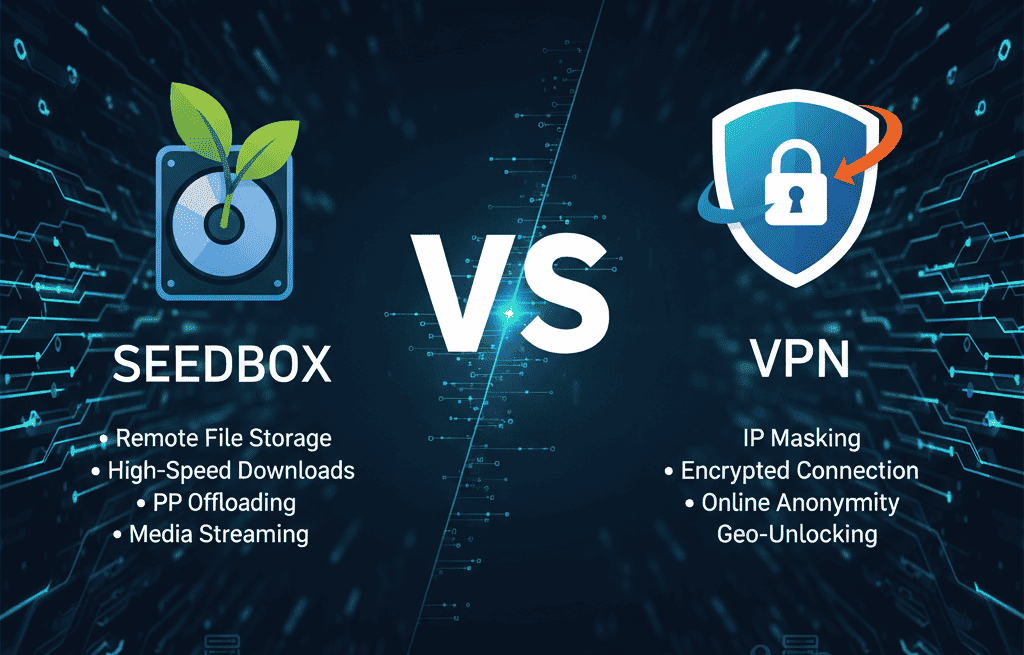
What is a Seedbox?
A seedbox is a remote server specifically designed for downloading and uploading large files, typically using the BitTorrent protocol. It is housed in a data center with a high-speed internet connection, often reaching speeds that are much faster than a standard home connection. This allows for lightning-fast file transfers.
The main purpose of a seedbox is to handle the heavy lifting of file sharing away from your personal computer. When you use a seedbox, your ISP sees you connecting to a server via a secure transfer protocol like FTP or HTTPS, not directly to a P2P network, which adds a layer of privacy.
What is a VPN?
A VPN, or Virtual Private Network, is a service that creates an encrypted tunnel for all your internet traffic. It works by routing your data through a remote server operated by the VPN provider. This process hides your IP address and encrypts all of your online activity, making it unreadable to your ISP or anyone else.
The primary benefit of a VPN is its versatility. It protects all of your online activities, from browsing and shopping to streaming and file sharing, on a single device. A VPN is a general-purpose tool that provides a fundamental layer of privacy and security, allowing you to browse the web anonymously.
What are the key differences between a seedbox and a VPN?
The key differences are purpose and functionality: a seedbox specializes in high-speed file sharing, while a VPN secures all online activities with encryption.
A seedbox is particularly useful for users who need to share large files quickly and efficiently, often in the context of BitTorrenting. In contrast, a VPN is designed for comprehensive online security and privacy across all internet activities. Below is a brief comparison:
| Aspect | Seedbox | VPN |
|---|---|---|
| Primary Use | File sharing | Online privacy |
| Speed | High-speed connection | Dependent on ISP |
| Anonymity | Hides IP for torrents | Encrypts all traffic |
Which is better for downloading large files, a seedbox or a VPN?
A seedbox is generally better for downloading large files due to its high-speed connections and dedicated resources for file transfers.
Seedboxes are typically hosted in data centers with superior bandwidth and hardware optimized for torrenting, often providing speeds of up to 10 Gbps. This makes them ideal for users who frequently download large files or need to maintain a good upload ratio in private trackers. Although some VPNs claim good speeds, they usually cannot match the dedicated speed of a seedbox, particularly during peak usage times. For instance, a standard VPN may max out at 100-200 Mbps depending on your home internet speed and the server location, significantly slower than a seedbox. Therefore, for high-volume file sharing, a seedbox is the recommended choice.
How does a seedbox improve file sharing speed?
A seedbox improves file sharing speed through its high-speed internet connection, optimized server resources, and proximity to major Peers.
Seedboxes typically utilize connections ranging from 1 Gbps up to 10 Gbps, providing rapid download and upload speeds. This speed is due to the servers being located in data centers with robust infrastructure and minimal congestion. The BitTorrent protocol also benefits from multiple simultaneous connections, allowing users to download files from multiple sources at once. Additionally, seedboxes often allow users to seed (upload files to peers) at higher rates, which can positively impact overall download speeds. Users can also transfer downloaded files using FTP or HTTPS, which maintains high speeds even during large transfers. This makes seedboxes indispensable for avid torrent users.
What are the advantages of using a VPN for privacy?
The main advantages of using a Virtual Private Network for privacy include IP address masking, data encryption, and protection from ISP monitoring.
When you use a VPN, it connects your device to one of its servers, hiding your true IP address and replacing it with the server’s. This anonymity helps prevent websites and online services from tracking your online behavior or identifying you personally. Moreover, a VPN encrypts all the data traveling to and from your device, making it unreadable to anyone attempting to intercept it, such as ISPs or hackers. This encryption protects your sensitive information, especially when using public Wi-Fi networks, where risks are elevated. Lastly, a reputable VPN employs a no-logs policy, ensuring that your online activities are not recorded or stored by the provider, further enhancing your privacy. This makes VPNs a valuable tool for anyone concerned about maintaining their anonymity online.
Can a seedbox be used for privacy protection?
Yes, a seedbox can provide a layer of privacy protection, but it is not as comprehensive as a VPN.
While using a seedbox hides your IP address in the context of file sharing, it does not encrypt your overall internet traffic. This means your ISP can still see other activities you engage in while online. When you connect to a seedbox, all torrenting activity is masked behind the server’s IP address, providing some degree of anonymity on torrent networks. However, for general web browsing or using other online services, your real IP address is still exposed unless you couple the seedbox with a VPN. For users primarily focused on privacy while torrenting, a seedbox is useful, but combining it with a VPN ensures complete protection across all online activities.
What are the disadvantages of using a seedbox?
Some disadvantages of using a seedbox include cost, complexity, and reliance on a third-party service.
Seedboxes can be more expensive than traditional shared hosting or home internet solutions, with prices ranging from $10 to $50 or more per month, depending on speed and storage options. Additionally, setting up and managing a seedbox can be complex, requiring knowledge of file transfer methods and torrent client configurations that might not be intuitive for average users. Furthermore, since a seedbox is a third-party service, users must trust that it maintains strong privacy policies and does not log activities. Any potential downtime or issues that the service may experience can affect users’ ability to download or transfer files as well. Overall, seedboxes serve specific functions and are best suited to users with particular needs for speed and connectivity.
Conclusion: Seedbox vs VPN
For general-purpose privacy and security across all your online activities, a VPN is the best choice in 2026. However, if your main goal is high-speed, private file sharing and maintaining a good ratio on torrent sites, a seedbox is the superior tool. For ultimate privacy, some users choose to combine both by using a VPN to download files from their seedbox. The right choice depends on your specific needs: a VPN for general protection or a seedbox for specialized, high-speed file sharing.
FAQs
- Is a seedbox faster than a VPN?
For file sharing, yes, a seedbox is much faster. It uses a high-speed data center connection (often 1 Gbps or 10 Gbps) for all downloads and uploads, which far exceeds the speed of most home internet connections.
- Which one is better for online privacy?
A VPN provides better overall privacy. It encrypts all of your internet traffic, hiding your browsing habits and other online activities from your ISP, not just your file-sharing.
- Can I use a seedbox to unblock websites?
No, a seedbox is not designed to unblock geo-restricted websites. A VPN is the correct tool for this, as it allows you to change your virtual location and access content from a different country.
- How does a seedbox hide my IP address?
A seedbox hides your IP address by acting as a middleman. When you share files, the torrent network sees the seedbox’s IP address, not your personal one, keeping your identity private.
- Do I need both a seedbox and a VPN?
You don’t need both, but they can be used together for maximum privacy. By using a VPN, you can protect the connection between your computer and the seedbox, adding another layer of security.
- Which one is more user-friendly?
A VPN is generally more user-friendly. You simply install an app, connect to a server, and all your traffic is protected. A seedbox can be more complex to set up and manage, as it requires you to manually transfer files.
- Is a seedbox the same as a proxy?
No, they are different. A seedbox is a remote server for file storage and sharing, while a proxy is a simple server that forwards your internet traffic, often without encryption.
- Will my ISP know I am using a seedbox?
Your ISP can see that you are connecting to a seedbox server, but it cannot see the torrenting activity happening on that server. It only sees a regular connection to a remote server, which is less suspicious than direct torrenting.
- Can I use a VPN to download torrents?
Yes, you can use a VPN for torrenting. A good VPN will encrypt your traffic and hide your IP address from the torrent network, protecting you from potential monitoring by your ISP or others.
- Do seedboxes offer a no-logs policy?
Some seedbox providers have a no-logs policy, but this varies greatly. It is important to research the provider’s privacy policy, as they could potentially store logs that link your account to your file-sharing activity.