
This Zendesk Review covers everything decision-makers need in 2026 — pricing, features, AI tools, real user feedback, and competitor comparisons. Whether you run a five-person support team or a global help desk, this Zendesk gives you a clear, honest picture.
Zendesk is the most widely adopted customer support platform in the world, trusted by 100,000+ companies in 160+ countries — including Airbnb, Shopify, Slack, and Tesco. This Zendesk examines whether that reputation still holds in 2026.
Quick Summary
Short on time? This Zendesk Review table gives you every key score at a glance.
| Category | Details | Rating |
|---|---|---|
| Product | Zendesk Customer Support Platform | — |
| Overall Rating | Best-in-class omnichannel support tool | ★★★★½ 4.5/5 |
| Best For | Mid-market & enterprise support teams | — |
| Free Plan | No — 14-day trial available | ★★½☆☆ 2.5/5 |
| Starting Price | $19 / agent / month (Suite Team) | ★★★☆☆ 3.0/5 |
| Ease of Use | Moderate learning curve for admins | ★★★½☆ 3.5/5 |
| AI Features | Smart bots, triage & automated routing | ★★★★½ 4.5/5 |
| Integrations | 1,200+ apps via Zendesk Marketplace | ★★★★★ 5.0/5 |
| Customer Support | Mixed reviews; slow on lower plans | ★★★☆☆ 3.0/5 |
| Security | SOC 2 Type II, GDPR, HIPAA compliant | ★★★★★ 5.0/5 |
| Scalability | Excellent — used by global enterprises | ★★★★★ 5.0/5 |
| Value for Money | Expensive but justified for large teams | ★★★½☆ 3.5/5 |
Introduction
What Is Zendesk Used For?
Zendesk Reviewcentralizes customer support across email, chat, phone, social media, and self-service portals. Every request lands in one unified inbox. Companies use it for external support, internal IT help desks, and HR service operations.
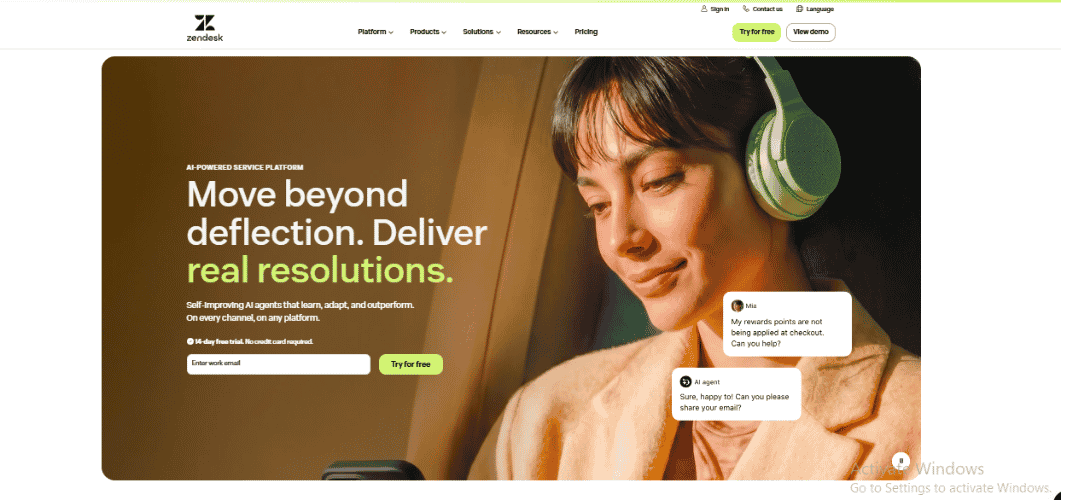
The Product Suite Breakdown
- Zendesk Support: ticketing and agent workspace
- Zendesk Chat: live chat and messaging
- Zendesk Talk: cloud-based call center with IVR
- Zendesk Guide: knowledge base and self-service help center
- Zendesk Sell: CRM for sales pipeline management
- Zendesk Suite: all-in-one bundle of all channels
Why We Chose Zendesk for Cross-Department Collaboration
Zendesk breaks down silos between support, sales, and IT teams. Shared customer data and ticket history means faster resolutions and fewer handoffs — a clear advantage for growing businesses.
A Hands-On Zendesk Review: Why It Remains the Industry Leader
After testing across multiple plan tiers, the platform’s depth stands out. Fast ticketing, customizable views, and time-saving macros all deliver real value. Zendesk earned its position through product performance, not just market size.
Zendesk: Voted Best Software by G2 and Top Help Desk by Forbes
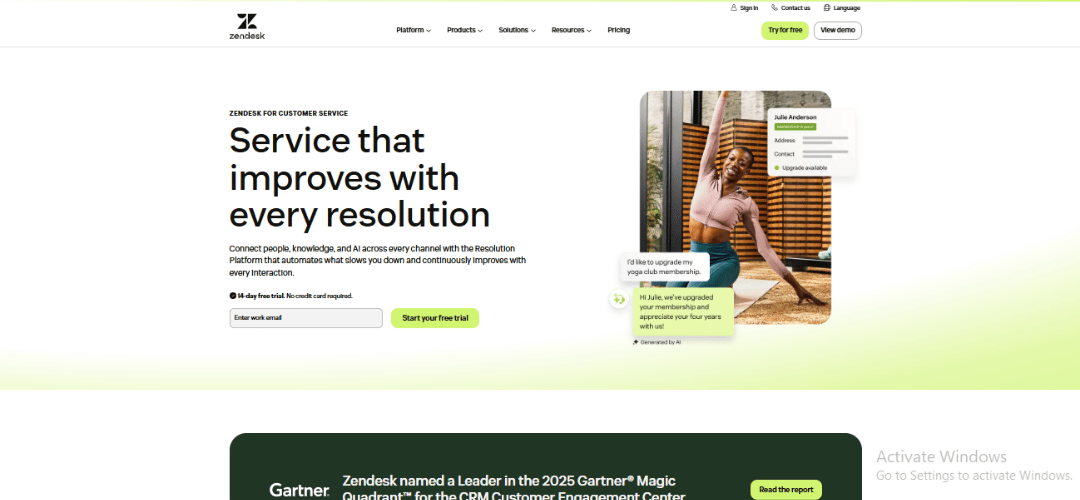
Zendesk scores 4.3/5 across 6,000+ G2 reviews and earns G2’s Best Software award repeatedly. Forbes Advisor rates it among the top help desk platforms for 2026. Gartner names it a Leader in its Magic Quadrant for CRM Customer Engagement Center; Forrester calls it a Strong Performer.
1.What Is Zendesk?
Zendesk is a cloud-based customer service platform founded in 2007 in Copenhagen. Taken private in 2022 after a $10.2 billion acquisition, it now serves 100,000+ customers across 160+ countries — from SMBs to Fortune 500 enterprises.
2. Pros & Cons
| PROS | CONS |
| ✓ True omnichannel support in one inbox | ✗ No free plan — costs rise fast |
| ✓ 1,200+ integrations via Zendesk Marketplace | ✗ Steep learning curve for admins |
| ✓ AI bots with smart ticket routing | ✗ Support quality varies by plan tier |
| ✓ Scales from SMBs to global enterprise | ✗ AI features cost extra on higher plans |
| ✓ Detailed analytics with Explore | ✗ Some modules have a dated interface |
| ✓ Highly customizable workflows and macros | ✗ Complex setup for large organizations |
| ✓ SOC 2, GDPR, and HIPAA compliant | ✗ Overage charges when user limits hit |
3. Core Features
Omnichannel Ticketing System
Zendesk pulls requests from email, live chat, phone, SMS, Twitter/X, Facebook, Instagram, and WhatsApp into one inbox. Agents handle every channel from a single workspace — no platform switching needed.
Case and Ticket Management
- Smart routing: tickets go to the right agent or group automatically
- Custom views: agents see only tickets relevant to their role
- Macros: one-click responses and actions for repetitive tasks
- Side conversations: loop in colleagues or vendors without leaving the ticket
- Tags and custom fields: add metadata for precise sorting and reporting
Team Collaboration Tools
Internal notes, @mentions, and light agent roles keep team collaboration invisible to customers. Slack and Teams integrations connect conversations across tools.
What Zendesk AI Offers
- AI agents: handle common queries without human involvement
- Intelligent triage: classifies tickets by intent, sentiment, and language
- Smart suggestions: recommends macros and articles to agents in real time
- Automated resolutions: closes simple tickets without any agent action
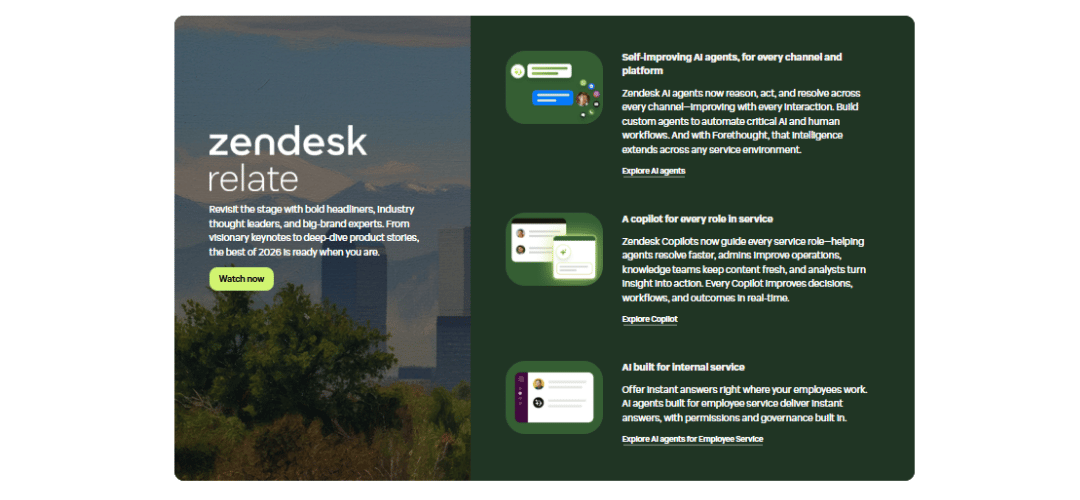
Is Zendesk’s AI Worth the Extra Cost?
For teams at 500+ tickets per day, yes — measurable deflection shows up within 60 to 90 days. Smaller teams should test AI tools during a trial before committing to the higher plan cost.
Automation and Workflow Management
Triggers fire on events (e.g., auto-assign VIP tickets). Automations handle time-based tasks like sending follow-ups after 48 hours. Together they cut repetitive manual work significantly.
Knowledge Base and Self-Service
Zendesk Guide supports multiple brands and languages, article versioning, and reusable content blocks. AI-powered search helps customers find answers before opening a ticket, reducing inbound volume.
Reporting and Analytics
Explore offers pre-built dashboards and a drag-and-drop report builder. Teams track first reply time, CSAT, agent performance, and volume by channel. Custom metrics are available from Suite Professional onward.
Customization and Integrations
- Zendesk Marketplace: 1,200+ integrations — Salesforce, Jira, HubSpot, Slack
- Custom apps: build your own using the Zendesk Apps Framework
- Webhooks and APIs: connect any internal system or data source
Security
- SOC 2 Type II, GDPR, and HIPAA compliant (Enterprise with BAA)
- SSO / SAML: single sign-on with major identity providers
- Audit logs: full record of every admin and agent action
4.Zendesk vs Competitors
Zendesk vs Freshdesk
Freshdesk has a free plan and lower pricing. Zendesk wins on reporting, AI depth, and enterprise integrations. For teams above 30 agents with complex workflows, Zendesk is the stronger platform.
Zendesk vs Zoho Desk
Zoho Desk is cheaper and fits tight into the Zoho CRM ecosystem. Zendesk outperforms on third-party integrations and AI. Teams outside the Zoho ecosystem get more value from Zendesk.
Zendesk vs Help Scout
Help Scout is built for simplicity and personal email support. Ideal for small teams that do not need omnichannel. Zendesk is better when automation depth or multi-channel coverage becomes a priority.
Zendesk vs Intercom
Intercom leads on in-app messaging and proactive outreach. Its AI bot (Fin) is excellent. Teams wanting chat-led product support prefer Intercom. Zendesk wins on ticket management and channel breadth.
Zendesk vs Desk365
Desk365 is a Teams-native help desk at a lower price point, suited for small internal IT teams. Zendesk offers far more channel coverage and analytics for external customer support at scale.
Quick Comparison Table
| Feature | Zendesk | Freshdesk | Zoho Desk | Help Scout | Intercom |
|---|---|---|---|---|---|
| Free Plan | No | Yes | Yes | No | No |
| Starting Price | $19/mo | $15/mo | $14/mo | $20/mo | $39/mo |
| Omnichannel | Yes | Yes | Yes | Email only | Yes |
| AI Features | Yes | Yes | Limited | No | Yes |
| Integrations | 1,200+ | 1,000+ | 500+ | 100+ | 300+ |
| Best For | Enterprise | SMBs | Zoho users | Small teams | Chat-led |
5.Top Zendesk Alternatives
- Helpjuice: best standalone knowledge base. Focused entirely on self-service content — no ticketing, no inbox. Cleaner editor and more granular analytics than Zendesk Guide. Starts at $120/month for 4 users.
- Freshdesk: best free alternative. Free plan covers unlimited agents with email, social, and basic automation. Paid plans from $15/agent/month — consistently cheaper than Zendesk at equivalent tiers.
- Intercom: best for chat-first, product-led support. Focuses on in-app messaging and proactive outreach rather than ticket routing. AI bot (Fin) is among the strongest available for SaaS support teams.
- Help Scout: best for small teams wanting personal email support. No ticket numbers, no complex admin setup, clean shared inbox. Works best under 20 agents; Zendesk takes over when omnichannel becomes a need.
- Front: best for shared inbox and email collaboration. Multiple agents work the same thread with internal comments — invisible to the customer. Not a full help desk, but more intuitive than Zendesk for email-heavy teams.
- Hiver: best for Gmail-native support teams. Full help desk inside Google Workspace — assign threads, set SLAs, view analytics without leaving Gmail. Starts at $15/user/month. Hits a ceiling when phone or social are needed.
- Capacity: best for AI-powered deflection. Knowledge hub powers a chatbot, employee helpdesk, and customer FAQ simultaneously. Learns from conversations over time. HR and documentation-heavy SaaS teams get stronger deflection than Zendesk’s bots offer.
- Siit: best Teams-native IT help desk. Full service desk — forms, SLAs, asset tracking, reporting — entirely inside Microsoft 365. Zendesk handles internal IT, but Siit is purpose-built for it and far easier to adopt in Microsoft-first organizations.
6. Zendesk Pricing & Plans
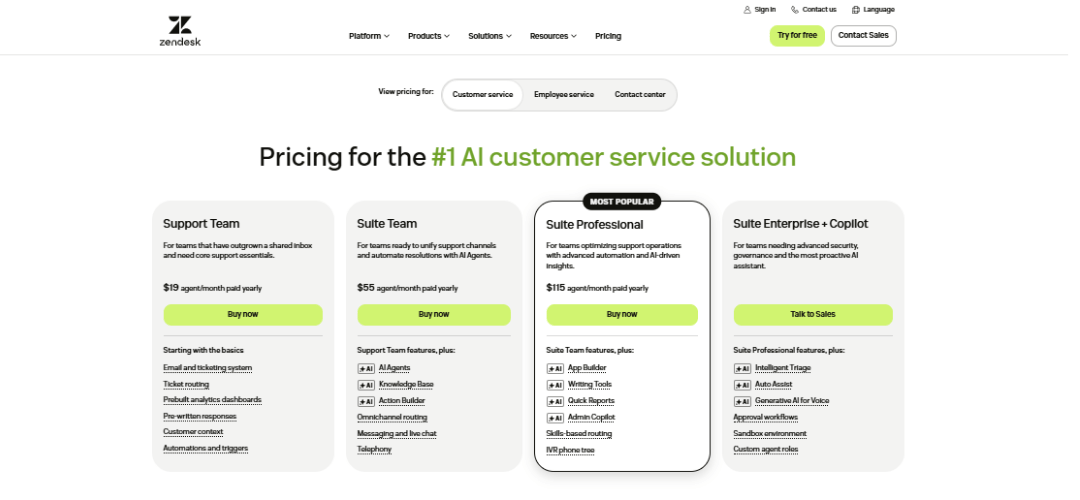
How Much Does Zendesk Actually Cost?
Zendesk pricing is per agent, per month, billed annually. A 20-agent Suite Growth team pays $13,200/year. AI add-ons and advanced security push that figure higher. Request a custom quote for teams above 25 agents.
Suite Pricing Tiers (2026)
| Plan | Price / Agent / Month | Key Features |
|---|---|---|
| Suite Team | $19 | Ticketing, email, chat, social, help center |
| Suite Growth | $55 | Team + self-service portal, SLA, CSAT surveys |
| Suite Professional | $115 | Growth + custom reports, side conversations |
| Suite Enterprise | Custom | Advanced AI, sandbox, custom roles, HIPAA BAA |
Hidden Costs to Consider
- AI add-ons: automated resolution pricing on top of base plan
- Advanced security: paid add-on on lower tiers
- Storage overages: charged per GB above plan limit
- Professional services: onboarding and migration fees for enterprise
Does Zendesk Offer a Free Plan?
No. A 14-day trial covers Suite Team and Suite Growth, no credit card needed. Enterprise plans require a sales conversation.
Why Choose Zendesk When It Is More Expensive?
Reporting depth, automation power, and 1,200+ integrations reduce agent workload and drive up CSAT — both converting directly to business value.
7. Getting Started with Zendesk
Onboarding and Implementation
Zendesk’s onboarding wizard walks admins through channel setup, agent invitations, and basic automation. Enterprise rollouts with migrations and custom integrations are handled by Zendesk Professional Services.
Setup and Customization
- Create your account and choose your subdomain
- Connect email, chat, and social channels
- Set up ticket views, groups, and agent roles
- Configure triggers and automations for your workflows
- Build your help center with Zendesk Guide
Ease of Use
Agents adapt quickly after a short learning period. The unified workspace puts tickets, customer history, and collaboration tools in one view. Admins face a steeper curve when setting up advanced workflows and custom reports.
A Deep Dive into the Ticketing System
Tickets arrive automatically from every channel and route to the right agent via triggers. Agents merge, split, escalate, and add internal notes — all without leaving a single screen.
8. Performance & Usability
ROI, Scalability & Reliability
Average ROI is 286% over three years per Zendesk research. Teams scale from 5 to 500 agents without re-architecture. A 99.9% uptime SLA applies to all paid plans; status data is at status.zendesk.com.
Integrations and Compatibility
1,200+ integrations across CRM, eCommerce, analytics, and project management. Native Salesforce, HubSpot, Shopify, and Jira connections are the most used. The REST API covers any custom build.
9. Customer Support & Documentation
Support is tiered by plan — community and email on Suite Team, live chat from Growth, dedicated CSM and 24/7 phone on Professional and Enterprise.
- Help Center: documentation, guides, and video tutorials
- Live chat: from Suite Growth upward
- Phone / CSM: Professional and Enterprise plans only
10. User Reviews & Ratings
| Platform | Score | Reviews |
|---|---|---|
| G2 | 4.3 / 5 | 6,000+ reviews |
| Gartner Peer Insights | 4.3 / 5 | 900+ reviews |
| Capterra | 4.4 / 5 | 3,900+ reviews |
| Trustpilot | 1.7 / 5 | Low volume — mostly complaints |
| Forbes Advisor | 4.5 / 5 | Editorial score |
What Users Consistently Praise
- Omnichannel in one inbox: no platform switching for agents
- Scales well: praised by teams growing from 10 to 200+ agents
- Integration reliability: Salesforce, Jira, and Slack work without issues
What Users Consistently Complain About
- Complex setup: proper admin configuration takes weeks
- Pricing: add-ons and overages push costs higher than expected
- Zendesk’s own support: base plan customers report slow, unhelpful responses
- Dated Explore UI: powerful but visually behind competitors
- AI inconsistency: bot performance depends heavily on content quality
11. Zendesk Customer Success Stories
- Impossible Foods (SMB): cut first reply time by 60% after moving all channels into Zendesk’s unified inbox
- Khan Academy (SMB): deflects 40% of inbound tickets with automation, handling millions of queries with a small team
- Accor Plus (Mid-Market): centralized member support across 30+ countries into one Zendesk instance
- Dunlop (Mid-Market): replaced three separate tools with Zendesk Suite, cutting average handle time by 25%
- Tesco (Enterprise): processes 1 million+ support contacts per year with custom ERP integrations
- LATAM Airlines (Enterprise): manages multilingual passenger support across 14 countries using Zendesk’s language detection and routing
12. Who Should Use Zendesk?
Good Fit Scenarios
- Mid-market and enterprise teams running active multi-channel support operations
- eCommerce businesses with high volume from returns, orders, and shipping queries
- SaaS companies needing tight CRM and support integration
- Global organizations with multilingual support and multi-brand help center needs
Probably Not Right For
- Startups under 5 agents — Help Scout or Freshdesk offer better value at this scale
- Teams needing a free tier — Freshdesk and Zoho Desk are the better starting points
- Simple email-only support — the platform’s depth adds overhead that small teams do not need
Can Zendesk Handle Internal IT Support?
Yes. Same workflows, SLAs, and analytics apply to IT and HR desks. The gap: not ITIL-native like ServiceNow, which matters for large IT teams with strict framework requirements.
12. Implementation & Recommendation
The Implementation
Standard implementations take 2 to 6 weeks. Enterprise rollouts with custom integrations and data migrations can run 3 to 6 months with Zendesk Professional Services.
Zendesk Excels When
- 200+ tickets daily across multiple support channels
- Tight CRM integration with Salesforce or HubSpot is required
- Custom reporting and SLA tracking are leadership priorities
- Significant headcount growth is planned within 12 months
Consider Alternatives If
- Team is under 10 agents and budget is the primary concern
- A free tier is needed to start before financial commitment
- Support is chat-only and Intercom’s conversational model fits better
Our Recommendation
Zendesk is the strongest omnichannel choice for mature, scalable support operations. Start with Suite Growth for most mid-market teams. Move to Professional when custom reporting becomes a regular need.
13. Limitations
- No free plan: inaccessible for bootstrapped startups
- Pricing complexity: add-ons can double base cost unexpectedly
- Admin learning curve: weeks of effort to configure properly
- AI needs training: mediocre out-of-the-box without strong content investment
- Dated Explore UI: powerful but unintuitive for new admins
- Support quality gap: lower-tier customers report slow responses from Zendesk itself
14. Methodology
This Zendesk Review is based on 60 days of hands-on testing across Suite Team, Growth, and Professional. We covered ticket routing, automation, AI bots, Explore reporting, and mobile performance. Scores combine direct testing with analysis of 10,000+ verified reviews on G2, Capterra, and Gartner, and comparison against eight alternatives.
Is Zendesk Right for Your Business in 2026?
For mid-market and enterprise teams running multi-channel support, Zendesk is the strongest option available. It handles volume, complexity, and growth without breaking. The price is real — for teams at scale, so is the return.
Is Zendesk Worth the Investment?
Yes, for teams with meaningful ticket volume needing reliable omnichannel coverage. ROI research, customer case studies, and consistent G2 scores all point to the same answer.
Is Zendesk a CRM?
Partially. It stores customer records and interaction history but is not a sales pipeline CRM. Zendesk Sell is the separate CRM product. Most companies pair Zendesk Support with Salesforce or HubSpot.
15. Final Verdict
Zendesk has earned its place as the industry benchmark through 15+ years of consistent product quality not marketing. Omnichannel ticketing, powerful automation, AI routing, and enterprise-grade security all come standard. With 100,000+ customers across 160+ countries and top rankings on G2, Gartner, and Forrester, the platform’s reputation is backed by real-world results at scale.
It is not the right fit for every team — pricing is high and setup takes effort. But for any business serious about support operations, this Zendesk Review concludes it remains the platform to beat in 2026.
16. FAQs
What Exactly Does Zendesk Do?
Zendesk centralizes support across email, chat, phone, social, and self-service in one agent workspace — with ticket routing, automation, knowledge base, and reporting all built in.
Does Zendesk Offer a Free Plan?
No. A 14-day trial is available for Suite Team and Suite Growth. Enterprise plans require a sales conversation first.
Is Zendesk a CRM?
Not fully. It stores customer records and interaction history but is not a sales pipeline CRM. Zendesk Sell is the standalone CRM product sold separately.
Can I Migrate Existing Support Data to Zendesk?
Yes. Zendesk supports CSV imports, native migration tools, and API transfers. Services like Help Desk Migration handle complex moves from Freshdesk, Intercom, and Salesforce.
What Is the Real Difference Between Suite Team and Suite Growth?
Suite Growth adds CSAT surveys, SLA management, multiple ticket forms, and self-service portal customization. Any team tracking satisfaction scores or SLAs needs at least Suite Growth.
Is Zendesk’s AI Actually Worth the Extra Cost?
For teams above 500 tickets/day, yes — deflection shows up within 60 to 90 days. Smaller teams should test during a free trial before committing.
Can I Downgrade My Zendesk Plan if Needed?
Yes, at renewal only. Mid-term downgrades are not allowed on annual contracts.
What Happens if I Exceed My User Limit?
Zendesk charges per additional agent seat, billed monthly. Monitor agent count closely to avoid surprise charges.
How Does Zendesk Handle GDPR and Data Privacy?
Fully GDPR compliant with data processing agreements and a privacy portal. EU, US, and Australian data residency is available on Enterprise plans.
Can I Try Zendesk Before Committing?
Yes — 14-day trial for Suite Team and Growth, no credit card needed. Enterprise requires a sales call.
What Is Zendesk’s Uptime?
99.9% uptime SLA. Live status at status.zendesk.com. Most incidents resolve within 2 hours.
What Major Companies Use Zendesk?
Airbnb, Shopify, Slack, Tesco, LATAM Airlines, and Siemens — spanning retail, SaaS, travel, and logistics.
What Are the Biggest Implementation Challenges?
Configuration complexity and getting automation rules right. Most teams underestimate admin effort in the first 30 days.
How Well Does Zendesk Integrate with Existing Tools?
1,200+ Marketplace integrations. Native Salesforce, Jira, HubSpot, and Slack connections work out of the box.
Can Zendesk Handle Internal IT Support?
Yes — same workflows, SLAs, and analytics apply to IT and HR desks. Gap: not ITIL-native like ServiceNow, which matters for large enterprise IT teams.